What Is Frame Rate in Video Explained Simply
Frame rate, measured in frames per second (fps), is just a fancy way of saying how many still images are flashed in front of your eyes each second to create the illusion of movement. Think of it like a digital flipbook. The more pages you flip per second, the smoother the action looks.
Understanding the Building Blocks of Video Motion
At its heart, every video you've ever seen is just a string of static pictures shown in rapid-fire succession. Frame rate is the magic ingredient that turns that slideshow into fluid motion. When the frames are shown fast enough, our brains get tricked into seeing continuous action instead of individual photos.
This one setting is the secret sauce behind why a Hollywood blockbuster feels so different from a live football game or a shaky smartphone clip. Getting a handle on frame rate gives you the power to shape the entire vibe of your video, whether you're going for something dreamy and cinematic or sharp and hyper-realistic. It's a fundamental part of great video production best practices.
The Origin of the Cinematic Standard
The most iconic frame rate of all, 24 fps, wasn't born from an artistic vision. It was a practical solution to a technical problem. Back in the late 1920s, when movies started talking, filmmakers needed a speed that was fast enough to sync audio cleanly with the picture.
They found that 24 fps was the slowest they could go to get decent sound quality while still saving money on expensive film stock. By 1929, it became the global standard for movies, and for almost a century, it has defined that classic "cinematic look" we all know. If you're curious, you can learn more about the history of this standard.
A lower frame rate like 24 fps creates a subtle motion blur that our eyes perceive as natural and artistic. Higher frame rates, on the other hand, cut down on that blur, resulting in a crisper, more immediate feel that’s much closer to how we see the real world.
Now, let's take a quick look at the most common frame rates you'll encounter and the distinct feel each one creates.
Common Frame Rates at a Glance
This table gives you a quick rundown of the main players in the world of frame rates. It covers what they're typically used for and the unique visual texture they bring to the screen.
| Frame Rate (fps) | Common Use Cases | Resulting Look and Feel |
|---|---|---|
| 24 fps | Feature films, narrative content, web series | The classic "cinematic" look with natural motion blur. |
| 25 fps | European broadcast TV (PAL), some web video | Very similar to 24 fps, nearly indistinguishable to most viewers. |
| 30 fps | US broadcast TV (NTSC), news, live events, online video | A smooth, clean look often associated with television and reality TV. |
| 60 fps | Sports broadcasting, video games, slow-motion effects, high-action content | Ultra-smooth, hyper-realistic motion with very little blur. |
| 120+ fps | Extreme slow-motion, special effects, scientific analysis | Captures incredible detail for dramatic, ultra-slow playback. |
Each of these rates has its place, and choosing the right one is all about matching the technical setting to your creative vision. We'll dive deeper into what makes each one tick in the next section.
A Visual Guide to Common Frame Rates
Understanding the numbers is one thing, but getting a feel for how different frame rates look on screen is what really matters. Each rate has its own personality and purpose, chosen to create a specific emotional response or viewing experience.
Let's break down the most common ones you'll run into.
This simple diagram illustrates the core idea: individual still images, when shown in a rapid sequence, create the illusion of fluid motion. It’s the flipbook effect, just digital.
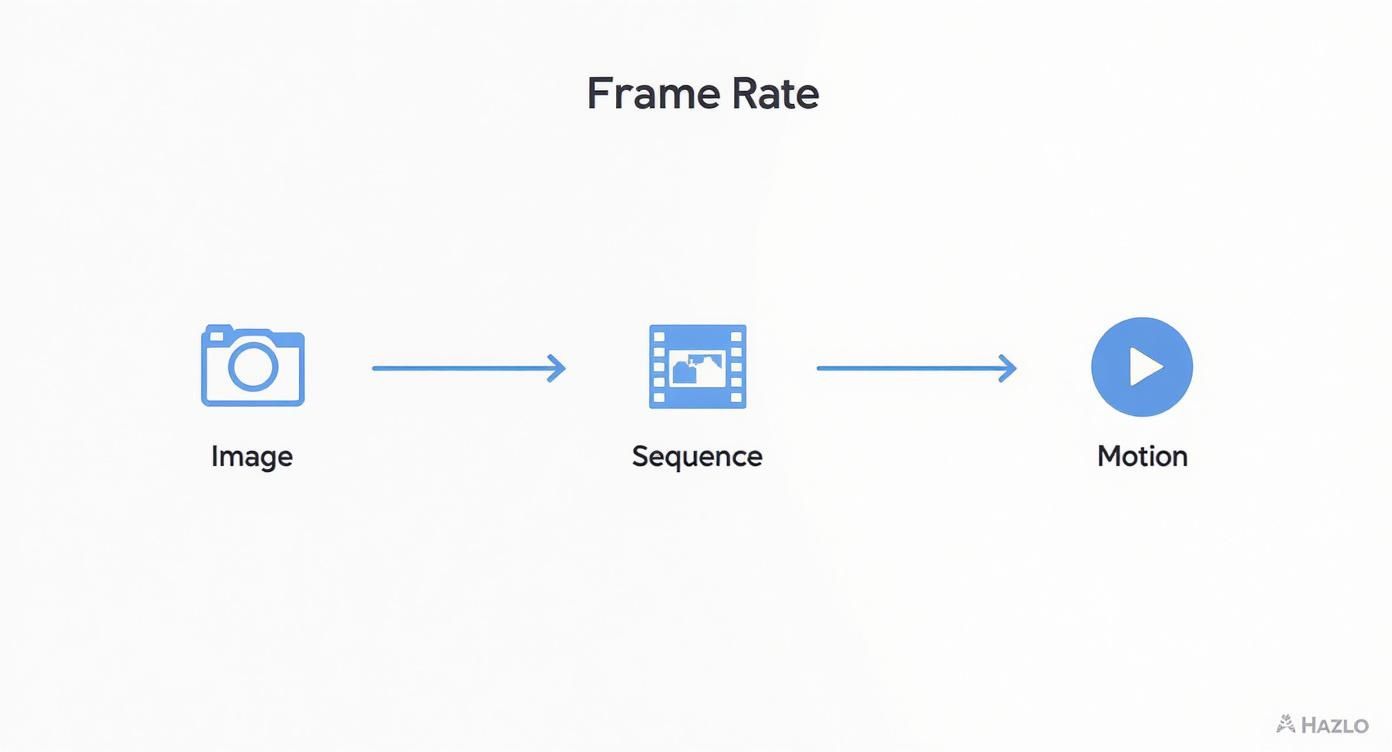
The visual here shows how the whole concept is built from the ground up, starting with a single frame and building all the way up to perceived movement.
24 FPS: The Cinematic Standard
When you think of that classic "movie look," you're thinking of 24 fps. This rate introduces a subtle motion blur that feels natural and slightly dreamlike, putting a gentle separation between the world on screen and our own reality.
It's the undisputed standard for feature films, narrative television, and any project aiming for that classic, story-driven feel.
This wasn't just some random number they picked out of a hat. When "talkies" took over from silent films in the late 1920s, they needed a consistent speed to keep the audio perfectly synced with the picture. By 1929, 24 fps was adopted as the international standard for sound films—it was the slowest speed that could reliably carry sound while keeping expensive film stock costs down. You can discover more about how sound shaped this decision in this fantastic breakdown.
Using 24 fps is a deliberate creative choice. It signals to the audience that they are watching a story, not a live event. It's the language of cinema.
30 FPS: The Broadcast and Online Workhorse
Bump it up to 30 fps (or its European cousin, 25 fps), and the motion becomes noticeably cleaner and smoother. This is the standard for television broadcasts, covering everything from the nightly news and live sports to your favorite reality TV shows.
That slight increase in frames per second reduces motion blur, creating a look that feels more immediate and "live."
For most online content, from YouTube tutorials to corporate videos, 30 fps is the go-to. It provides a crisp, professional look that's easy to watch and doesn't carry the specific aesthetic of 24 fps. It’s no accident that most smartphones record at 30 fps by default.
60 FPS and Higher: For Fluid Action and Slow Motion
When you absolutely need to capture fast-paced action with maximum clarity, 60 fps (and higher) is your answer. This is the realm of high-octane video games, professional sports replays, and any situation where every little detail of the movement matters.
The high frame count minimizes motion blur to almost nothing, resulting in hyper-realistic, buttery-smooth playback.
But the real magic of high frame rates is their power to create stunning slow-motion. By recording at a high fps and then playing it back at a standard rate (like 24 or 30 fps), you can slow down time beautifully.
Here’s how that works:
- Shooting at 60 fps lets you slow your footage down to 50% speed on a 30 fps timeline without any stutter.
- Shooting at 120 fps enables you to slow it down to just 25% speed on a 30 fps timeline, perfect for those epic, dramatic action shots.
Choosing the right frame rate is all about matching your technical settings with your creative intent. It's about deciding if you want your video to feel like a gritty film, a clean broadcast, or a hyper-smooth action sequence.
How Shutter Speed and Frame Rate Work Together
If frame rate is how many pictures your camera grabs per second, shutter speed is how long the lens stays open for each of those pictures. This is where a lot of new creators get tripped up, but the relationship is actually pretty simple once it clicks.
These two settings have to do a delicate dance together to control one crucial thing: motion blur.
Think of it this way: your frame rate is a constant rhythm, like a metronome clicking away 24 times every second. Your shutter speed decides the length of each click. A fast shutter speed is a quick, sharp tic, while a slow shutter speed is a longer, drawn-out toooock.
Getting this balance right is what separates clean, professional-looking video from footage that just feels... off.
The 180-Degree Shutter Rule Explained
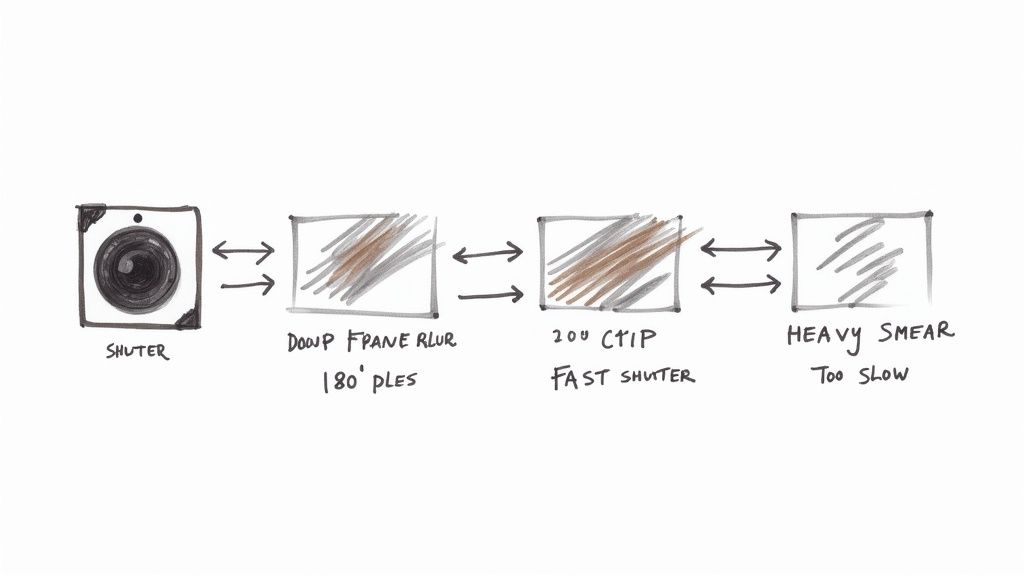
To get that natural-looking motion blur that mimics how our own eyes see the world, filmmakers follow a simple guideline called the 180-degree shutter rule. It’s incredibly easy to apply and remember, and it’s one of the fastest ways to make your video look more cinematic.
The 180-Degree Shutter Rule: Your shutter speed should be double your frame rate.
The name comes from the old days of film cameras, which used a spinning, half-circle disc (a 180-degree shutter) that would expose the film for exactly half of the time each frame was in place. We can easily replicate that look with modern digital cameras.
Here’s how it works in the real world:
- Shooting at 24 fps? Your shutter speed should be 1/48 (or 1/50 on most cameras, which is close enough).
- Shooting at 30 fps? Set your shutter speed to 1/60.
- Shooting at 60 fps for some slick slow-motion? You’ll want a 1/120 shutter speed.
Following this rule gives your video a subtle, pleasing motion blur that just feels right. It's not too blurry, not too sharp—it's just organic.
What Happens When the Balance Is Wrong
Of course, you can break this rule for creative reasons, but doing it by accident can ruin an otherwise perfect shot. Knowing what happens when the balance is off is key to controlling the final look of your video.
If your shutter speed is too fast (like 1/1000 at 24 fps), every single frame will be razor-sharp. This kills the natural motion blur, creating a choppy, almost strobe-like effect. It can feel jarring and unnatural, though it's sometimes used intentionally in action films like Saving Private Ryan to create a sense of chaos and intensity.
On the flip side, if your shutter speed is too slow (say, 1/30 at 24 fps), the motion becomes a smeary, blurry mess. Each frame bleeds into the next, creating a dreamy or disorienting effect that can look sloppy if you didn't plan for it.
Mastering this relationship between shutter and frame rate is a fundamental step toward getting total creative control over your shots.
Choosing the Right Frame Rate for Your Project
https://www.youtube.com/embed/7lUFluLOh-s
Moving from theory to practice means making decisive choices. Selecting the right frame rate isn't just a technical setting; it's a creative decision that defines your video's entire mood and purpose. Your choice needs to line up with what you're trying to achieve, where you'll be sharing your video, and the emotional response you want from your audience.
The good news is that this decision gets a lot easier once you understand the core scenarios. Each standard frame rate has its own personality and is best suited for specific types of content. It all comes down to matching the right tool to the job.
For a Cinematic Feel, Use 24 fps
If your goal is storytelling—whether it's a short film, a narrative web series, or a documentary with a cinematic flair—24 fps is your undisputed champion. This frame rate introduces a subtle motion blur that our brains have been trained for decades to associate with the "magic of the movies."
It creates a gentle separation between the viewer and the screen, signaling that they are watching a crafted story, not a live event. It just feels artistic and intentional, and it’s the standard for pretty much every major motion picture. For any project where the narrative is king, 24 fps is the way to go.
For Clean Online and Broadcast Content, Use 30 fps
When you need a clean, crisp, and professional look, 30 fps is your reliable workhorse. This is the standard for most online content, including YouTube tutorials, vlogs, corporate videos, and social media updates. It delivers a smooth, clear picture that feels immediate and lifelike without the hyper-realism of higher frame rates.
Interestingly, this rate has its roots in broadcast television. In the United States and Japan, the NTSC standard uses 29.97 fps (often rounded up to 30 fps) to avoid signal interference. This is different from Europe's PAL standard of 25 fps, which was designed to align with their 50 Hz power grid. You can discover more insights about video frame rate facts on Studio Network Solutions.
For Action and Slow Motion, Use 60 fps or Higher
For projects built around fast-paced action, 60 fps (or even 120 fps) is essential. This is the domain of sports highlights, video game streams, and any content where motion clarity is the top priority. The high frame count drastically reduces motion blur, resulting in exceptionally smooth, detailed playback that captures every split-second movement.
The other huge advantage of shooting at 60 fps or higher is the ability to create beautiful, fluid slow-motion sequences. When you edit this footage in a 30 fps project, you can slow it down to 50% speed without any stuttering or choppiness. When choosing your frame rate, also consider how it can affect engagement, especially when optimizing video for platforms like YouTube Shorts. Mastering these settings in your chosen tools is key; check out our guide on the top video editing software for Mac to find the best fit for your workflow.
To make things even clearer, let's break down which frame rates work best for different types of video projects. This table should give you a quick reference for your next shoot.
Frame Rate Selection Guide by Project Type
| Project Type | Recommended Frame Rate (fps) | Reasoning and Desired Effect |
|---|---|---|
| Cinematic Films & Documentaries | 24 fps | Creates the classic, artistic "movie look" with natural motion blur that audiences are accustomed to. Signals a narrative experience. |
| Standard Online Content (Vlogs, Tutorials) | 30 fps | Provides a clean, professional, and smooth look that feels immediate and lifelike. It's the standard for most web video. |
| Broadcast Television (PAL Regions) | 25 fps | Aligns with the 50 Hz power standard in Europe and other PAL regions, preventing flickering from artificial lighting. |
| Sports & Fast-Action Videos | 60 fps | Captures fast movement with high clarity and minimal motion blur, making action easy to follow. Essential for sports highlights. |
| Video Game Streaming & Recording | 60 fps | Matches the high frame rates of modern video games, providing a smooth and immersive viewing experience for the audience. |
| Epic Slow-Motion Sequences | 120 fps or 240 fps | Allows you to slow footage down dramatically while maintaining a smooth, fluid look. Perfect for highlighting key moments in action. |
| Social Media Stories & Reels | 30 fps or 60 fps | 30 fps works well for general content, but 60 fps is becoming popular for its eye-catching smoothness on mobile devices. |
Ultimately, choosing a frame rate is about understanding the feeling you want to create. By matching the technical setting to your creative vision, you can ensure your video connects with your audience in exactly the way you intended.
Managing Frame Rates in Editing and Export
Your work doesn't stop when you hit the record button. How you handle different frame rates in post-production is just as crucial for a polished, professional video that looks exactly the way you imagined.
The single most important rule is to set your project timeline to match your primary delivery frame rate. If you shot most of your footage at 24 fps for that cinematic feel, your editing timeline in software like Adobe Premiere Pro or Final Cut Pro should also be 24 fps.
This simple step prevents your editing software from guessing what to do with mismatched clips, which is a surefire way to get choppy playback or dropped frames.
Creating Smooth Slow Motion
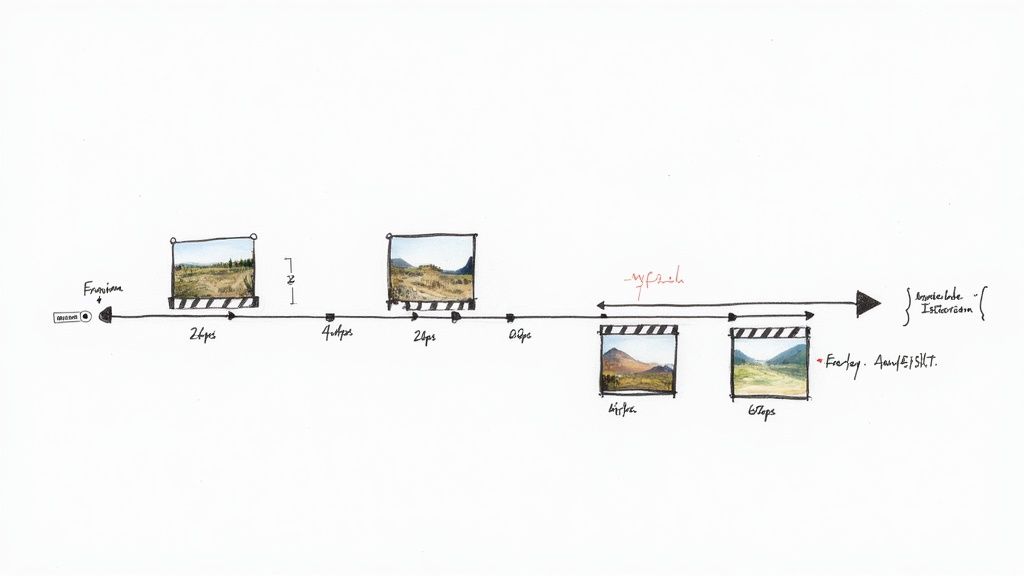
So, why would you ever mix frame rates? The main reason is for killer slow motion. If you have a 60 fps clip, you don't just slow it down on a 60 fps timeline. The magic happens when you place it into your 24 fps or 30 fps project.
From there, you "interpret" the footage to match the timeline's frame rate. This process tells the software to use every single frame you shot, stretching them out to create buttery-smooth slow motion. A 60 fps clip dropped into a 30 fps timeline, for instance, will play back at a perfect 50% speed.
Always set your project’s primary frame rate first. This creates a consistent foundation and tells your editing software how to correctly handle any high-frame-rate clips you want to use for slow-motion effects.
Exporting for Different Platforms
Once your masterpiece is edited, the final step is exporting, and your export settings must match your timeline. If you edited on a 24 fps timeline, export the final video at 24 fps. Exporting at a different rate forces a conversion that can easily ruin the smooth motion you worked so hard to achieve.
Here are some quick guidelines for the most common platforms:
- YouTube & Vimeo: Both platforms are incredibly flexible and support a wide range of frame rates. Your best bet is always to export at your native rate, whether that's 24, 30, or 60 fps.
- Instagram & TikTok: While these platforms support various rates, 30 fps is a safe and reliable standard for both feeds and stories.
For creators focused on getting the best video quality and seamless exports, picking the right tools is paramount. You can explore a guide to the best video editing software to make sure your workflow is as efficient as possible.
Making sure these settings are correct guarantees your video keeps its quality from camera to final upload. And if your last step involves changing the video container, you can learn more about https://compresto.app/blog/how-to-convert-video-file-formats without losing quality.
A Few Common Questions About Frame Rate
Once you get the hang of the basics, a few practical questions almost always come up. Let's walk through the most common ones I hear from other creators to clear up any confusion and get you ready for real-world video projects.
Can the Human Eye See More Than 60 FPS?
Yes, absolutely. The idea that we can't is one of the most persistent myths in video. Our eyes don’t see the world in neat little "frames" like a camera does; instead, we perceive a continuous stream of light and motion. While 24 fps is just enough to create the illusion of movement for our brains, most people can easily spot the difference between 30, 60, and even 120 fps.
For your videos, this means that shooting at 60 fps or higher delivers a noticeably smoother, more lifelike feel, especially when your subject is moving fast—think sports, action sequences, or video games. Professional gamers and pilots, whose jobs depend on split-second reactions, often see a real benefit from even higher frame rates.
A higher frame rate doesn't just look smoother—it feels more responsive and immersive. You'll notice it most when motion is the star of the show, making every action feel clearer and more detailed.
What Happens If I Mix Different Frame Rates?
This is a classic editing headache. When you drop a clip with a different frame rate onto your main timeline—say, putting a 30 fps clip into a 24 fps project—your editing software has to figure out how to make it fit. It does this by either deleting frames or duplicating them, which often creates a subtle but jarring stutter called "judder."
The best practice is to shoot almost everything in the same frame rate you plan to deliver the final video in. The big exception, of course, is slow motion. In that case, you're intentionally shooting at a higher frame rate (like 60 fps or 120 fps) so you can slow it down later for that buttery-smooth effect in a lower frame rate project.
Does a Higher Frame Rate Mean Better Quality?
Not on its own, no. A higher frame rate gives you smoother motion, but "video quality" is a much bigger picture. It really comes down to a combination of several other crucial factors:
- Resolution: A 4K video will always look sharper and more detailed than a 1080p video, regardless of frame rate.
- Bitrate: This is the amount of data used to capture the video. A higher bitrate means more information and better quality.
- Lighting: Honestly, good lighting is probably the single most important factor. Great light can make any camera look amazing.
- Lens Clarity: A high-quality lens produces a much sharper, cleaner image than a cheap one.
A beautifully lit 4K video shot at 24 fps will look miles better than a grainy, poorly lit 1080p video at 60 fps. It’s all about choosing the right settings for the story you’re trying to tell.