What Is Lossy Compression and Why It Powers the Internet
Simply put, lossy compression is a method that makes digital files smaller by permanently deleting data your eyes or ears are unlikely to notice. It’s a calculated trade-off, sacrificing a tiny, often imperceptible, bit of quality for a massive reduction in file size. This is the very reason you can stream high-definition movies without endless buffering.
How Can Big Files Get So Small?
Ever wondered how a massive video file can stream almost instantly to your phone? The secret is lossy compression.
Think of it like a chef creating a concentrated sauce. To intensify the flavor, the chef boils away excess water, leaving the core ingredients behind. That water is gone forever, but the resulting sauce is much richer and more potent.
Lossy compression works on a similar principle, but with data. It intelligently identifies and removes bits of information that are considered redundant or less important to human perception. For example, in a photo of a blue sky, it might discard thousands of slightly different shades of blue that your eyes would blend together anyway. This process is irreversible—once the data is gone, it can't be recovered.
This method is the backbone of modern media. Its most common algorithm, the discrete cosine transform (DCT), was first proposed way back in 1972 and forms the basis for the formats we use every single day. Thanks to this technique, a JPEG image can be 10 to 100 times smaller than its original RAW file while still looking great to most people. You can read more about its history and impact on data compression in this Wikipedia article.
To really get a handle on this, let's break down the key characteristics of lossy compression.
Lossy Compression at a Glance
This table provides a quick summary of the fundamental principles and outcomes of using lossy compression.
| Characteristic | Description |
|---|---|
| Data Removal | Information is selectively and permanently discarded to reduce file size. |
| Size Reduction | Achieves a very high compression ratio, making files significantly smaller. |
| Quality Trade-off | Sacrifices a small amount of quality for a large decrease in size. |
| Ideal Use Cases | Best for media like images, video, and audio where perfect fidelity isn't critical. |
Ultimately, this balance between size and quality is what makes lossy compression so essential for everything from social media uploads to online streaming services. Understanding the core principles of various data compression methods is key to choosing the right tool for the job.
How Lossy Algorithms Know What to Remove
Lossy compression isn't just about randomly throwing data away. It's a precision tool designed around a simple but powerful idea: if you can't see or hear the difference, does that missing data really matter? This is the core principle behind psychoacoustics (for sound) and psychovisuals (for images).
Think of a skilled artist painting a landscape. Instead of capturing every single leaf on a distant tree, they might use a single, clever brushstroke of green. Your brain still sees a "tree" because it automatically fills in the gaps without needing all that granular detail. Lossy algorithms apply this exact same logic to pixels and sound waves.
The Role of Transform Coding
Before an algorithm can decide what’s important, it needs to organize the data. This is where transform coding comes into play. One of the most common techniques is the Discrete Cosine Transform (DCT), which is the secret sauce behind formats like JPEG.
The DCT doesn’t just look at one pixel at a time. Instead, it groups them into small blocks (usually 8x8 pixels) and shifts them from the spatial domain (where pixels live) to a frequency domain. It's like breaking down a complex musical chord into its individual notes.
- Low-frequency data is the big-picture stuff—the gradual changes in color, like the smooth blue gradient of a clear sky. Our eyes pick up on this immediately, so it's the most important information.
- High-frequency data represents the fine details and sharp edges, like the texture of a brick wall or individual strands of hair. While this data adds richness, a lot of it is less noticeable to the human eye.
By sorting data this way, the algorithm can clearly see which "notes" are essential to the overall "chord" and which ones can be simplified or even removed without anyone really noticing.
This diagram gives you a high-level look at how an original file gets processed into a much smaller, compressed version.

As you can see, the whole point is to run a large file through a compression engine to produce a much smaller output.
Quantization: The Art of Simplifying
Once the DCT has sorted all the data by importance, the next step is quantization. This is the moment where the actual "loss" in lossy compression happens.
Quantization takes the less important, high-frequency data and simplifies it. Imagine you have a list of highly precise numbers like 1.87, 2.13, and 2.99. Quantization might just round them all to the nearest whole number: 2, 2, and 3. The original precision is gone, but the general values are still there, and the data is now much, much simpler to store.
The level of quantization is the main dial you can turn to control the final file size and quality. More aggressive quantization means smaller files, but it also introduces more visible errors, which we call compression artifacts.
In a JPEG file, for example, the algorithm applies heavy quantization to the high-frequency details while being very gentle with the low-frequency shapes and colors. This intelligent simplification is how a massive image file shrinks down to a fraction of its original size while still looking great.
Lossy Compression in Your Daily Life
You probably bump into lossy compression dozens, if not hundreds, of times every single day, and you likely don't even notice. From the moment you start scrolling through your social media feed to when you hit play on your favorite playlist, this technology is the invisible engine making it all happen. It’s not just some abstract concept; it’s the practical solution shaping our digital world.
Knowing a little bit about lossy compression can actually help you make smarter decisions, especially when it comes to things like managing digital photos on your phone or computer. Let's dig into the most common formats that have woven themselves into the fabric of our daily lives.
JPEG Images: The Universal Standard
Just about every single photo you see online is a JPEG (Joint Photographic Experts Group). When you snap a picture with your phone, chances are it’s saving it as a JPEG to keep file sizes manageable. This format is a masterclass in what’s called psychovisual efficiency—a fancy way of saying it’s designed around how our eyes see.
JPEGs pull a clever trick by separating an image's brightness data (luma) from its color data (chroma). Our eyes are way more sensitive to changes in brightness than they are to subtle shifts in color. Knowing this, the JPEG algorithm can aggressively shrink the color information without you ever spotting the difference. This leads to huge reductions in file size, making it perfect for websites, emails, and social media posts where speed is everything.
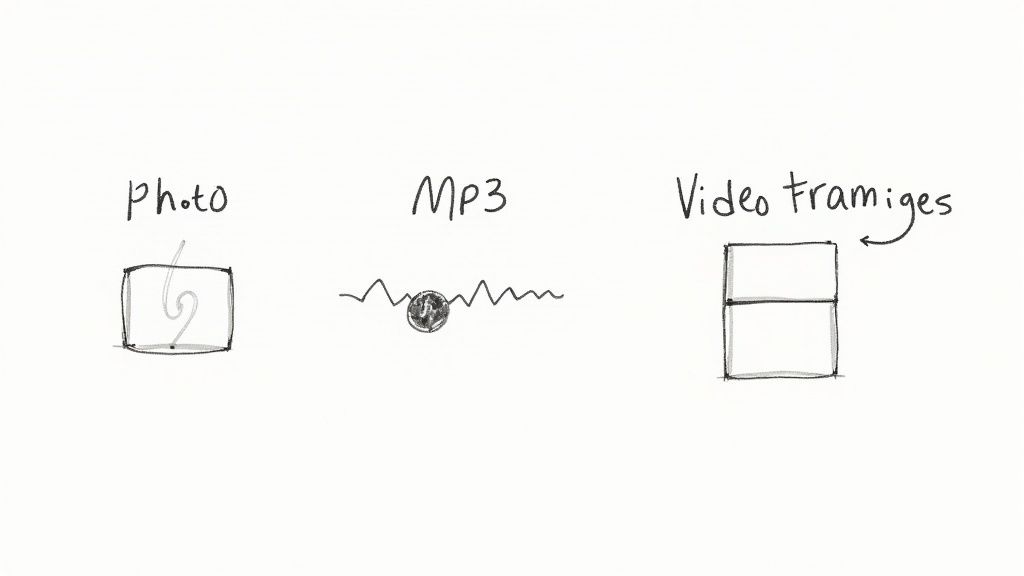
If you’ve ever seen a low-quality JPEG, you’ve probably noticed those blocky, pixelated artifacts. That’s the trade-off in action—it's a visual sign of the data that’s been permanently tossed out to make the file smaller.
MP3 and AAC Audio: The Soundtrack of Your Life
Remember when a single music album could eat up a huge chunk of your computer’s hard drive? The MP3 changed all of that, making digital music truly portable. It works by using a psychoacoustic model to get rid of sounds that the human ear probably wouldn’t hear anyway.
It pulls this off with a few smart moves:
- Auditory Masking: The algorithm identifies quiet sounds that happen at the same time as much louder sounds and just deletes them. For example, if a powerful bass drum hits at the exact same moment as a faint cymbal, the cymbal sound gets tossed because you wouldn't have heard it over the drum.
- Frequency Limits: It also lops off audio frequencies at the very high and low ends of our hearing range. Most of us can't perceive these frequencies, so there's no point in keeping them.
AAC (Advanced Audio Coding) is the newer, more efficient cousin of the MP3. It’s what powers services like Apple Music and YouTube, delivering better sound quality at the same (or even smaller) file sizes.
Without the efficiency of lossy compression in formats like MP3 and AAC, music streaming simply wouldn't exist as we know it. Services like Spotify rely on it to deliver millions of songs on demand to listeners across the globe.
MPEG and H.264 Video: Streaming and Beyond
Video files are the real heavyweights of the digital world, and lossy compression is absolutely non-negotiable for them. Formats like MPEG (Moving Picture Experts Group) and its incredibly popular successor, H.264, are the reason video streaming now dominates internet traffic. These codecs are far more sophisticated than a simple JPEG compressor.
Instead of just compressing each frame individually, they analyze the entire video stream to find redundancies. If someone is talking against a static background, the codec saves the full background image once and then, for the next several frames, only encodes the moving pixels of the person's face. This technique, known as interframe compression, results in an astonishing reduction in data, making it possible to stream crisp, high-definition video over a standard internet connection.
Lossy vs. Lossless: Picking the Right Tool for the Job
To really get a handle on lossy compression, you have to meet its counterpart: lossless compression. Both are aiming for the same goal—smaller file sizes—but they get there from completely opposite directions. Figuring out which one to use really just depends on what you need to accomplish.
Think of lossloss compression like a perfect vacuum seal for your data. It meticulously reorganizes information to pack it in tighter, shrinking the file size without changing a single bit of the original. When you open it back up, it's restored to its pristine, identical state. That makes it non-negotiable for any file where perfect accuracy is everything.
On the other hand, lossy compression is more like a skilled editor summarizing a long book. You still get the main story, all the key plot points, and the emotional impact, but some of the descriptive sentences are gone for good. It’s a trade-off, prioritizing a much smaller file over perfect fidelity.
When to Use Each Method
The choice really boils down to one simple question: is it okay to lose any data at all?
- Go with Lossless when: Data integrity is paramount. This is your go-to for text files, source code, medical images, or scientific data. Formats like PNG, FLAC, and ZIP use lossless methods to make sure every single bit is preserved.
- Go with Lossy when: What you see (or hear) is more important than perfect 1:1 replication. This is the standard for streaming video (MPEG), online photos (JPEG), and digital music (MP3).
This split has been fundamental since the early days of compression. While early lossless algorithms like LZW (from 1984) and DEFLATE (the engine behind ZIP files) offered perfect data restoration, they just couldn’t deliver the huge size reductions needed for media. Lossy compression stormed onto the scene in the 1990s to solve that exact problem, even getting used by NASA to manage the painfully limited bandwidth on space missions.
The Golden Rule of Compression If you think you'll ever need to edit a file again, always work from a lossless original. Only apply lossy compression as the very last step, right when you're exporting for the web or sharing. This helps you avoid "generation loss," where the quality gets worse with each re-save.
Lossy vs Lossless Which One to Choose
Still not sure which path to take? This table breaks down the key differences to help you decide which compression method fits your needs.
| Feature | Lossy Compression | Lossless Compression |
|---|---|---|
| Data Integrity | Irreversibly removes some data to achieve smaller sizes. | Preserves 100% of the original data; no information is lost. |
| File Size | Achieves very high compression ratios, resulting in significantly smaller files. | Offers moderate compression; files are smaller but not as small as lossy. |
| Quality | Quality degrades slightly with each save, especially at high compression levels. | The restored file is a perfect, bit-for-bit copy of the original. |
| Best For | Streaming media, web images, digital audio (JPEG, MP3, MPEG). | Archiving, text documents, source code, medical imaging (PNG, FLAC, ZIP). |
| Key Trade-Off | Sacrifices perfect fidelity for maximum file size reduction. | Sacrifices smaller file sizes to maintain perfect data integrity. |
Ultimately, the right choice is all about context. For your family photos on social media, lossy is perfect. For the master files of a professional photoshoot, lossless is the only way to go.
To really see this in action, it helps to understand the characteristics of different audio file formats, from tiny MP3s to high-fidelity FLACs. For an even deeper comparison, check out our complete guide on the difference between lossy and lossless compression.
Managing the Quality and File Size Trade-Off
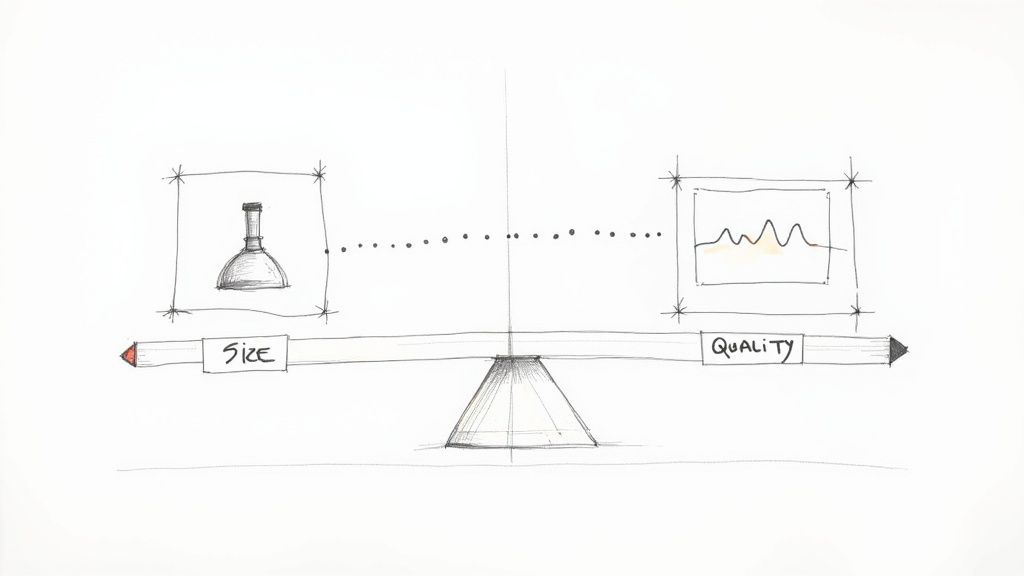
Lossy compression is all about making a strategic trade-off. Every time you shrink a file, you're essentially choosing a point on a sliding scale between file size and quality. If you crank the compression way up, you’ll save a ton of space, but you'll start to see visual glitches and imperfections, often called compression artifacts.
This balancing act becomes painfully clear when you run into generation loss. Think about making a photocopy of a photocopy. Each new copy gets a little blurrier and loses some of the original detail. The exact same thing happens when you repeatedly edit and re-save a lossy file like a JPEG. Each time you save, the compression algorithm runs again, throwing out more data and chipping away at the quality. That damage is cumulative, and you can never get it back.
The Science Behind the Balance
This trade-off isn't just a random guess; it’s all grounded in a field of study called rate-distortion theory. This theory gives us a mathematical map to understand the relationship between the bitrate (how much data is used) and the distortion (how much quality is lost). It’s the framework developers use to navigate that tightrope walk between efficiency and fidelity.
This foundational concept allows algorithms to be fine-tuned for very specific purposes. For example, when pristine quality is non-negotiable, even a small increase in the complexity of an image might require a massive jump in bitrate to keep distortion low. On the flip side, for things where a little quality loss is no big deal—like a thumbnail preview—the bitrate can stay low even if the original file was very complex. You can dive deeper into the math behind this in this rate-distortion theory study.
This theory is exactly why an app like YouTube can offer different quality settings. A 1080p stream uses a high bitrate for low distortion, giving you a crisp picture. The 360p option, however, uses a much lower bitrate, accepting more distortion to make sure the video plays smoothly even on a slow connection.
Making Smarter Compression Choices
Once you get this core principle, you can start making much smarter decisions about your own files. That "Quality" slider you see in so many apps? That's you, directly controlling the rate-distortion trade-off.
Here’s a simple way to think about it:
- For final delivery: If you're exporting a photo for a website, you can get pretty aggressive with compression. Smaller files mean faster load times for your visitors.
- For archival purposes: If you're saving the master copy of a project, you want to preserve as much data as possible. Use the highest quality setting or, even better, a lossless format.
Mastering this balance is key to making sure your files are perfectly optimized for whatever you need them to do.
Why the Modern Internet Relies on Lossy Compression
Lossy compression isn’t just some technical detail; it's the invisible engine that makes our digital world spin. Without it, the on-demand, media-rich internet we take for granted would grind to a halt. Every single time you stream a movie, listen to a podcast, or scroll through social media, you’re benefiting from decades of work in this field.
This technology solved the fundamental problem that once held the internet back: the huge size of media files clashing with the limited capacity of networks and storage. Before we had efficient compression, sending a single high-quality photo could take minutes. Streaming video? That was a complete pipe dream for most people.
Powering Global Media Platforms
Today, the world’s biggest platforms are built on a foundation of lossy compression. It’s how they manage an almost unimaginable amount of data flowing every single second.
-
Video Streaming: Services like Netflix and YouTube absolutely depend on it to deliver HD video to millions of people all at once. They use something called adaptive bitrate streaming, which cleverly adjusts the level of lossy compression in real-time based on your connection speed. This is what ensures you get a smooth experience without constant buffering.
-
Music and Audio: Spotify wouldn't exist without lossy audio formats like Ogg Vorbis and AAC. These formats shrink song files down to a fraction of their original size, making instant streaming and offline downloads on your phone possible.
-
Social Media: Think about platforms like Instagram and TikTok, which process billions of user-uploaded photos and videos every day. Aggressive lossy compression is the only way they can store all that content and serve it up instantly to feeds around the globe.
The whole point of lossy compression is to make data practical. By intelligently shrinking file sizes, it ensures bandwidth gets used efficiently, creating the seamless and responsive user experience we expect from our apps.
This efficiency is a cornerstone of digital accessibility, making high-quality content available even to people on slower internet connections. Ultimately, these techniques are a critical part of good digital citizenship and a key piece of broader website performance optimization techniques.
Lossy compression is the unsung hero that bridged the gap between massive media files and the practical limits of our digital infrastructure, creating the vibrant, connected world we enjoy today.
Got Questions About Lossy Compression?
You're not alone. When you start digging into how lossy compression works, a few practical questions always pop up. Let's tackle the most common ones.
Is Data Lost During Compression Gone Forever?
Yes, it is. The data removed during lossy compression is permanently thrown away. Unlike its lossless cousin, the process is designed to be a one-way street.
This is exactly why you should always hang on to your high-quality original file. If you ever think you might need to edit or reuse that media down the line, you'll need that original. Once it's compressed, that data is gone for good.
When is Lossy a Bad Idea?
You should steer clear of lossy compression anytime perfect, bit-for-bit integrity is non-negotiable. This is critical for things like text documents, source code, medical scans, and raw scientific data.
With these kinds of files, even the tiniest alteration can corrupt the whole thing or make it completely useless. For these, you'll always want to use lossless formats—think PNG for images with sharp lines and text, FLAC for master audio tracks, or a ZIP archive for bundling files.
Key Takeaway: Lossy compression is your go-to when perception beats perfection. For anything else, lossless is the only safe bet to keep your data completely intact.
Does Saving a JPEG Over and Over Make It Look Worse?
Absolutely. This is a very real problem known as generation loss. Every time you open, edit, and re-save a JPEG, you're running it through the compression algorithm all over again.
Each save introduces new artifacts and tosses out even more data, leading to a visible drop in quality. If you're editing photos, the best practice is to work with a lossless format and only save the final version as a JPEG at the very end.
Ready to reclaim your hard drive space and speed up your workflow? Compresto offers powerful, local compression for videos, images, and documents on your Mac. Download it today and see the difference. Learn more at https://compresto.app.