10 Essential Data Optimization Techniques for macOS Creators
For macOS creators, every gigabyte counts. From massive 4K video projects and high-resolution image libraries to complex design files, managing digital assets is a constant battle against storage limits and slow transfer speeds. The challenge is clear: how do you dramatically reduce file sizes without sacrificing the crisp, professional quality your work demands? The solution lies in mastering a set of powerful data optimization techniques that can transform your creative workflow, making your files smaller, faster, and easier to manage.
This guide moves beyond generic advice to deliver a comprehensive roundup of actionable strategies specifically for creative projects. We'll explore the critical differences between lossy and lossless compression, dive into the best codecs for video and images, and outline how to intelligently strip unnecessary metadata. You'll learn practical methods for automating your media pipeline, leveraging smart resolution and bitrate strategies, and even optimizing delivery through Content Delivery Networks (CDNs).
Whether you're a video editor finalizing a project, a designer prepping assets for the web, or a photographer archiving a shoot, these methods will provide a significant advantage. Each technique is designed to be directly applicable, helping you work more efficiently, share content seamlessly, and reclaim valuable disk space. This is your essential toolkit for smarter data handling, turning storage constraints into a non-issue and letting you focus on what truly matters: creating exceptional content.
1. Data Compression
Data compression is a foundational data optimization technique that reduces file size by encoding information more efficiently. It works by identifying and eliminating statistical redundancy. In simple terms, algorithms find repetitive patterns in your data and replace them with shorter representations, drastically cutting down the storage space required and speeding up transfer times. For macOS creators juggling large video projects, high-resolution image libraries, or extensive design documents, compression is the first and most critical step toward an efficient workflow.
Lossy vs. Lossless: The Creator's Dilemma
The most important decision in compression is choosing between two core approaches:
- Lossless Compression: This method reduces file size without discarding any original data. When the file is uncompressed, it is an exact, bit-for-bit replica of the original. This is ideal for text documents, application code, or master image files (like RAW or TIFF) where perfect data integrity is non-negotiable. ZIP and PNG are common examples.
- Lossy Compression: This method achieves much higher compression ratios by permanently removing data deemed "unnecessary." For multimedia, this often involves eliminating details that the human eye or ear is unlikely to notice. Formats like JPEG for images and MP3/AAC for audio use lossy compression. It's perfect for final delivery assets for web or social media where file size is more critical than perfect fidelity.
Pro Tip: A common macOS workflow is to work with lossless masters (like ProRes video or PSD files) and export to lossy formats (like H.264 video or JPEGs) only for final distribution. This preserves maximum quality throughout the creative process while ensuring optimized delivery.
For a deeper dive into how these methods work, you can learn more about various data compression methods and the algorithms that power them. Choosing the right approach is a key part of any professional's data optimization techniques, balancing file size with the required quality for the specific use case.
2. Data Deduplication
Data deduplication is an advanced data optimization technique that saves storage space by eliminating duplicate copies of repeating data. It works on a sub-file level, scanning for identical blocks of data. When a duplicate block is found, the system saves only one unique instance and replaces all other instances with a lightweight pointer that references the single stored block. This is incredibly effective for macOS creators managing extensive backup archives or collaborating on projects where large files are frequently versioned and shared.
Block-Level vs. File-Level: Choosing Your Granularity
The effectiveness of deduplication largely depends on the granularity at which it operates:
- File-Level Deduplication: This is the simplest form, also known as Single-Instance Storage (SIS). It checks if an identical file already exists on the system. If so, it replaces the duplicate file with a pointer. This is useful but limited, as even a minor change to a file (like editing one pixel in a Photoshop document) creates an entirely new file that won't be deduplicated.
- Block-Level Deduplication: This more sophisticated method breaks files into small, fixed-size or variable-size chunks (blocks). It then stores only the unique blocks. This means if you have multiple versions of a large video file, only the blocks that have changed are stored, while all identical blocks are referenced via pointers. This provides significantly higher storage savings, especially in environments with iterative file versions like design mockups or video edits.
Pro Tip: For macOS users, deduplication is most powerful in backup workflows. Time Machine performs a form of deduplication, but specialized backup software like Veeam or systems from Dell EMC and NetApp take it much further. Combining block-level deduplication with compression on your backup drive can reduce storage needs by over 90% in some cases.
Implementing deduplication is a core strategy among data optimization techniques, especially for managing large volumes of similar data. It ensures that you're not wasting expensive storage on redundant information, freeing up space for new creative projects.
3. Indexing and Query Optimization
While often associated with large-scale databases, indexing and query optimization are critical data optimization techniques for any creator or team managing large catalogs of digital assets. Indexing creates a fast, searchable data structure, much like the index in the back of a book, allowing a system to find specific information without scanning the entire dataset. This dramatically accelerates search and retrieval, whether you're querying a project database in Final Cut Pro or searching through a massive Lightroom catalog.
Building the Index vs. Refining the Search
The optimization process involves two distinct but complementary actions that work together to deliver near-instant results:
- Indexing: This is the proactive step of building the "lookup table." It involves identifying key pieces of data, such as file names, dates, or specific metadata tags, and organizing them for rapid access. In a creative context, this could be indexing all video files by codec or all images by camera model. Well-structured indexes are the foundation of a responsive system.
- Query Optimization: This is the reactive step of refining how a search is performed. Modern database systems and even some macOS applications use query planners to determine the most efficient path to retrieve data. For example, a system might analyze a search request and decide to use a specific index on a "date created" column first, as it will narrow down the results more quickly than searching by a less-unique keyword.
Pro Tip: For macOS creators using apps like Adobe Bridge or NeoFinder to manage assets, the initial "cataloging" process is effectively building an index of your files. To optimize, be selective about the metadata you index. Indexing everything can slow down the system, so focus on fields you frequently search, like keywords, ratings, or project names.
For a deeper dive into improving database response times, our guide offers practical tips on how to optimize SQL queries for peak performance, including indexing strategies. Understanding these core data optimization techniques ensures that as your asset library grows, your ability to find what you need remains fast and efficient, preventing bottlenecks in your creative workflow.
4. Data Partitioning and Sharding
Data partitioning is a powerful data optimization technique for managing massive datasets by breaking them into smaller, more manageable pieces. The core idea is to divide a large database or table into independent segments based on specific criteria, a process that significantly boosts query speed and improves manageability. When these partitions are distributed across multiple servers, the technique is known as sharding, which enables immense horizontal scalability and performance for global-scale applications.
While less common for a solo macOS creator's local files, this concept is crucial for those building apps, managing large user databases, or working with cloud-based creative platforms. Systems like MongoDB, Cassandra, and Google's BigTable use sharding to handle petabytes of data efficiently, proving its value in high-demand environments.
Partitioning Strategies: How to Divide and Conquer
The effectiveness of partitioning hinges on choosing the right strategy for dividing your data. Common approaches include:
- Range Partitioning: Data is divided based on a range of values, such as dates or numerical IDs. This is perfect for time-series data, like analytics events, where queries often target specific time windows (e.g., "all users who signed up last month").
- Hash Partitioning: A hash function is applied to a "shard key" (like a user ID) to determine which partition the data belongs to. This strategy excels at distributing data evenly across all segments, preventing "hotspots" where one partition receives too much traffic.
- List Partitioning: Data is partitioned based on a list of predefined values. For example, you could partition customer data by geographic region (e.g., North America, Europe, Asia), which is ideal for reducing latency in geo-distributed applications.
Pro Tip: When choosing a shard key, avoid values that increase sequentially, like auto-incrementing IDs. This can lead to all new data being written to a single partition, creating a performance bottleneck. Instead, use a key with high cardinality and randomness, like a user's UUID, to ensure even distribution.
Understanding data partitioning and sharding is a vital part of a comprehensive approach to data optimization techniques, especially as projects scale from a single machine to a distributed cloud infrastructure.
5. Caching Strategies
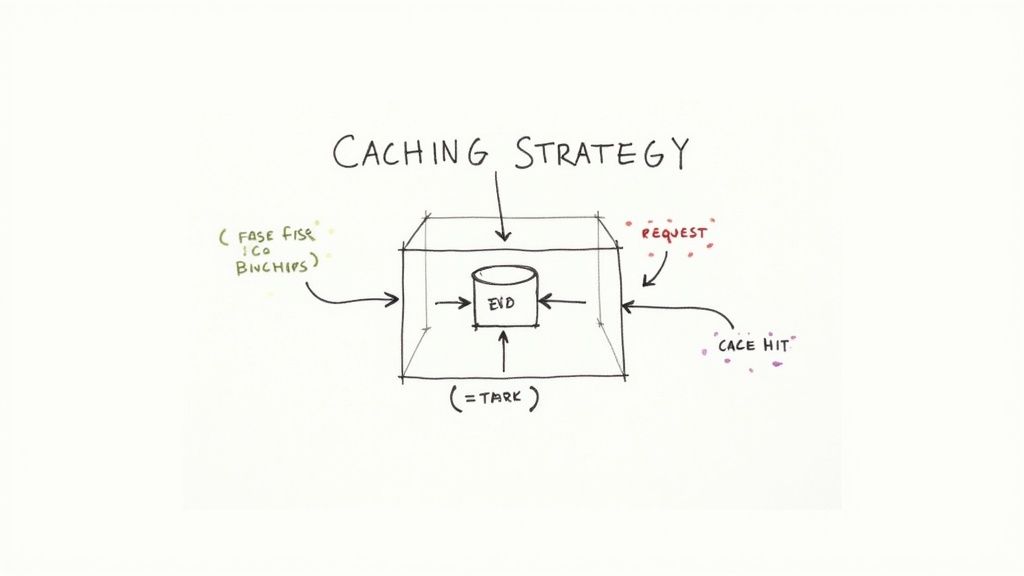
Caching is a powerful data optimization technique that dramatically speeds up data retrieval by storing frequently accessed information in a temporary, high-speed storage layer. Instead of repeatedly fetching data from its original, slower source (like a database or a remote server), an application first checks the cache. If the data is there (a "cache hit"), it's served almost instantly, reducing latency, minimizing server load, and creating a much faster user experience. For creators serving content online, effective caching means quicker website load times and smoother media playback.
Levels of Caching: A Multi-Layered Approach
Implementing a robust caching strategy involves using different cache types at various points between the user and the data source. Each layer serves a specific purpose:
- Browser/Client-Side Caching: The user's web browser stores static assets like images, CSS, and JavaScript files locally. This is the first line of defense, eliminating the need to re-download assets on subsequent visits to the same site.
- Content Delivery Network (CDN) Caching: A CDN stores copies of your content on servers distributed globally. When a user requests an asset, it's delivered from the server geographically closest to them, a process known as edge caching. This is essential for creators with an international audience.
- Application/Server-Side Caching: This involves storing results of complex operations or frequent database queries directly in the application's memory using tools like Redis or Memcached. This avoids redundant processing and significantly reduces the load on backend systems.
Pro Tip: For a macOS creator managing a portfolio website, a multi-level strategy is key. Configure your web server for proper browser caching headers for your JPEGs and videos, use a CDN like Cloudflare to serve those assets globally, and implement server-side caching if your site has dynamic elements like a blog or e-commerce store.
Caching is a fundamental component of modern web architecture and one of the most effective data optimization techniques for improving performance. To explore how caching fits into a broader strategy, you can find a guide to various website performance optimization techniques that build upon these principles. Choosing the right layers and configurations ensures your creative work is delivered quickly and reliably to your audience.
6. Data Normalization and Schema Design
While creators often focus on individual files, data normalization and proper schema design are critical data optimization techniques for anyone managing structured information, such as client databases, asset management systems, or project metadata. Normalization organizes a database to reduce data redundancy and improve data integrity. It works by dividing larger tables into smaller, more logical, and well-structured tables and defining relationships between them. For a macOS-based studio managing thousands of assets, this means a client's contact information is stored only once, not duplicated for every project they commission.
Balancing Structure with Speed
The core challenge in schema design is finding the right balance between a perfectly organized structure and the practical speed required for daily operations. This involves understanding normalization forms:
- Normalization: This is the process of eliminating redundant data. For example, instead of a single massive spreadsheet listing every video clip with its project name, client name, and client email, you'd create three tables: one for
Clips, one forProjects, and one forClients. This prevents storage waste and ensures that updating a client's email only requires changing one entry, not hundreds. - Denormalization: This is the strategic re-introduction of redundancy to improve query speed. In some high-performance scenarios, joining multiple normalized tables can be slow. A designer might denormalize a database for an asset library by including a frequently accessed piece of data (like a project's primary color hex code) directly in the asset table to avoid a complex lookup, speeding up searches.
Pro Tip: Use Entity-Relationship Diagrams (ERDs) to visually map out your data structure before building a database. Tools like Lucidchart or Diagrams.net (formerly draw.io) can help macOS creators plan how tables for projects, assets, clients, and invoices will connect, preventing costly redesigns later.
For a comprehensive overview of structuring your information effectively, you can explore various data management best practices that build upon these principles. Applying these data optimization techniques ensures your backend systems are as efficient as your creative workflows, saving space and improving retrieval times for critical project information.
7. Data Aggregation and Summarization
Data aggregation is a powerful data optimization technique where raw, granular data is combined and summarized into a more concise, higher-level format. Instead of processing every individual data point for every request, this method pre-calculates key metrics (like totals, averages, or counts) and stores them in summary tables. This dramatically reduces the volume of data that needs to be analyzed, leading to significantly faster reporting and dashboard performance. For macOS creators analyzing audience engagement or asset performance, aggregation turns a sea of raw clicks and views into actionable intelligence without the processing overhead.
From Raw Data to Key Insights
The core idea is to process data once and reuse the results many times. Instead of querying millions of individual event logs to see daily video views, an aggregation process can calculate this figure once a day and store it, making subsequent queries instantaneous.
- Rollups: This involves summarizing data from a finer level of detail to a coarser one. For example, collapsing hourly website traffic data into daily totals. This is common in analytics tools like Google Analytics, where you can view data by day, week, or month without a performance penalty.
- Pre-calculated Metrics: These are specific calculations performed in advance. A creative team might pre-aggregate metrics like click-through rates on ad creatives or average watch time for video assets, storing them in a BI tool like Tableau or a data warehouse. This avoids complex calculations on-the-fly, providing faster insights into what content resonates with the audience.
Pro Tip: For macOS-based teams using tools like Tableau or Power BI, creating data extracts is a form of aggregation. By pulling in and pre-aggregating data before analysis begins, you can work with massive datasets on your Mac with fluid performance, a crucial advantage when exploring creative campaign effectiveness.
This data optimization technique is essential for anyone who needs to make sense of large volumes of performance data quickly. By balancing the level of detail (granularity) with query speed, aggregation makes data analysis more efficient and accessible, enabling creators to focus on insights rather than waiting for data to load.
8. Columnar Storage and Format Optimization
While often associated with big data, columnar storage is a powerful data optimization technique that organizes information by column instead of by row. This fundamentally changes how data is read and processed. Instead of scanning entire rows to find a specific piece of information, a query can access only the relevant columns, dramatically reducing the amount of data read from disk and improving query performance. For creators analyzing user engagement on video platforms or tracking asset performance, this approach can turn slow, cumbersome analytics into a fast, interactive process.
Row vs. Columnar: A New Way to Organize
The core distinction lies in how data is physically stored, which has massive implications for efficiency:
- Row-Based Storage: This is the traditional model used by databases like MySQL. The entire record for a single entry (e.g., video ID, title, view count, likes, date) is stored together. It's excellent for transactional tasks where you need to access an entire record at once.
- Columnar Storage: This model groups all values for a single column together (e.g., all view counts are stored contiguously, then all "likes"). This is exceptionally efficient for analytical queries that aggregate or analyze specific metrics, like calculating the average view count across thousands of videos, because the system only reads the "view count" column. Common formats include Apache Parquet and ORC.
Pro Tip: While macOS creators won't build a columnar database themselves, they interact with its benefits daily. Platforms like YouTube Analytics, Adobe Analytics, and other large-scale data systems use columnar storage to deliver near-instant insights from massive datasets. Understanding this concept helps in structuring data exports for more efficient analysis.
This method excels in analytical workloads where you're asking questions about subsets of your data, not retrieving entire individual records. By only reading the necessary columns and leveraging superior compression on homogenous data types, columnar formats offer a masterclass in data optimization techniques for anyone working with large-scale analytics.
9. Data Sampling and Sketching
Data sampling and sketching are advanced data optimization techniques that allow you to analyze massive datasets without processing every single byte. Instead of a full analysis, these methods use a representative subset (sampling) or a compact, probabilistic data structure (sketching) to estimate key characteristics. This approach provides near-instantaneous insights, making it invaluable when dealing with data too large to fit in memory or too vast to process in a reasonable time frame. For macOS creators analyzing audience engagement metrics or user behavior on a large scale, this is how you get quick answers from big data.
Probabilistic vs. Deterministic: A New Mindset
The core shift with these techniques is from exact, deterministic answers to fast, approximate ones.
- Sampling: This involves selecting a random subset of your data and performing analysis on it. The results are then extrapolated to the entire dataset. For instance, instead of counting every unique visitor to a website over a year, you might analyze a 10% sample to get a rapid, highly accurate estimate. This is common in tools like Google Analytics.
- Sketching: This uses specialized algorithms, like HyperLogLog, to create a small "sketch" or summary of a dataset. This sketch can answer specific questions, such as "how many unique items are in this stream?" with a known, minimal error margin. It's incredibly efficient for streaming data scenarios, like counting real-time viewers.
Pro Tip: Embrace approximate answers for exploratory analysis. When you're trying to spot trends or get a directional sense of your data, the speed gained from sampling far outweighs the need for perfect precision. Use it to form hypotheses quickly, then run a full analysis on a smaller, targeted dataset to confirm your findings.
For those interested in the underlying technology, the open-source Apache DataSketches library provides a robust implementation of these algorithms. Understanding these data optimization techniques is crucial for anyone needing to derive insights from web-scale data without the associated computational cost.
10. Incremental Data Processing and Delta Architecture
Incremental data processing is a sophisticated data optimization technique that shifts from reprocessing entire datasets to handling only new or changed data since the last cycle. This approach, often powered by a Delta architecture, dramatically reduces computational load and latency. For macOS creators dealing with massive, constantly evolving project libraries or versioned assets, it means faster updates, less wasted processing power, and a more efficient data management pipeline.
The Power of Processing Only What's New
At its core, this method avoids redundant work by tracking changes at the source. There are two key concepts involved:
- Incremental Processing: Instead of re-rendering a whole video project or re-indexing a massive photo library, the system only processes the specific frames that were edited or the new images that were added. This is powered by systems that can detect these modifications.
- Delta Architecture: This framework stores not just the current state of your data but also a log of all the changes (deltas) that led to it. This provides powerful benefits like the ability to "time-travel" to previous versions of a file, ensure data integrity with ACID transactions, and efficiently merge updates without disrupting the entire dataset.
Pro Tip: For macOS workflows, think of this like modern version control systems (like Git) but applied to large media assets. Instead of saving a new 50 GB file for a minor color correction, a delta approach would only store the data related to that specific change, saving immense space and time.
To understand the core concepts behind this, you can learn more about the technology that identifies these changes. To understand the core concepts behind incremental data processing, read about What Is Change Data Capture? and how it enables systems to react to new data in real time. Implementing this kind of data optimization technique is key for scaling large-scale creative operations efficiently.
Data Optimization Techniques — 10-Point Comparison
| Technique | Implementation Complexity 🔄 | Resource Requirements ⚡ | Expected Outcomes 📊⭐ | Ideal Use Cases 💡 | Key Advantages ⭐ |
|---|---|---|---|---|---|
| Data Compression | Medium — algorithm-dependent, codec tuning | Moderate CPU during compress/decompress; lowers storage & bandwidth | High — significant storage/bandwidth reduction, improved transfer times | File archives, web assets, media delivery, backups | Cost-effective storage/network savings; faster transfers |
| Data Deduplication | High — hashing, metadata, integration complexity | High CPU/IO for hashing and large metadata stores; reduces data footprint | Very high — typical 70–90% backup storage reduction 📊 | Backups, VM images, enterprise backup/storage systems | Massive storage savings; lower backup & recovery costs |
| Indexing & Query Optimization | Medium — requires analysis and ongoing tuning | Extra storage for indexes; CPU for maintenance and planner | Large — 50–95% query time reduction with proper indexing ⭐⭐⭐ | OLTP/OLAP databases, frequent query patterns, analytics | Dramatic query performance and responsiveness |
| Data Partitioning & Sharding | Very high — careful design, shard-key and resharding pain | More servers/ops overhead, network and orchestration costs | High — horizontal scalability and parallel query performance 📊 | Massive-scale applications, geo-distributed datasets | Enables linear scalability and improved data locality |
| Caching Strategies | Medium — layer design and invalidation complexity | Memory-heavy (in-memory caches/CDNs); monitoring required | Very high — millisecond latency, 80–95% DB query reduction ⭐⭐⭐⭐ | Web apps, CDNs, session stores, APIs, hot-read workloads | Dramatic latency reduction and lower DB load |
| Data Normalization & Schema Design | Medium — conceptual rigor and careful modeling | Efficient storage for normalized data; additional join costs | High — strong data integrity, reduced redundancy ⭐⭐⭐ | Transactional systems, regulated domains, OLTP | Consistency, maintainability, reduced anomalies |
| Data Aggregation & Summarization | Medium — ETL/materialized view maintenance | Storage for pre-aggregates and compute to refresh them | Very high — 100×–1000× faster reporting for common queries ⭐⭐⭐⭐ | BI, dashboards, time-series analytics, reporting | Fast analytics and simplified query logic |
| Columnar Storage & Format Optimization | Medium — data reformatting and toolchain changes | Storage-efficient; CPU for vectorized processing | Very high — 10–100× faster analytics and strong compression ⭐⭐⭐⭐ | Data warehouses, analytical workloads, Parquet/ORC storage | Exceptional compression and analytic throughput |
| Data Sampling & Sketching | Low–Medium — algorithm selection and error tuning | Minimal memory/CPU; lightweight streaming-friendly | Moderate — very fast approximate results with bounded error ⭐⭐ | Exploratory analysis, streaming metrics, cardinality estimates | Scalable low-cost approximations; fast insights |
| Incremental Processing & Delta Architecture | High — CDC, transaction logs, versioning complexity | Storage for change logs; orchestration and metadata overhead | High — 70–90% pipeline time reduction vs full reprocess ⭐⭐⭐ | Real-time ETL, data lakes, CDC-driven pipelines, time-travel | Efficient reprocessing, ACID/lineage, cost-effective updates |
Putting Optimization into Practice
We've explored a comprehensive arsenal of data optimization techniques, moving from the foundational principles of compression and deduplication to advanced strategies like partitioning and columnar storage. Each method offers a unique lever to pull, giving you precise control over the size, speed, and efficiency of your digital assets. The journey through these ten core techniques reveals a fundamental truth: optimization is not a one-time fix but a continuous, strategic process.
The techniques covered, from data compression to incremental processing, are not isolated concepts. They form an interconnected ecosystem. Effective indexing enhances query optimization, while intelligent partitioning makes caching strategies more impactful. Similarly, adopting modern formats like AV1 for video or WebP for images (a form of format optimization) directly influences the effectiveness of your compression efforts. Mastering these concepts means understanding how they complement one another to create a truly streamlined data pipeline.
From Theory to Workflow: Actionable Next Steps
The true power of these data optimization techniques is unlocked when they are embedded into your daily creative and development workflows. Moving from theoretical knowledge to practical application is the most critical step.
Here is a simple, actionable plan to get started:
- Conduct an Asset Audit: Begin by identifying your biggest pain points. Use a tool like Finder's "Calculate all sizes" option or a disk analyzer to find your largest files and folders. Are bloated ProRes video exports clogging your drives? Are your web assets slowing down page loads? Pinpoint the primary offenders first.
- Establish Smart Defaults: Based on your audit, create a set of "go-to" optimization settings. For example, decide on a standard lossy compression level for all web-bound JPEGs (e.g., 75-85 quality). Standardize on an efficient video codec like H.265 (HEVC) or AV1 for final deliveries, and define a consistent bitrate target. This removes guesswork and ensures consistency.
- Integrate Batch Processing: The single most effective way to maintain an optimized workflow is to stop optimizing files one by one. Use tools that support batch processing to apply your new "smart defaults" to entire folders of images, videos, or documents at once. This habit alone will save you countless hours.
- Automate Metadata Stripping: Make it a non-negotiable final step to strip non-essential metadata from assets before public distribution. This is a simple, no-quality-loss action that reduces file size and enhances privacy. Integrate this into your export or batch-processing sequence.
The Long-Term Value of an Optimized Mindset
Adopting these data optimization techniques is more than just a technical exercise in shrinking files. It represents a shift towards a more professional, efficient, and sustainable creative process. For a video editor, it means faster uploads to review platforms and quicker final deliveries to clients. For a web designer, it translates directly to better user experience, higher SEO rankings, and lower hosting costs. For a developer, it ensures documentation is accessible and application performance is snappy.
Ultimately, mastering data optimization frees up your most valuable resources: time, storage, and bandwidth. By building a proactive strategy for managing your digital assets, you create a more resilient and scalable workflow. You spend less time wrestling with file transfers and storage warnings, and more time focusing on what truly matters: creating impactful work. The initial effort to learn and implement these practices pays dividends across every single project you touch, establishing a foundation of technical excellence that sets your work apart.
Ready to implement these powerful data optimization techniques without the steep learning curve? Compresto is a native macOS app designed to make advanced file compression simple and intuitive. Stop juggling complex command-line tools and start saving space and time with a beautiful, powerful interface by visiting Compresto today.