Compresto v1.32 update: Mirror Folder Output, Folder Tree View & H.266/VVC Video
🚀 Version 1.32 is Live
This update is about big folders. You can compress an entire folder tree into a fresh copy without touching the original, follow every file's progress in a new tree view, and stop worrying about files that come out bigger than they went in. There's also an experimental H.266/VVC codec and three new AI renaming models.
🪞 Mirror Folder Output
Pick Mirror folder as the output in the main window, and Compresto rebuilds your input folder tree inside a new folder. It defaults to the Desktop, and you can change it with the Change button.
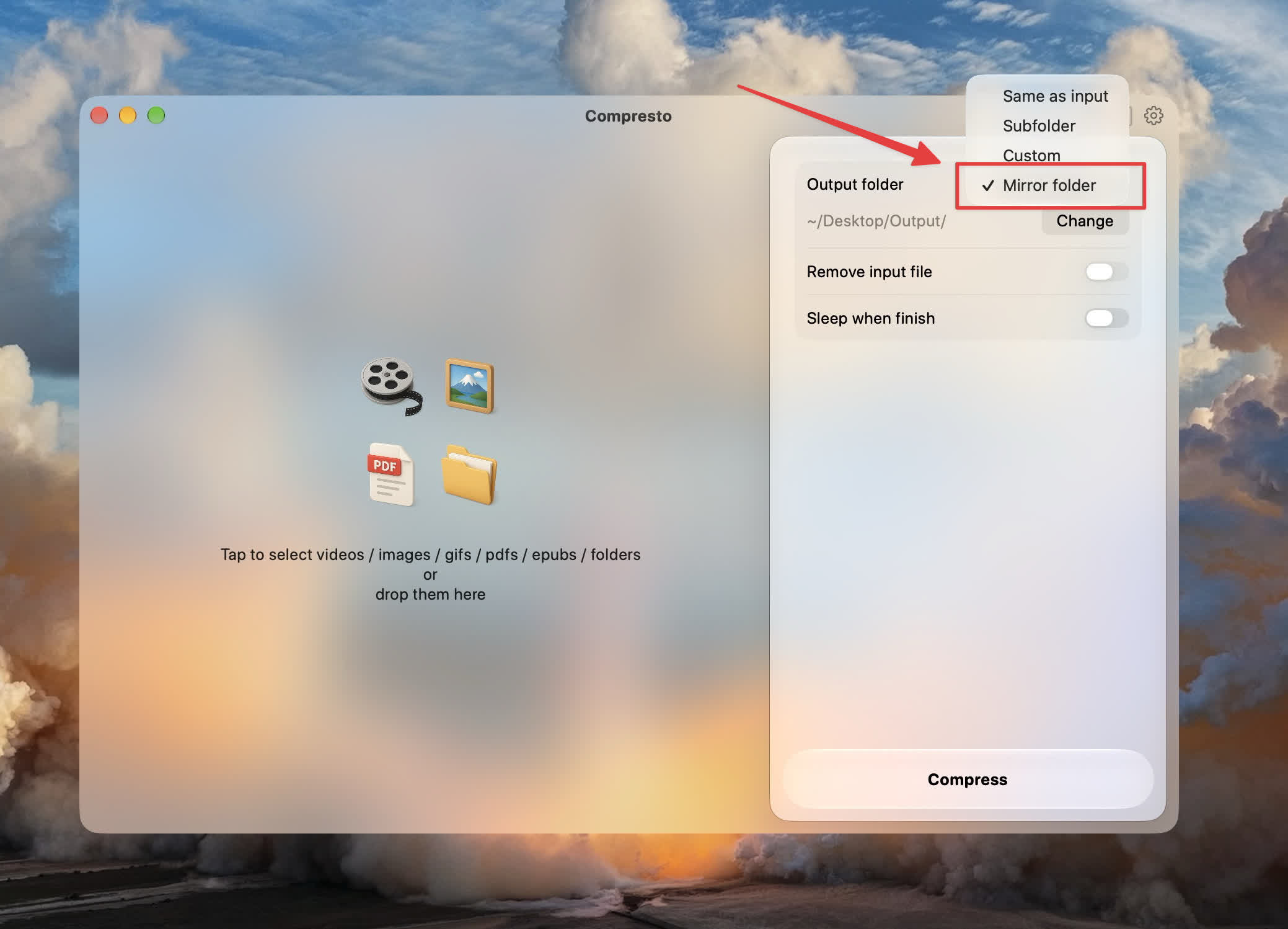
The mirror is a complete copy, not just the files that got smaller:
- Compressed files keep their original names.
- Files that aren't compressed, don't get smaller, or fail are copied as they are. The mirror ends up with the same folders and the same number of files as the source.
- Your source folder is never changed.
- With Retain creation date or Retain modification date turned on, every mirrored folder gets the dates of the folder it copies, not just the files inside it.
That makes it a safe way to shrink a photo library, a project archive, or a client delivery: compress into a mirror, check it, then swap it in when you're happy.
🌳 Folder Tree View
When you drop a folder, a flat grid of thumbnails stops being useful quickly. A new Grid / Tree switch, next to Clear and Change, shows your files as a folder tree instead.
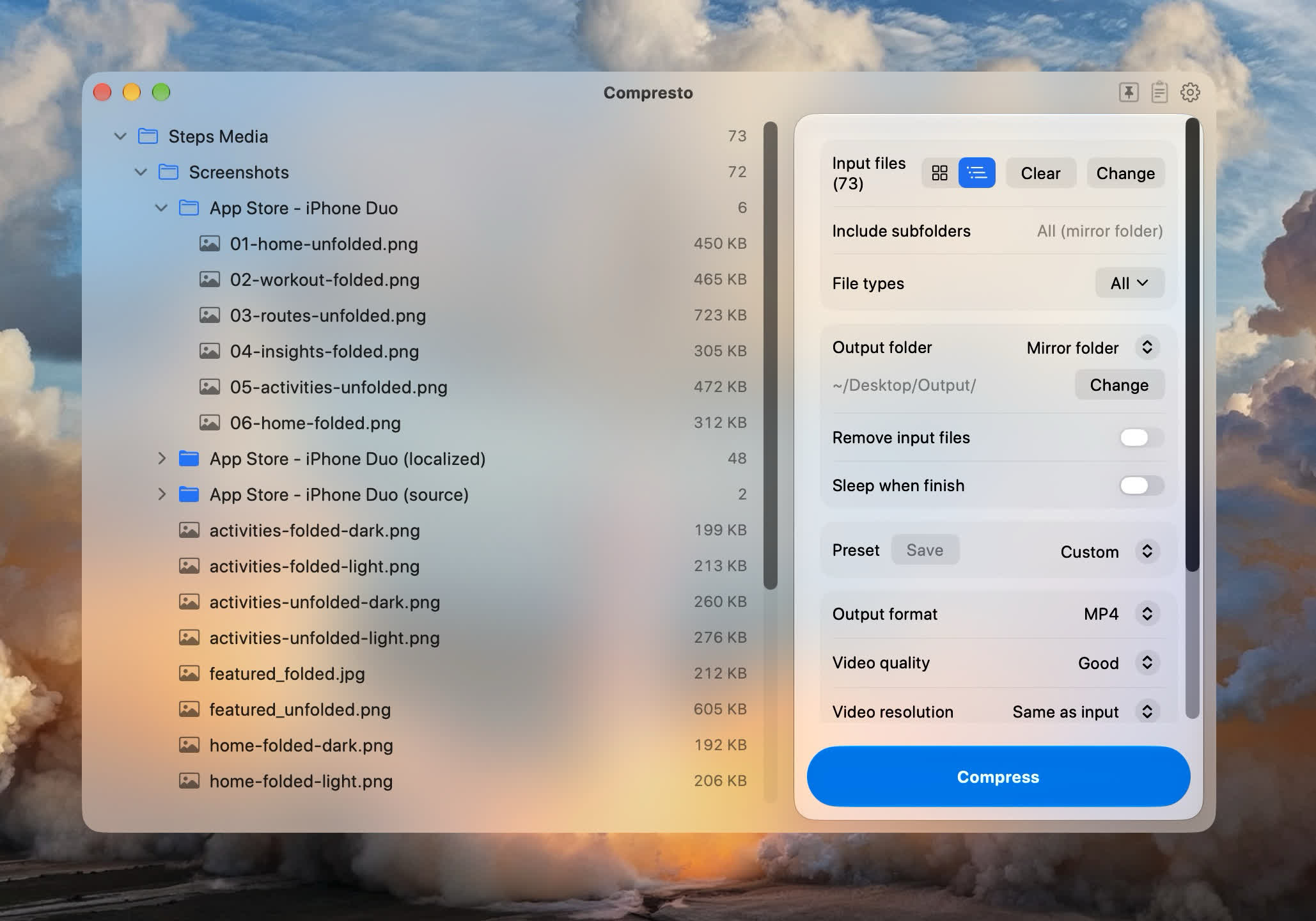
Each file shows its status as the batch runs: a spinner while it compresses, then a green check, Original kept, or a failure mark. Folders show their progress and get a check when everything inside is done.
- The tree turns on by itself when you drop folders or a batch larger than the thumbnail limit.
- While a batch runs, the tree follows the current file. Scroll away to look at something else, and Jump to current brings you back.
- Thumbnails in Grid view show the same status badges, and the progress caption shows which folder the current file is in.
- Dropped folders are now compressed in tree order, one folder at a time.
🛡️ Keep the Original When Compression Doesn't Help
Some files are already as small as they'll get. Before, compressing them could leave you with an output that was the same size or even larger.
Now, in every output mode, if the result isn't smaller than the input, Compresto keeps the original instead. With Same as input, the original simply stays where it is. With a subfolder, custom folder, or Mirror folder, the original is copied there instead of the bigger file.
- Results show Original kept instead of a negative size.
- A kept original is never moved to the Trash, even with Remove input file(s) turned on. It's also never renamed, tagged, or deleted.
- Format conversions, trims, video to GIF, MP3 export, and audio removal still keep their output, since you asked for a different file, not just a smaller one.
🎬 H.266/VVC Video Encoding (Experimental)
H.266, also called VVC, is the successor to H.265/HEVC. It can make noticeably smaller videos at the same visual quality. You'll find H.266/VVC (Experimental) in the Video encoding codec menu in Settings → Advanced.
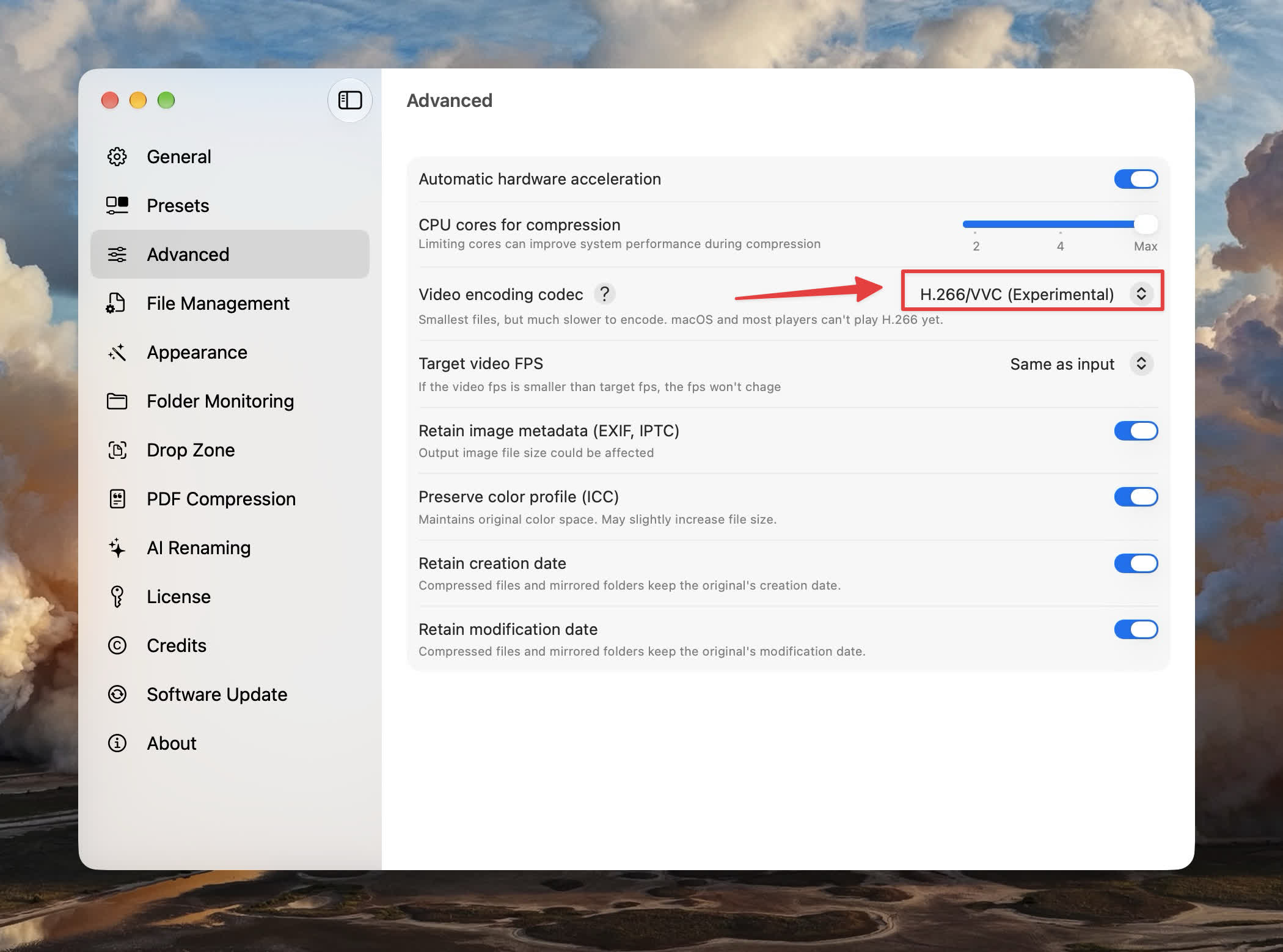
It's marked experimental for two reasons:
- Encoding is much slower than H.264 or H.265.
- macOS and most video players can't play H.266 yet.
It's a good fit for archiving footage you want to keep as small as possible. For anything you'll share or play on a Mac right away, stick with H.264 or H.265.
🤖 New AI Renaming Models and a Pricing Table
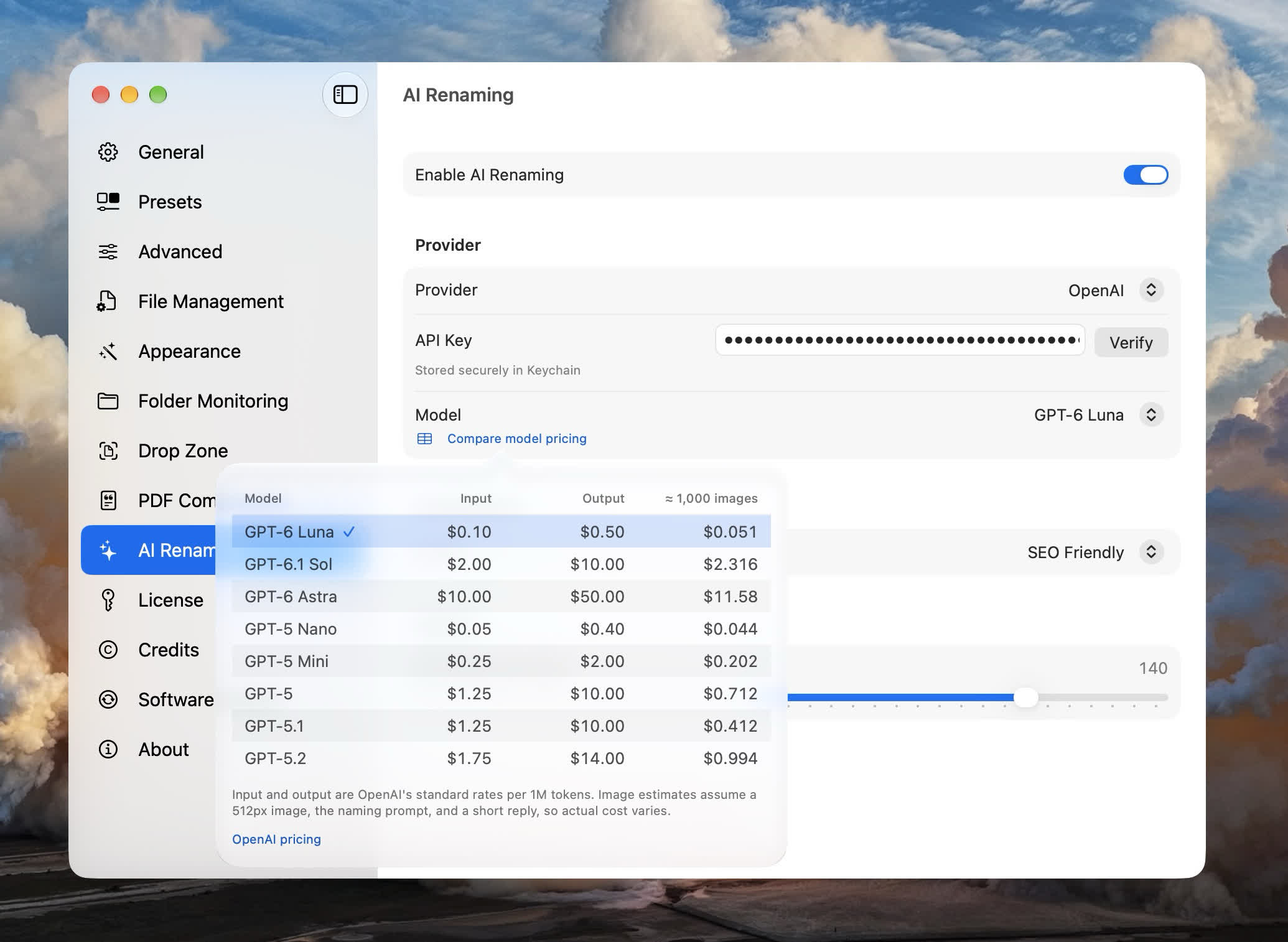
AI renaming now supports GPT-6 Luna, GPT-6.1 Sol, and GPT-6 Astra.
Picking a model is easier too. Click Compare model pricing in AI renaming settings to see each model's input and output token prices and an estimated cost per 1,000 images. Click a row to choose that model.
Each rename also costs less now:
- Requests use each model's lowest reasoning effort, which is all a file name needs.
- On Retina Macs, images were accidentally sent at 1024px. They're now sent at 512px, as intended, which uses far fewer tokens.
✨ Smaller Improvements
- Retain modification date now works in Drop Zone, Folder Monitoring, and Clipboard. Before, they only kept the creation date.
- Manage License in Settings opens compresto.app/manage-license with your license key already filled in.
- Drop Zone no longer scans whole folders every time you drag something anywhere on your Mac.
🐞 Bug Fixes
- Preserve color profile embeds the original ICC color profile again, so wide-gamut WebP and PNG images no longer look washed out.
- iPhone videos with spatial (Apple positional) audio no longer fail and leave an empty 0-byte file when converted to MP4.
- Clipboard auto-compress now puts the compressed file on the clipboard instead of leaving the original there. The main window also no longer loses its clipboard result if you copy something else during a batch.
- Folders dropped on Drop Zone now skip unsupported files instead of stopping at the first one.
- Fixed the spelling of the
{resolution}token in the file name format help.
That's 1.32. As always, thanks for the feedback — keep it coming.