Compresto v1.31 update: EPUB Compression, Translations & Print-Resolution Images
🚀 Version 1.31 is Live
This update is about books, language, and images that still behave after compression. You can shrink the pictures inside an EPUB, run Compresto in your language, and keep the print size and metadata of a JPEG or PNG.
📚 EPUB Compression
Drop an EPUB the same way you drop a PDF. Compresto unpacks the book, compresses the JPEG, PNG, and WebP images inside it, and packs it back up. Text, styles, and fonts stay as they are.
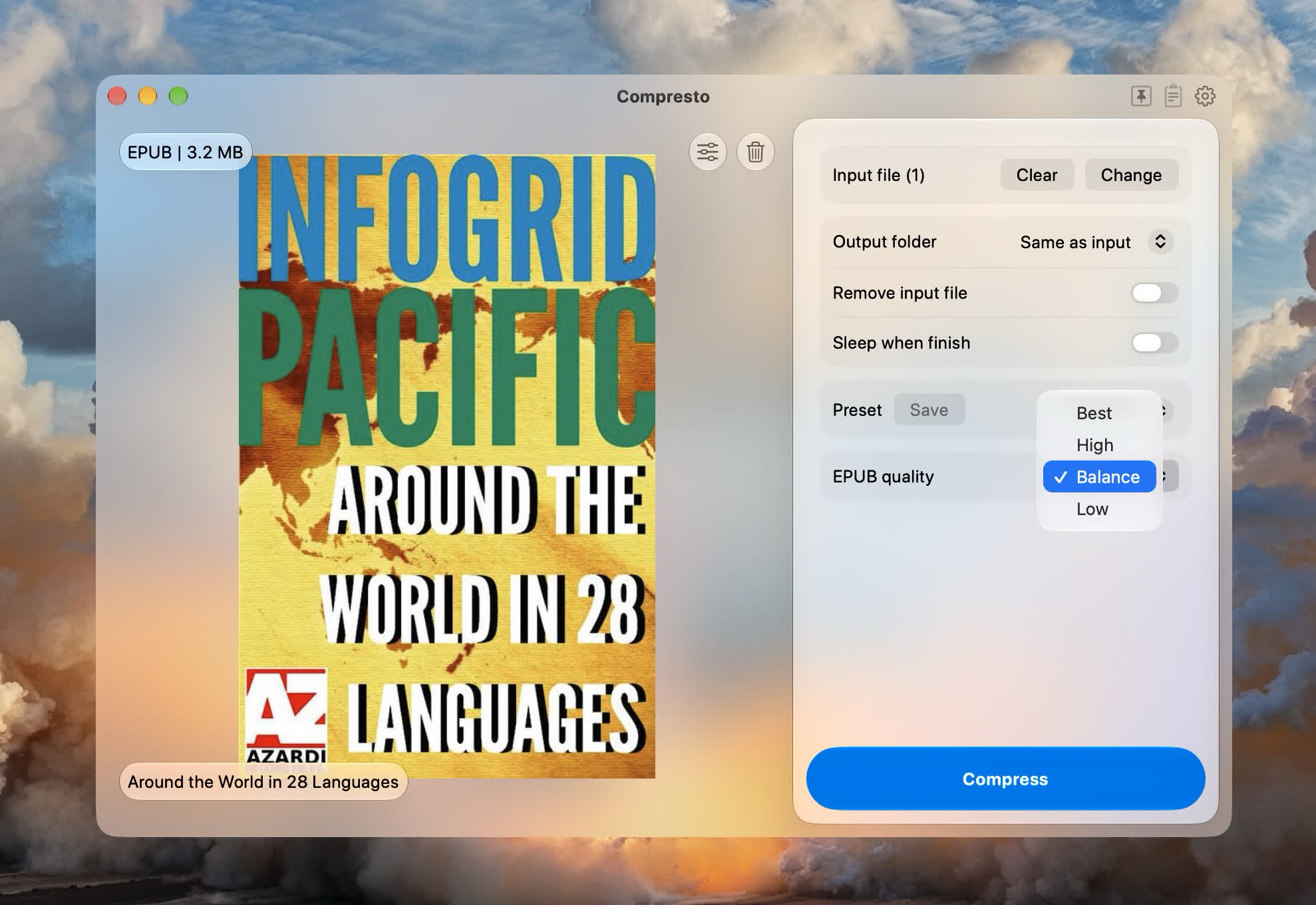
Pick EPUB quality in the main window. The same control is in Drop Zone, compression presets, per-file overrides, and deep links (epubQuality, or quality, set to best, high, balance, or low).
A few details that matter in practice:
- Best keeps the original pixel size. High, Balance, and Low also cap the long edge at 2048, 1536, and 1024 pixels. Balance is the default.
- Each image stays in its own format. An image is replaced only when the compressed version is smaller, and the book itself is replaced only when the finished EPUB is smaller than the original.
- Opening an EPUB in Finder still uses your reader. Compresto handles books you drop in, or send through Open With and deep links.
- Copy-protected books are left unchanged. Books that only encrypt their fonts can still be compressed.
🌍 Translations
Compresto now ships in English, German, Spanish, French, Brazilian Portuguese, and Simplified Chinese.
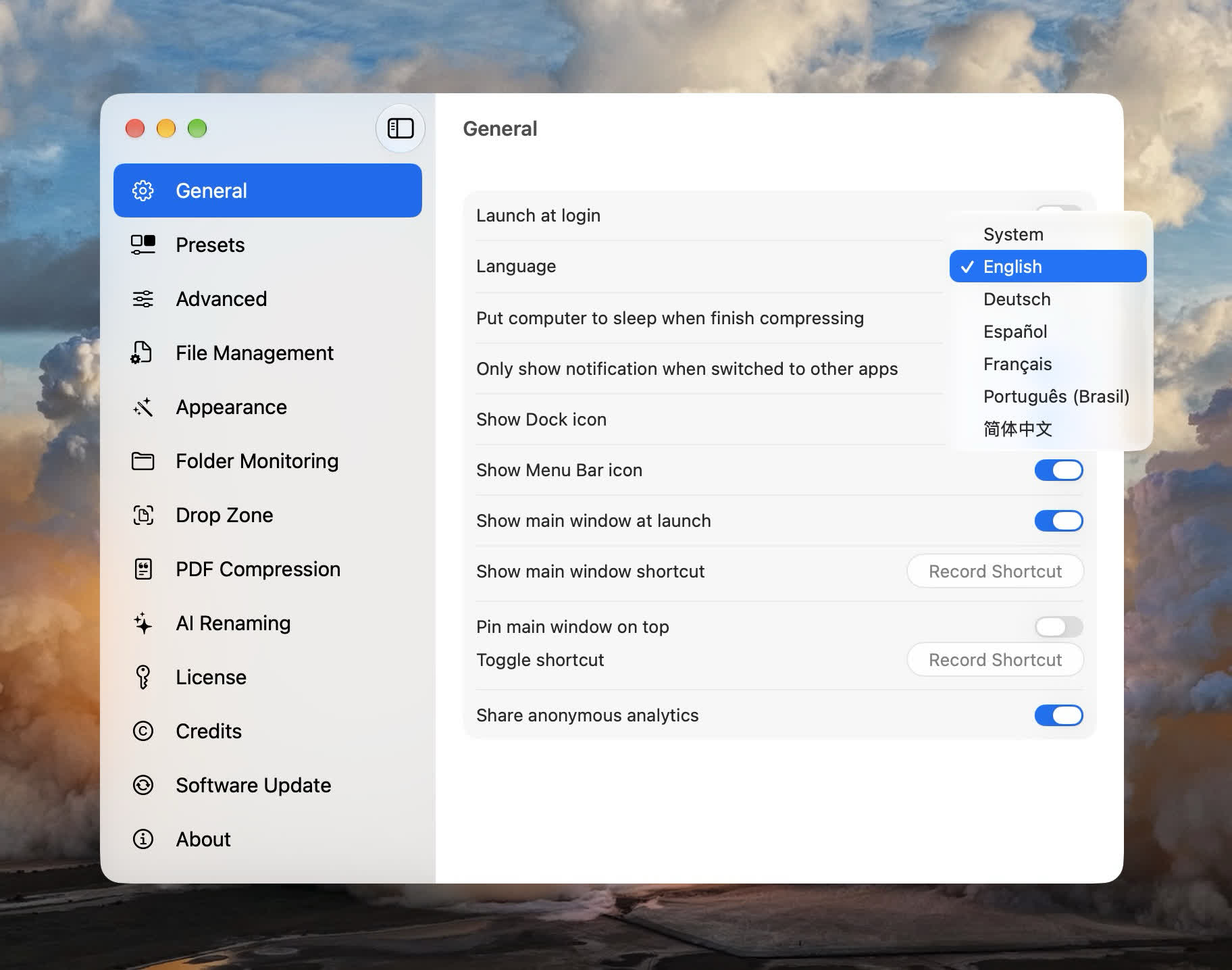
Choose Language in Settings → General, or on the welcome screen the first time you open the app. You can also leave it on System and follow macOS. Compresto asks to restart so the new language is used throughout the app.
🖨️ Images Keep Their Print Size and Metadata
Compressing a JPEG or PNG used to drop the file's print resolution, so a 300 DPI image could land in a layout app as if it were 72 DPI and suddenly look huge. Compresto now copies the original DPI onto the compressed JPEG or PNG. WebP and other formats are skipped, and files with no DPI tag are left alone.
Keeping EXIF, IPTC, and XMP works the same way: that metadata is copied onto the compressed file without running the pixels through another encode. Quality and resize settings stay what you picked. This applies to JPEG, PNG, TIFF, and PSD.
🧹 Smaller Touches
- Onboarding copy now says what each step does next, from installing compression tools through the finish screen
- Fixed WebP encoding
- Component installation no longer fails on Macs that cannot relocate temporary download files
That's 1.31. As always, thanks for the feedback — keep it coming.