Compresto v1.30 update: Target File Size for Images, Custom GIF Dimensions & Native Apple Silicon FFmpeg
🚀 Version 1.30 is Live
This update is all about landing on the size you actually need. Compress a JPEG to a form's upload cap instead of guessing a quality slider, resize GIFs to an exact percentage or max width, and run a native FFmpeg build that doesn't depend on Rosetta.
🎯 Target File Size for Images
Video already had this. Images do too. Pick Target file size as the image quality, type the size you need — 100 KB, 1 MB, whatever the form asks for — and Compresto compresses until it lands at or under that cap.
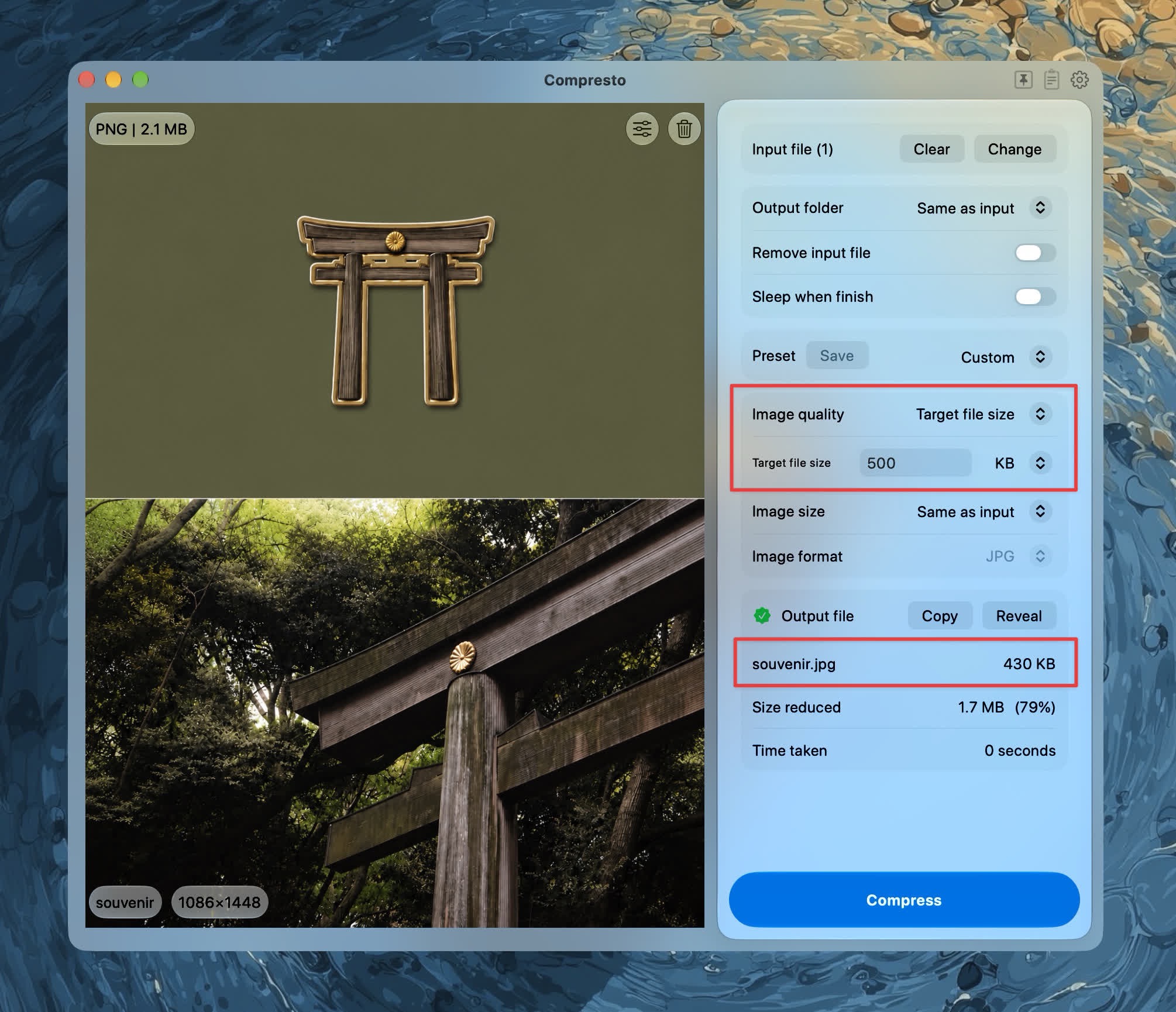
A few details that matter in practice:
- This mode saves as JPG. That's how you hit a hard byte budget without a quality slider lottery.
- If a file can't reach the target, you'll get a warning instead of a silent miss.
- Per-file overrides work here too, so one image in a batch can target 200 KB while the rest use a quality preset.
Visa portals, job applications, CMS upload limits — type the number once and stop re-exporting.
🖼️ Custom GIF Dimensions
The 25% / 50% / 75% presets are still there. You can now also set an exact percentage or a max width in pixels — for GIF files and for video-to-GIF.
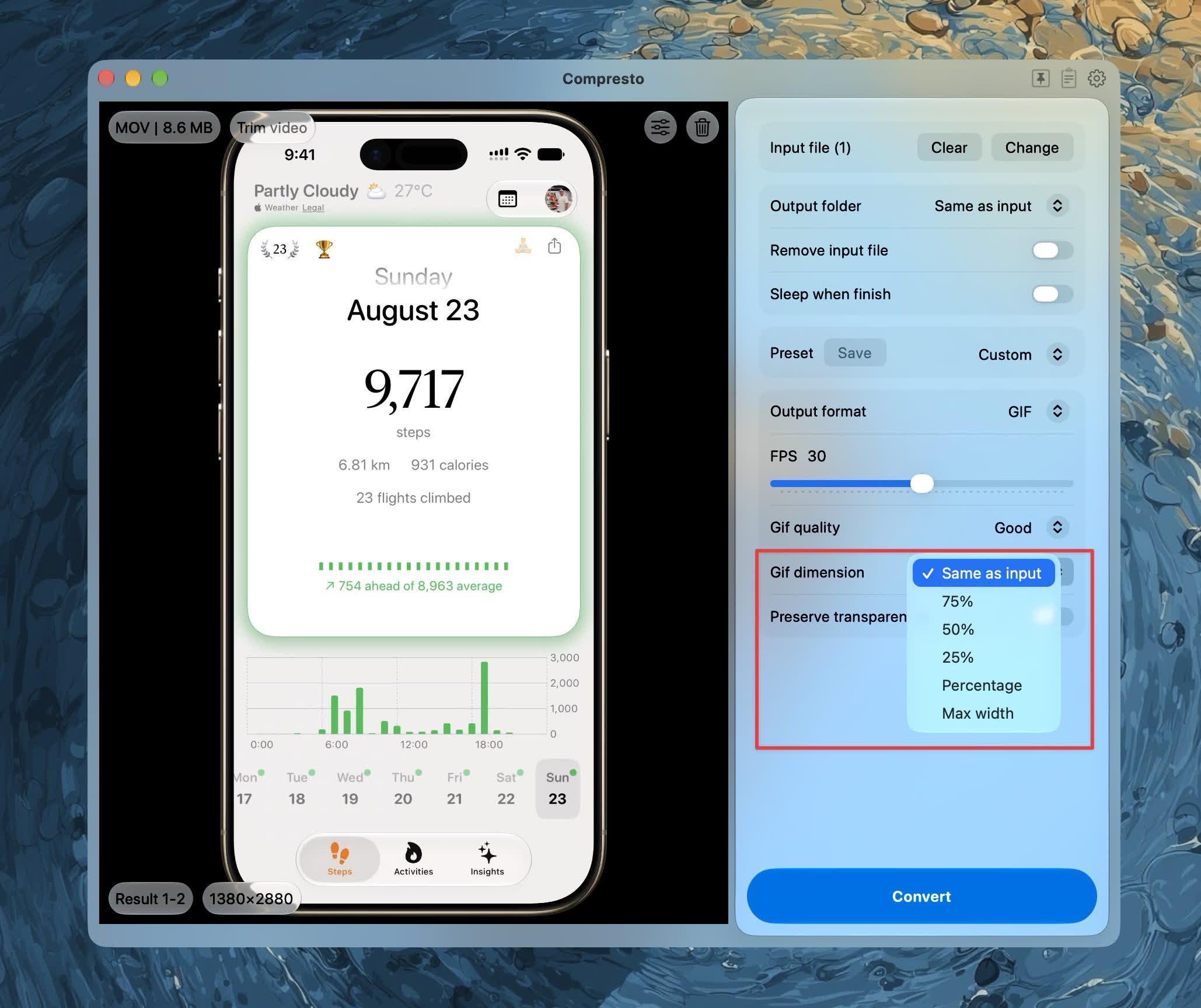
That control shows up everywhere you pick GIF dimensions: the main window, Drop Zone, compression presets, and per-file overrides. So a Slack emoji, a docs screenshot, and a full-width explainer GIF can share a queue without sharing a size.
⚙️ Native Apple Silicon FFmpeg
Apple Silicon Macs now install the arm64 FFmpeg build. Compression no longer depends on Rosetta, which newer macOS versions don't include.
🧹 Smaller Touches
- Opaque JPEGs no longer turn white during compression
- Finder Open With no longer opens Settings; files compress in the background with your last-used settings, and more file types are registered
- Switching to another app no longer clears the file list
- Dock icon stays visible when the last window closes
- Video target file size is now remembered across launches
- Reveal in Finder no longer opens a window per output folder (which could hang the Mac); one-click Reveal remains when every output shares a folder
- Pressing Return in text fields no longer starts compression
- Decoded previews are released when the last window closes, while Compresto stays in the menu bar
That's 1.30. As always, thanks for the feedback — keep it coming.