Compresto v1.29 update: Offline AI Renaming with Ollama, Inline Notch Renaming & Faster History
🚀 Version 1.29 is Live
This update is all about names — what your compressed files are called and how quickly you can change them. You can now rename files with AI entirely on your own machine, fix a name right from the notch, and scroll through a huge history without the lag.
🦙 Offline AI Renaming with Ollama
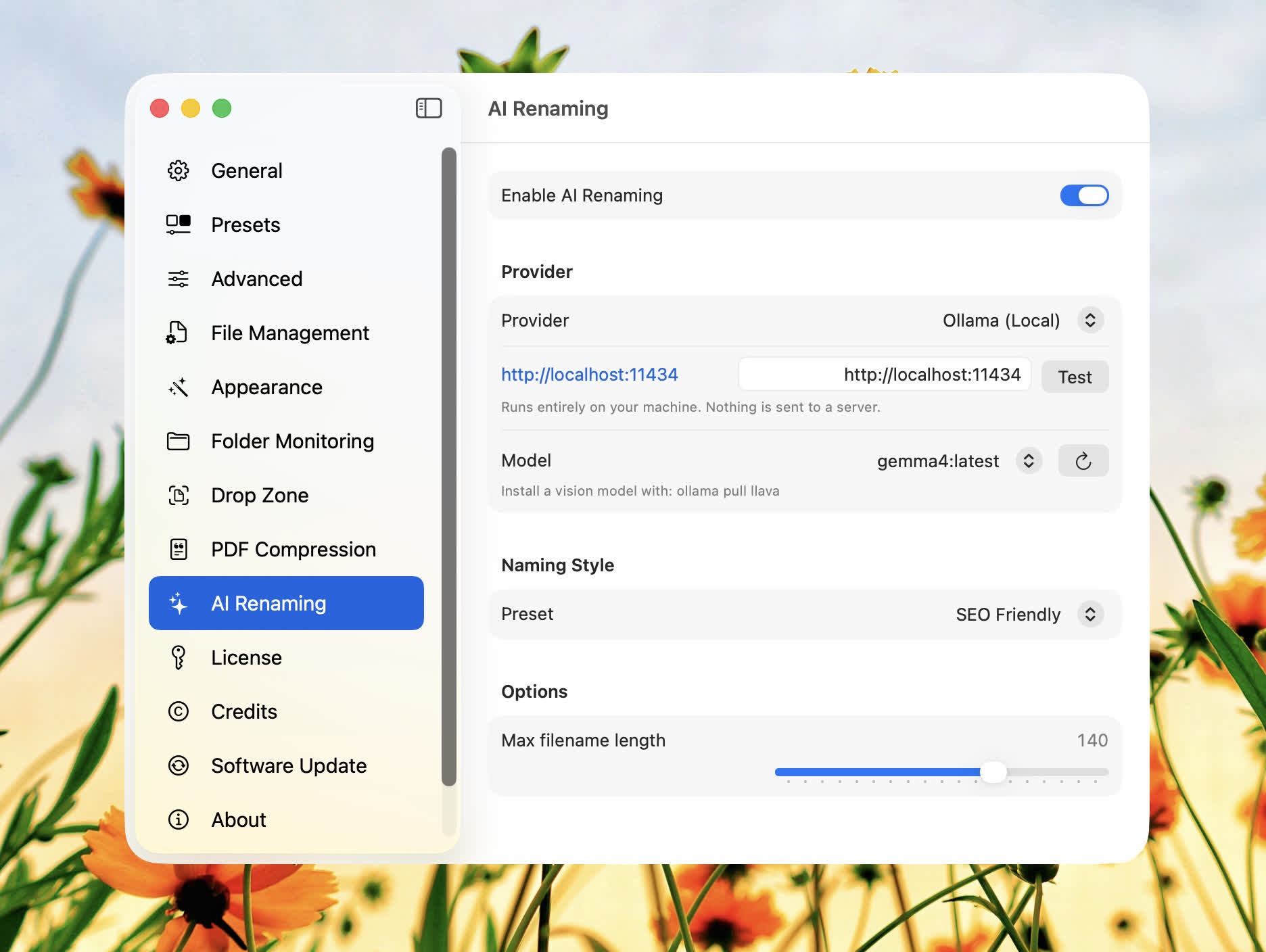
AI file renaming no longer has to leave your Mac. Point Compresto at a local Ollama server and it will generate descriptive file names entirely on-device — nothing is sent to a server. It uses a vision model to actually look at the image, automatically discovers the models you have installed, and lets you pick one from a dropdown.
Set it up under Settings → AI Renaming: choose Ollama (Local) as the provider, enter your server URL (defaults to http://localhost:11434), hit Test, and select a model. For vision-based naming, install a vision model first — for example, ollama pull llava.
✏️ Inline Output Renaming in the Notch
Don't love the name Compresto picked? Now you can fix it on the spot. After a compression finishes, click the pencil next to the file name in the notch and rename the output right there — no need to dig through Finder.
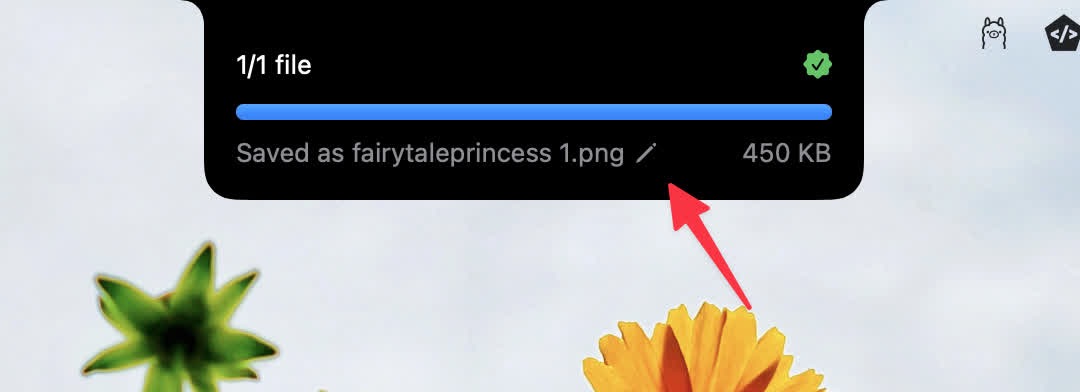
Press Esc to cancel an edit, and the notch now stays up long enough to actually finish typing — it dismisses about a second after you're done renaming, and waits a few seconds after a compression completes.
⚡ Faster Compression History
If you've built up a large history, navigating it is much smoother now. The history view lazy-loads, rendering the newest items first and extending the window as you scroll to the bottom. You can also tune how many items load at a time with an in-screen batch size picker (50 / 100 / 200 / 500).
🧹 Smaller Touches
- Drop Zone compression now applies your custom Finder tags
- Deep links honor your in-app settings as defaults instead of hardcoded values
That's 1.29. As always, thanks for the feedback — keep it coming.