Compresto v1.28 update: Per-File Overrides, Clipboard Auto-Compress, Finder Tags & More
🚀 Version 1.28 is Live
This update is all about giving you tighter control over how files move through Compresto — from the moment they hit the queue to the moment they land on disk.
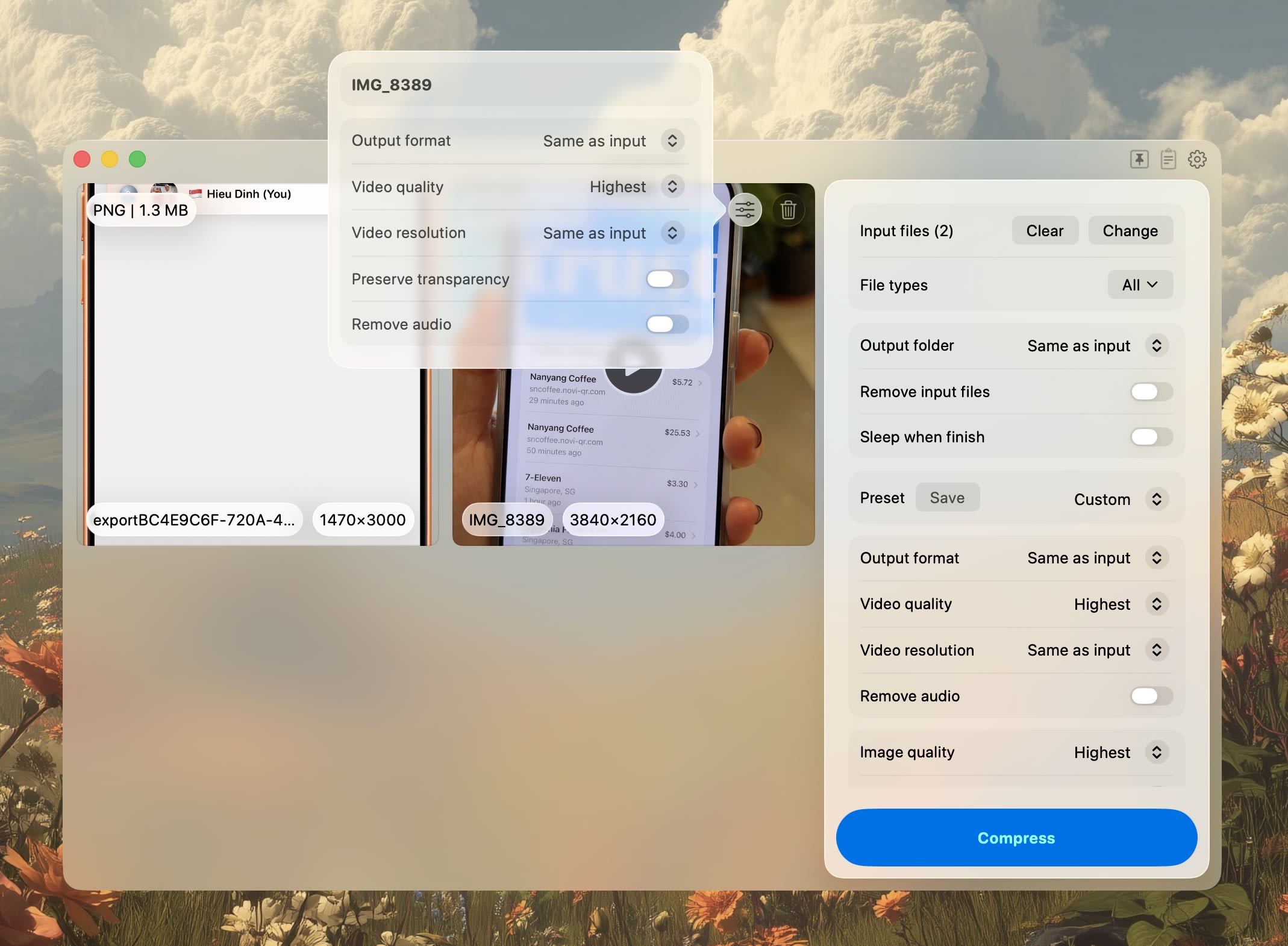
🎛️ Per-File Compression Overrides
Batch jobs no longer have to share one set of settings. You can now override quality, format, and resize options on individual files inside a batch — perfect for mixed queues where a couple of items need different treatment without splitting the job in two.
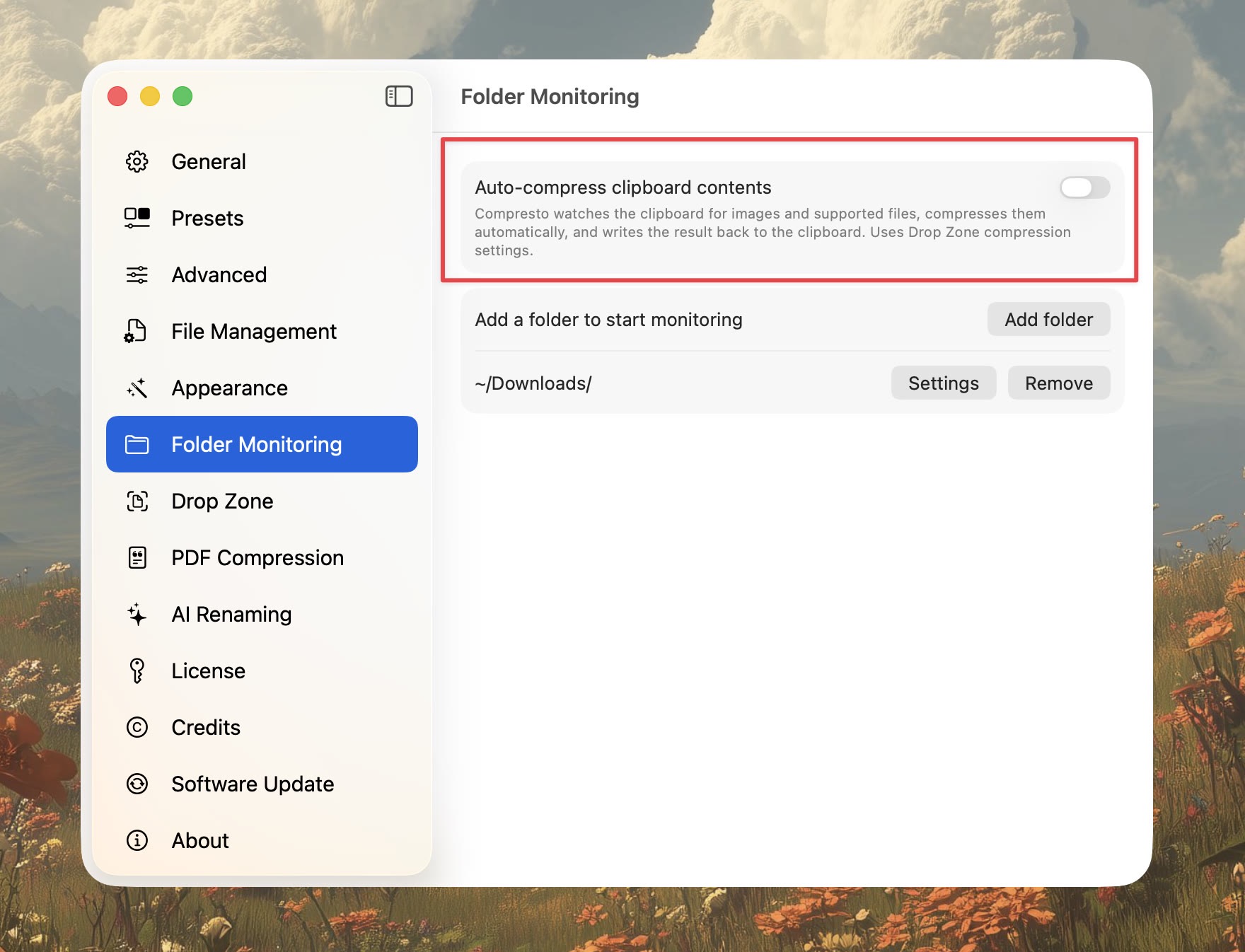
📋 Auto-Compress from Clipboard
Copy a file in Finder, and Compresto can pick it up and compress it automatically. Great for screenshot workflows, quick exports, and anyone who lives in keyboard shortcuts.
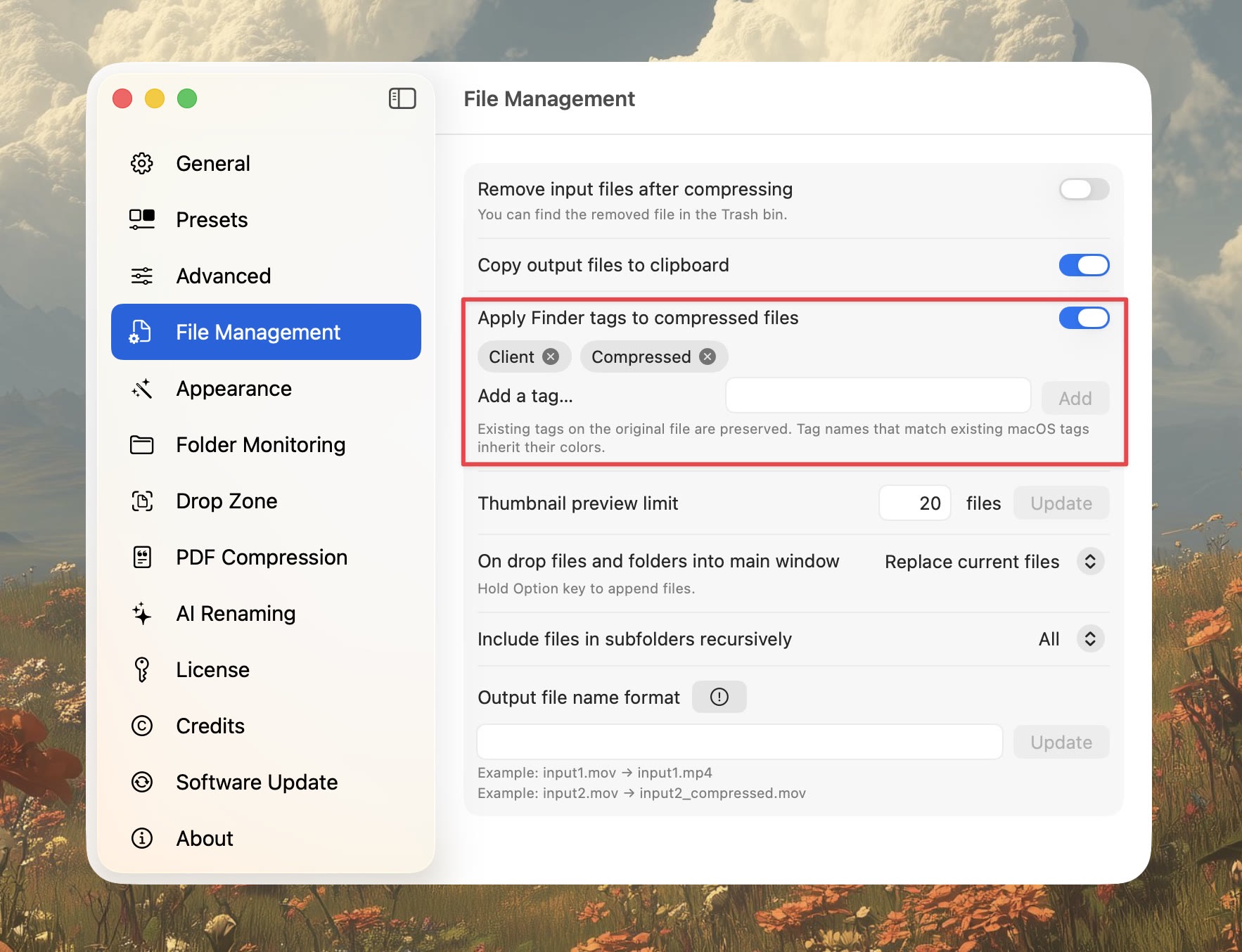
🏷️ Finder Tags Preserved
If you rely on Finder tags to organize your files, Compresto now carries them over to the compressed output. Your color labels and tag-based smart folders just keep working — no extra step.
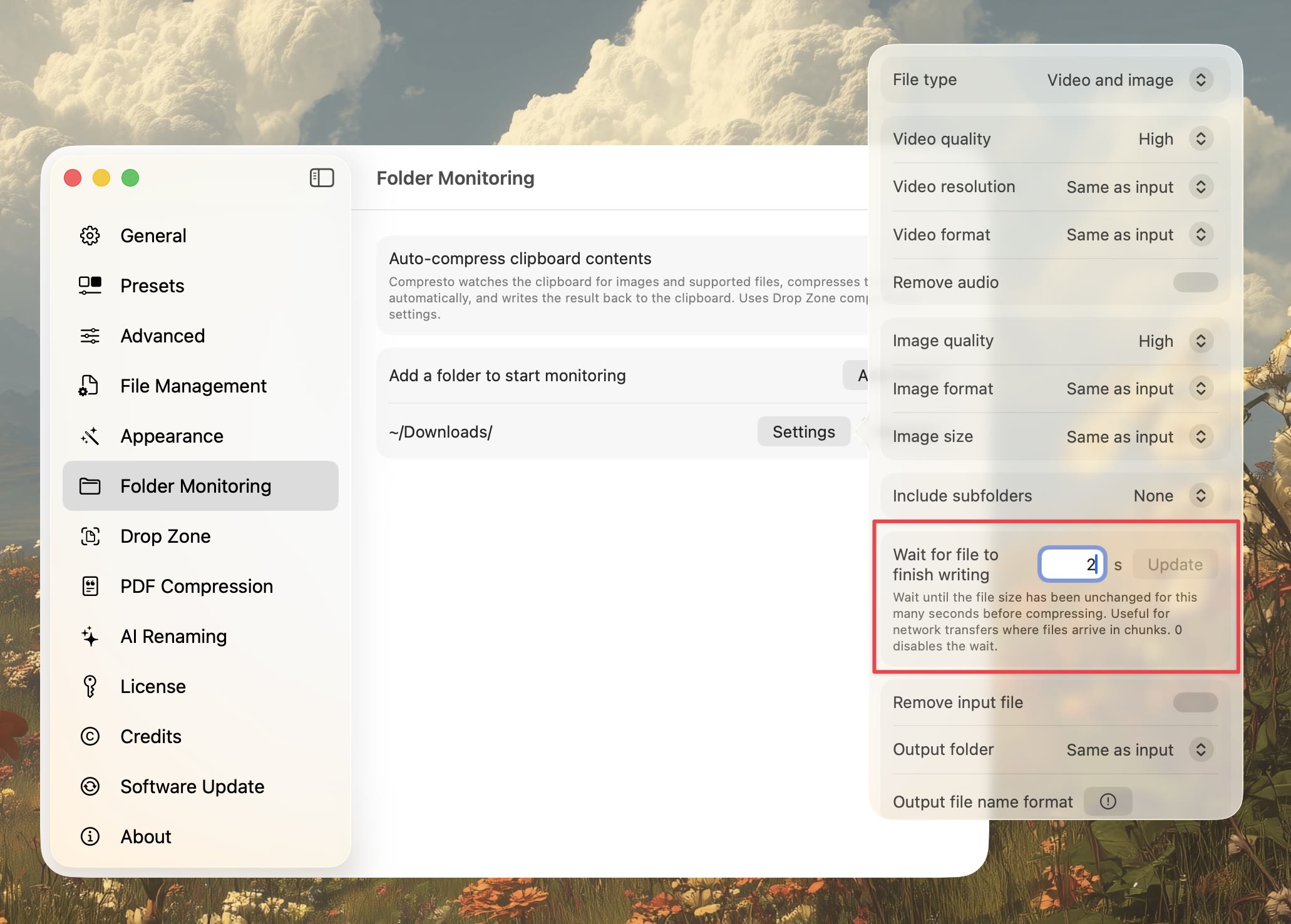
⏳ Folder Monitoring Settle Time
Monitoring a downloads folder or an export directory? You can now set a settle time delay before Compresto picks up a new file. That gives downloads, screen recordings, and exports a moment to finish writing before compression kicks in — no more half-written files in the queue.
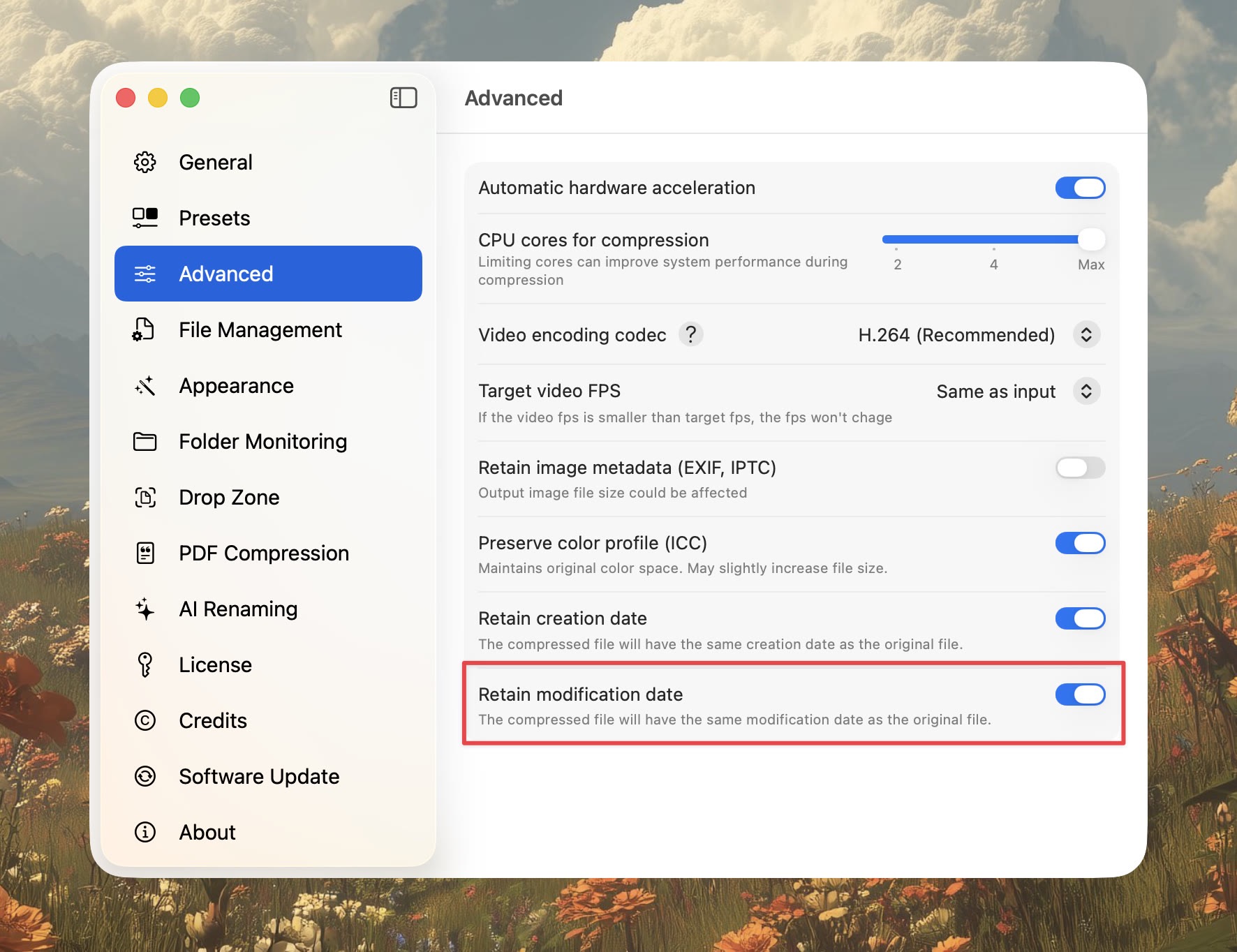
📅 Retain Modification Date
A new option to preserve the original file's modification date on the compressed output. Useful if you sort by date, sync to backup tools, or just want the new file to behave like the old one in Finder.
🔔 Background-Only Notifications
If you only want to hear from Compresto when it's not the active app, there's a new option for that. Notifications only fire when Compresto is in the background, so foreground work stays quiet.
🧹 Smaller Touches
- Trash button on single-file previews for quick removal
- Developer responses now show up directly on feedback board cards
- Fixed an issue where the main window stayed behind other windows when dropping files in "Open in App" mode
That's 1.28. As always, thanks for the feedback — most of what shipped here came directly from it.