Boost Efficiency with enterprise document management systems
Forget about those dusty filing cabinets and the digital chaos of scattered files. An enterprise document management system (EDMS) is your company's central brain—a smart, secure, and self-organizing digital library that gives people access to what they need, right when they need it. It’s a system designed to manage the entire life of a document, from its creation and the back-and-forth of collaboration all the way to its final archival or secure deletion.
Unlocking Your Company's Central Brain

It’s easy to confuse an EDMS with simple cloud storage tools like Google Drive or Dropbox. While they both store files, their core purpose is worlds apart. Think of cloud storage as a digital attic; it’s a convenient place to stash things, but finding, managing, and securing everything is still a manual job.
On the other hand, enterprise document management systems are more like a dynamic command center. They don't just store files—they actively manage them using intelligent rules, automated workflows, and airtight security protocols. This approach turns your scattered documents from a passive headache into a real strategic asset.
And businesses are catching on. The global EDMS market was valued at around USD 5.75 billion in 2023 and is expected to hit nearly USD 11.8 billion by 2032. You can dig into the detailed market analysis to see more on its projected 8.3% annual growth.
Beyond Simple Storage
The real difference comes down to control and intelligence. An EDMS provides a structured environment that governs exactly how information moves through your organization. The key differentiators are what make it so powerful:
- Version Control: An EDMS meticulously tracks every single change made to a document, creating a crystal-clear audit trail. This feature alone puts an end to the nightmare of people working on outdated versions of contracts or proposals.
- Workflow Automation: It can automatically route an invoice for approval, send a new contract for digital signatures, or archive a completed project file, all based on rules you set up beforehand. No more manual handoffs.
- Granular Security: Administrators can set incredibly precise permissions, controlling who can view, edit, share, or even print specific documents. This keeps your sensitive data locked down and away from prying eyes.
This kind of structure is what separates a professional system from a basic one. The image below shows how all the different parts—like metadata, indexing, and search—work together to create a system that’s far more capable than a simple folder tree.
The Lifecycle of a Document
A true EDMS manages a document from the moment it's created until its final send-off. This end-to-end management isn’t just about being tidy; it’s critical for compliance and overall efficiency.
A true EDMS isn't just a digital filing cabinet; it's an automated, intelligent librarian that knows where everything is, who has touched it, and what needs to happen to it next.
The typical lifecycle starts with capturing the document, then indexing it with key information (metadata like author, date, and project number). From there, it's secured with access controls, opened up for collaboration, and finally, its retention and disposal are managed according to company policy and legal requirements. This structured approach is what truly makes an EDMS a professional-grade tool.
What Can A Modern EDMS Actually Do?
To really get why an enterprise document management system is so valuable, we have to look past the buzzwords and dig into the specific features that solve everyday business headaches. A modern EDMS is way more than a digital filing cabinet; it's an active system that brings order, security, and speed to how your company handles information. Each capability is built to smooth out a common friction point, turning messy processes into predictable, automated workflows.
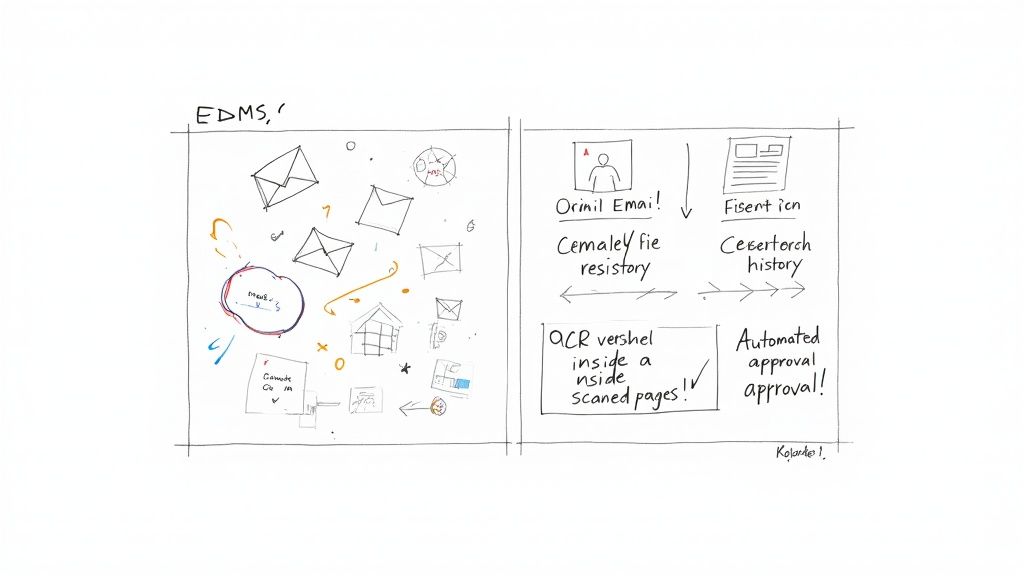
Let's break down these core functions. We'll look at the chaotic "before" scenarios we've all experienced and contrast them with the calm, controlled "after" that an EDMS delivers. This is where you see the magic happen—the shift from manual grunt work to intelligent automation.
To give you a quick overview, here's how the essential features of an EDMS translate into real business advantages.
Essential EDMS Features and Their Business Impact
| Core Capability | What It Does | Primary Business Benefit |
|---|---|---|
| Centralized Repository | Creates a single, secure library for all company documents. | Eliminates confusion and ensures everyone works from the correct, up-to-date information. |
| Version Control & Audit Trails | Tracks every change made to a document and records who did what, and when. | Prevents errors from using outdated files and provides a complete history for compliance. |
| Intelligent Search & OCR | Scans documents (even images) and makes the full text searchable. | Drastically cuts down the time spent searching for information, boosting productivity. |
| Workflow Automation | Builds automated rules to route documents for approvals and other tasks. | Speeds up business processes, reduces manual errors, and frees up staff from administrative tasks. |
Each of these capabilities builds on the next, creating a powerful system for managing the flow of information. Let's explore them in more detail.
A Centralized Document Repository: Your Single Source Of Truth
The absolute foundation of any EDMS is a centralized document repository. This isn't just another shared drive; it's a single, secure, and organized library for every important file your company owns.
Before an EDMS, critical documents are everywhere—scattered across local hard drives, hiding in various cloud accounts, and buried in email threads. This chaos makes finding the right information a frustrating scavenger hunt, leading to wasted time and decisions made with outdated data.
With an EDMS, every authorized employee knows exactly where to find the latest version of a contract, a marketing plan, or an HR policy. This "single source of truth" gets rid of the guesswork and makes sure everyone is on the same page.
Flawless Version Control With Audit Trails
Have you ever spent hours working on a document, only to find out you were using an old version? An EDMS puts a stop to that with meticulous version control and comprehensive audit trails.
Picture a team collaborating on a legal agreement. Without an EDMS, the process is a mess of emailed drafts with file names like Contract_v3_Final_JDs_edits_FINAL.docx. It’s impossible to know which version is the real one, and tracking who changed what is a nightmare.
An EDMS acts as a time machine for your documents. It automatically logs every revision, creating a clear history of changes and ensuring you can always revert to a previous state if needed.
This is non-negotiable for compliance and accountability. The audit trail provides an undeniable record of every interaction—who viewed, edited, shared, or printed a document, and exactly when they did it.
Intelligent Search and Optical Character Recognition
Finding a needle in a digital haystack is one of the biggest time-wasters in business. A modern EDMS goes way beyond simple filename searches with intelligent search capabilities, powered by Optical Character Recognition (OCR).
OCR technology is a game-changer. It scans images and PDFs, turning the text inside them into data your computer can read and search. This means you can find a specific clause inside a 50-page scanned contract just by typing a keyword. Considering that employees can spend nearly 20% of their workweek just looking for information, intelligent search claws back a huge amount of productive time.
When looking at EDMS features, especially for sensitive information, it's critical to see how they align with industry rules. This is particularly important for fields requiring HIPAA-compliant document management practices.
Workflow Automation for Repetitive Processes
This might be the most powerful capability of all: workflow automation. This feature lets you build rules that automatically send documents where they need to go—for review, approval, or any other action. It completely eliminates manual handoffs and administrative bottlenecks.
Think about a typical invoice approval process. Manually, someone has to print the invoice, walk it over to a manager for a signature, and then pass it to the finance department. The document can easily get lost, delayed, or just forgotten on a desk.
An EDMS automates the entire sequence. When an invoice is uploaded, the system can be configured to:
- Instantly notify the right manager that a document needs their approval.
- Send reminders if the approval isn't done within a specific timeframe.
- Automatically route the approved invoice straight to the finance team.
- Log every single step in the audit trail for complete transparency.
This kind of automation makes business processes faster and slashes the risk of human error. To see more on how this works in practice, you can explore how to transform your operations with document workflow automation. Together, these features create an ecosystem where documents aren’t just stored—they’re managed, secured, and put to work for your business.
The Strategic Business Benefits of Implementing an EDMS
Bringing an enterprise document management system (EDMS) into your organization isn't just another IT project—it's a core business decision that pays real dividends across the board. When you move past the chaos of scattered file shares and endless email threads, you unlock strategic advantages that directly boost your bottom line, tighten up security, and pave the way for growth.
These benefits aren't just abstract ideas; they're measurable improvements you'll see in how your business runs every single day.
The investment is significant, which is why large organizations are leading the charge. In 2024, large enterprises drove the global document management market, accounting for a revenue share of nearly 67%. This number makes sense when you consider their massive document volumes and complex regulatory headaches—challenges that only a powerful EDMS can solve. You can discover more insights about the DMS market on Grandview Research.
Unlock Powerful Operational Efficiency
One of the first things you'll notice after implementing an EDMS is a massive jump in operational efficiency, mostly thanks to workflow automation. All those repetitive, mind-numbing tasks that eat up your team's time get replaced by smart, automated processes that just work. This frees up your people to focus on the high-impact work they were actually hired to do.
Think about a typical finance team processing invoices. The old way involves printing, walking documents over for signatures, and sending a dozen follow-up emails. An EDMS completely changes the game:
- Automated Routing: A new invoice gets uploaded, and the system instantly routes it to the right manager for approval. No manual hand-offs needed.
- Status Tracking: Everyone involved can see exactly where the invoice is in the process, which kills the "any update on this?" emails.
- Faster Payments: Once approved, it’s sent straight to accounts payable, speeding up the entire payment cycle.
This kind of automation cuts down on bottlenecks and dramatically reduces the chance of human error, making sure work gets done faster and more accurately.
Fortify Security and Ensure Compliance
In an era of constant data breach threats and ever-tightening regulations, protecting your sensitive information isn't optional. An EDMS creates a digital fortress for your documents, moving them from vulnerable spots like local hard drives into a secure, central hub with iron-clad access controls.
A core function of an enterprise document management system is to act as a digital guardian for your most critical information, enforcing rules that humans might forget and creating an unbreakable chain of evidence for auditors.
This is done through several layers of security. Granular permissions mean employees can only see the information they absolutely need for their job. An HR manager can view employee contracts, for example, but someone in marketing can't.
On top of that, every single action—from viewing a file to editing or sharing it—is logged in a detailed audit trail. This level of transparency is a lifesaver for meeting compliance standards like GDPR or HIPAA and gives you an airtight record if an auditor comes knocking. You can find out more by exploring our detailed guide on the core components of enterprise data security solutions.
Foster Seamless Collaboration
Real collaboration grinds to a halt when people are working from different versions of the same document. An EDMS solves this by creating a "single source of truth," making sure every single person is looking at the most up-to-date, approved file. This simple change eliminates the confusion and expensive rework that comes from using outdated information.
Imagine a legal team drafting a contract. With an EDMS, multiple lawyers and stakeholders can review and add comments to the same document in a controlled space. Version control tracks every single change, so the team can easily see who changed what and even roll back to a previous version if needed. It’s a structured approach that leads to clearer communication and faster project completion.
Reduce Costs and Environmental Impact
The financial upside goes far beyond just productivity. An EDMS drastically cuts the direct costs tied to paper documents. You can say goodbye to expenses for paper, ink, printers, and pricey off-site storage facilities.
This shift also helps your company hit its sustainability targets by shrinking your carbon footprint. When you digitize paper-heavy processes, you cut down on waste and energy use, making your operation more environmentally friendly. These savings, combined with the efficiency gains, deliver a strong, clear return on your investment.
How to Choose the Right EDMS for Your Enterprise
Picking the right enterprise document management system is a big deal. Think of it like choosing the architectural blueprint for a new office building—the decision you make today will shape how your teams work together, how information moves, and how well your critical assets are protected for years. If you rush in and just pick the one with the flashiest features, you can easily end up with a system that creates more problems than it solves.
To get this right, you need a clear strategy. This means looking past your immediate headaches and creating a plan that balances what you need now with where you’re headed in the future. The goal is to find a system that can grow with you, adapting to new challenges as they come up.
Start with a Thorough Needs Analysis
Before you even think about watching a vendor demo, you need to figure out what your organization actually needs. One of the biggest mistakes companies make is letting the IT department decide on their own. A great EDMS has to work for everyone, so picking one has to be a team effort.
Get a group together with people from key departments—think finance, legal, marketing, and HR. Their real-world experience is gold for figuring out how documents currently flow through the company and where the biggest logjams are.
Here are a few critical questions to get the conversation started:
- What are our biggest document headaches right now? Is it painfully slow approval cycles? Can nobody ever find what they’re looking for? Are we worried about compliance risks?
- Which departments handle the most sensitive information? This will tell you a lot about the kind of security and access controls you’ll need.
- What are our most common document workflows? Actually map out a process like an invoice approval or contract review from the moment it starts to the second it’s finished.
- Who needs access to what, and from where? Don’t forget about your remote, in-office, and hybrid teams.
Doing this work upfront gives you a detailed checklist of must-haves. This list will be your guide during vendor demos, making sure you choose a system that solves your real problems.
On-Premises vs Cloud Deployment
One of the first major forks in the road is deciding on a deployment model. This choice hits everything from cost and maintenance to scalability and access. Your two main options are on-premises and cloud-based systems.
Lately, a cloud-based EDMS has become the go-to for most businesses. It’s completely changing how companies manage their information, mostly because it’s flexible and doesn’t require a massive upfront investment. In fact, in 2024, cloud solutions made up a staggering 68% of the global DMS market share. And that trend isn’t slowing down. You can see the full breakdown in the document management systems market analysis on Mordor Intelligence.
To make the right call for your business, it helps to see how the two models stack up side-by-side.
Cloud-Based EDMS vs On-Premises EDMS Comparison
Here's a direct comparison of the two main deployment models to help you figure out which one is the right fit for your organization's needs, budget, and resources.
| Criteria | Cloud-Based EDMS | On-Premises EDMS |
|---|---|---|
| Initial Cost | Lower (Subscription-based, no hardware purchase) | Higher (Requires servers, licenses, and infrastructure) |
| Maintenance | Handled by the vendor (updates, security, backups) | Managed by your internal IT team |
| Scalability | High (Easily add users and storage as needed) | Limited (Requires purchasing new hardware to scale) |
| Accessibility | Accessible from anywhere with an internet connection | Typically restricted to the company's internal network |
| Security | Managed by specialized vendor teams with robust protocols | Dependent on your internal IT team's expertise |
For most companies, the agility and predictable monthly costs of a cloud solution make it the clear winner. However, if you're in a heavily regulated industry with strict rules about where your data can live, an on-premises system might still be a necessity.
Evaluate Scalability and Integration Capabilities
The EDMS you pick today has to be able to handle your company's growth tomorrow. A system that runs smoothly for 200 employees might completely fall apart under the pressure of 2,000. That’s why scalability is non-negotiable. When talking to vendors, ask them tough questions about their system’s architecture. You need to know if it can handle a major increase in users and documents without slowing to a crawl.
An EDMS should act as a central hub, not an isolated island. Its ability to seamlessly connect with the other tools your business relies on is what unlocks its true potential.
Just as important are its integration capabilities. Your EDMS needs to talk to the rest of your tech stack without any friction. Think about your core business tools like your CRM (like Salesforce), your ERP (like SAP), and your HR systems. A well-integrated EDMS can do things like pull customer data from your CRM to automatically tag new contracts or push approved invoices directly into your ERP for payment. Without those connections, you’re just creating new data silos and forcing people into clunky, manual workarounds. Always ask for a list of their pre-built integrations and find out about their API for any custom connections you might need.
A Practical Guide to EDMS Implementation and Adoption
Rolling out a new enterprise document management system is a major project. It’s not just about installing software; you're fundamentally changing how your entire organization handles its most important information. A successful launch depends on a solid plan that covers the technology, the processes, and—most critically—the people who will use it every day.
Making the jump from legacy systems to a modern EDMS is a structured journey. Success really boils down to good project management. In fact, it helps to brush up on effective software project management principles to get the foundation right. With the right approach, you can guarantee a smooth transition and get the most out of your investment from day one.
This flow chart gives a bird's-eye view of the key stages in picking the right system, from the initial deep dive into your needs all the way to planning the final integration.
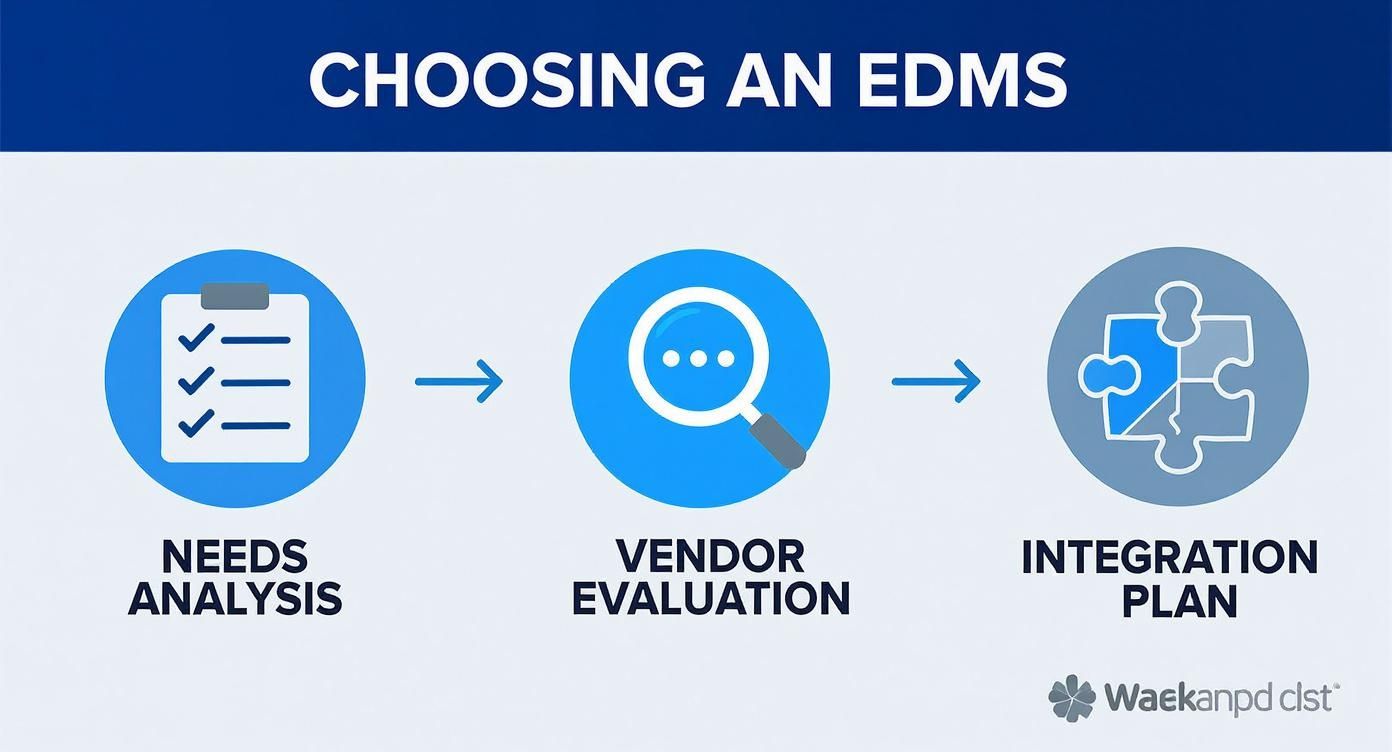
What this really shows is that a great implementation starts long before you ever install the software. It’s all about methodical planning.
Phase 1: Planning Your Data Migration
The first big technical step is getting all your existing documents from where they live now—scattered across shared drives, old servers, and random cloud accounts—into the new EDMS. This process, called data migration, needs a careful plan to prevent total chaos.
Start by auditing all your current files. Think of it as a great opportunity for a digital spring clean. You’ll want to find and archive old or duplicate documents, making sure you only bring valuable, relevant information into your shiny new system. It turns out a huge chunk of most companies' data is ROT (Redundant, Obsolete, and Trivial), so this step is a game-changer for efficiency.
Your migration plan needs to map out:
- Data Cleansing: What do we keep? What gets archived? What can we securely delete for good?
- Mapping Metadata: How will old file info (like author or creation date) fit into the new system’s fields?
- Prioritization: Which documents are the most critical? Move those first to keep business running smoothly.
Phase 2: Configuring Workflows and Permissions
Once your data has a new home, it's time to make the system work for you by setting up automated workflows and a tight security structure. This is where you turn your everyday business processes into the rules that will run your EDMS.
Sit down with department heads and map out their common document-heavy tasks—things like invoice approvals, contract reviews, or onboarding a new hire. By automating these steps, you can get rid of manual bottlenecks and speed everything up.
At the same time, you need to build a rock-solid permissions model. A well-designed permissions structure ensures people can only see and touch the information they absolutely need to do their jobs.
The goal is to strike the right balance between accessibility and security. You want to empower employees with easy access to information without exposing sensitive data to unnecessary risk.
Getting this setup right is the foundation for a secure, efficient system that your team will actually trust and use.
Phase 3: Driving User Adoption
Let's be honest: the most powerful EDMS on the planet is useless if nobody uses it. User adoption is often the toughest but most important part of the whole process. People naturally resist change, so your strategy has to focus on making the switch as easy and beneficial as possible for your team.
Here are a few strategies that actually work:
- Executive Sponsorship: When leaders are actively using and promoting the new system, it sends a clear message that this change is a top priority.
- Comprehensive Training: Run training sessions tailored to different roles. Show people how the EDMS solves their specific, daily problems. Don’t just explain features; show the value.
- Appoint Power Users: Find a champion in each department who can act as the go-to person for questions and encourage their colleagues.
- Gather Feedback: Open a channel for users to ask questions and share their thoughts. It shows you care about their experience and are willing to tweak the system over time.
A Proactive Strategy: File Compression
Here’s a pro tip: one of the smartest things you can do is build file compression into your implementation plan from the start. By compressing documents before they even get uploaded to the EDMS, you can unlock some serious long-term benefits, especially if you're using a cloud-based system.
Shrinking large files like high-resolution scans, hefty PDFs, and big presentations dramatically reduces their size. This one simple step leads to big savings on cloud storage costs, which are usually based on how much data you're storing.
On top of that, smaller files mean faster uploads and downloads, which makes the whole system feel snappier and improves the user experience. This is a huge win for teams accessing the EDMS from different locations with varying internet speeds. Integrating compression from day one is a proactive move that pays for itself in cost savings and happy users. It also pairs nicely with long-term storage strategies; you can dive deeper by reading about effective data archiving best practices to round out your approach.
A Few Common Questions About EDMS
As you start looking into enterprise document management systems, you're bound to have questions. This is a big investment in how your company runs, so getting clear answers is everything. To help you out, we’ve put together some of the most common things people ask when they're exploring an EDMS.
Getting these points straight from the start helps everyone get on the same page and ensures you end up with a system that actually works for your business.
What Is the Difference Between an EDMS and a CMS?
This is a classic point of confusion, and it’s easy to see why. Both systems manage digital stuff, but they’re built for completely different jobs.
An Enterprise Document Management System (EDMS) is all about managing an organization's internal documents—the messy, unstructured files that keep the business running. Think contracts, invoices, HR records, and engineering drawings. Its superpowers are things like version control, workflow automation, compliance, and rock-solid security.
A Content Management System (CMS), on the other hand, is almost always used for managing content meant for the outside world, like your company’s website. Its focus is on creating, editing, and publishing web pages, blog posts, and marketing materials for the public to see.
How Long Does a Typical EDMS Implementation Take?
There's no single answer here, as the timeline for an EDMS rollout can be all over the map depending on the size and complexity of your business.
For a smaller company with pretty straightforward needs and not a ton of old data to move over, you might be looking at 3 to 6 months. But for a huge global company with messy legacy data, custom workflows, and lots of integrations, the process could easily take 12 to 18 months, maybe even longer.
The biggest things that affect the timeline are the sheer volume of documents you need to migrate, how much customization your workflows require, and how well you handle the human side of things with training and change management.
Can an EDMS Help with Regulatory Compliance?
Absolutely. In fact, this is one of the biggest reasons companies invest in a modern enterprise document management system. These platforms are built from the ground up with features designed to meet strict rules like GDPR, HIPAA, or Sarbanes-Oxley.
An EDMS helps you stay compliant by providing:
- Granular Access Controls to make sure only the right people can see or touch sensitive information.
- Detailed Audit Trails that log every single interaction with a document—who viewed it, who edited it, who shared it, and exactly when.
- Automated Retention Policies that manage how long documents are kept and when they’re securely destroyed, all based on legal requirements.
When an auditor comes knocking, these features are your best friend.
How Do We Get Employees to Actually Use the New System?
This is the million-dollar question. User adoption can make or break the entire project. You can have the best system in the world, but it’s worthless if your team just ignores it. The trick is to focus on the people and the process, not just the technology.
First, pick a system with a clean, intuitive interface that doesn’t feel like a chore to use. Second, get key people from different departments involved in the selection process to create some early buy-in. Third, roll out a solid training program that’s tailored to what different teams actually do.
Finally, make sure your leaders are championing the system. When managers and executives are using the EDMS every day, it sends a clear message that it’s important. Highlighting a few quick wins that make someone’s job noticeably easier is also a great way to get people on board.
Ready to conquer file chaos and reclaim your team's productivity? With Compresto, you can compress PDFs, videos, and images directly on your Mac before they even enter your document workflows. Start optimizing your files today at https://compresto.app.