The 12 Best Video Editing Apps for Mac in 2026 (Pro and Free)
Choosing the right video editor for your Mac can feel overwhelming. With options ranging from free, user-friendly apps to powerful, industry-standard suites, the 'best' choice depends entirely on your projects, budget, and experience level. This guide cuts through the noise, offering an in-depth look at the top video editing apps available for macOS. We'll analyze their real-world performance on both Apple Silicon and Intel machines, break down their unique features, and provide honest assessments of their strengths and weaknesses.
Our goal is to help you find the best video editing apps for Mac without the guesswork. We provide a comprehensive resource that goes beyond marketing copy, focusing on how these tools perform in practical scenarios. Whether you're a professional filmmaker, a social media manager crafting web-optimized assets, or just starting out, this breakdown will help you find the perfect tool to bring your vision to life.
For creators looking to explore a broader range of options or those specifically focused on content for a major platform, you might also consider guides on the 12 Best Software for Editing Videos for YouTube.
Each option in our list includes screenshots, direct links, and a clear breakdown of what makes it stand out. We also cover crucial workflow considerations, such as integrating compression tools to optimize your final exports for sharing or documentation. This article is your definitive guide to navigating the crowded landscape of macOS video editors and selecting the software that truly fits your needs.
1. Mac App Store — Photo & Video (category)
The Mac App Store is the definitive starting point for finding the best video editing apps for Mac, offering a secure, centralized, and curated marketplace. It simplifies discovery and installation, eliminating the need to vet third-party websites. Apple's strict review process ensures that every app listed is notarized and sandboxed, providing an unparalleled level of safety and system stability. This ecosystem is home to a vast range of software, from Apple’s own iMovie and Final Cut Pro to industry-leading applications like DaVinci Resolve and popular consumer choices such as Filmora and LumaFusion.
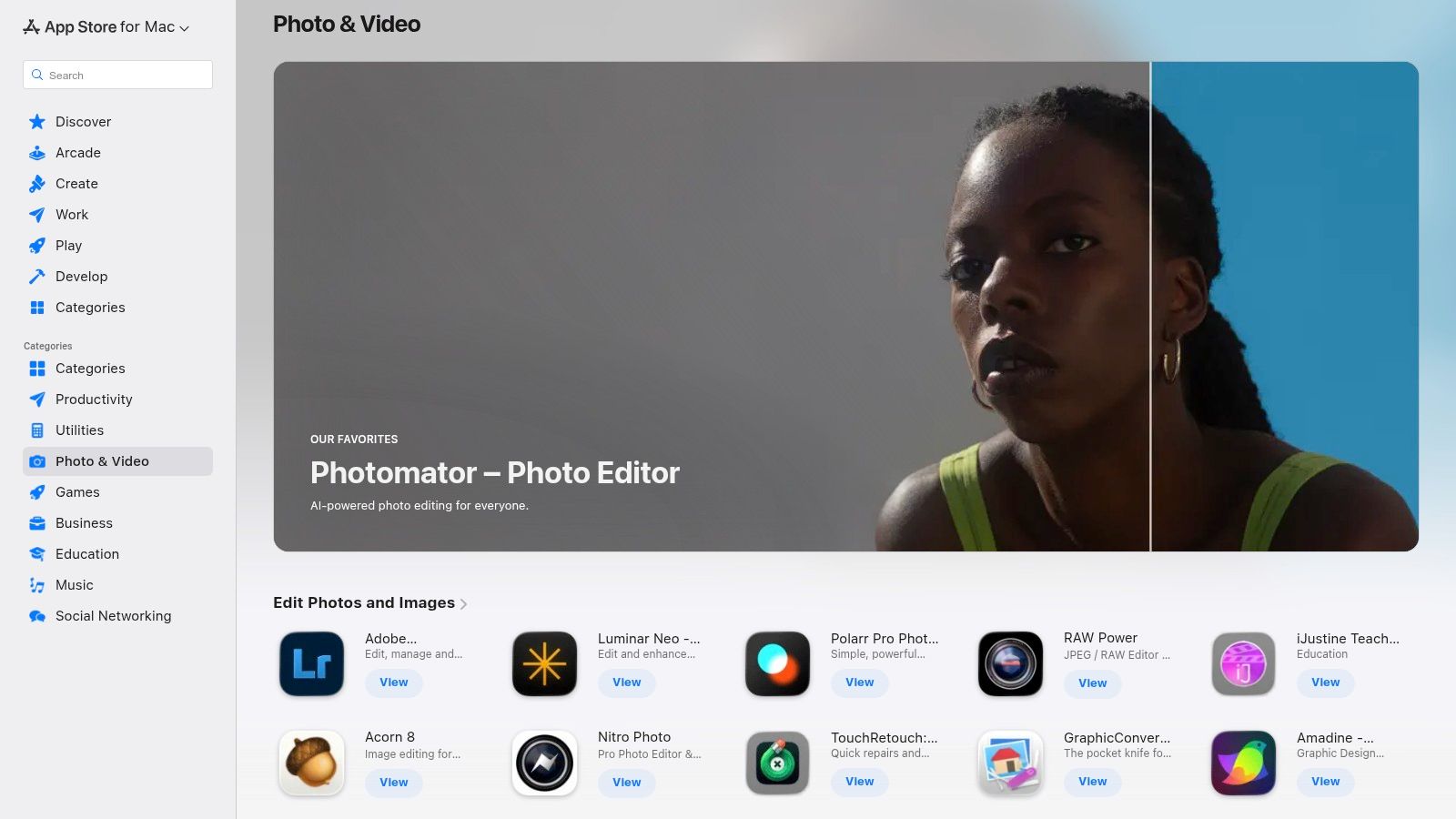
The primary advantage is simplicity. Purchases are tied to your Apple ID, making it effortless to reinstall apps on new devices, and updates are managed automatically. However, some professional software vendors offer different licensing models or bundles when purchased directly, which can be a limitation for enterprise users. Additionally, large app downloads may occasionally be slower compared to direct downloads from a developer's server.
Key Considerations & Features
- Discovery & Curation: The "Photo & Video" category features editorial picks, user ratings, and charts that help surface high-quality and trending applications.
- Security & Updates: All apps are vetted by Apple, and updates are delivered seamlessly through the App Store, ensuring you're always running the latest, most secure version.
- Integrated Workflow: Once you export a project, integrating external tools is crucial. Finding the right tools to shrink file sizes without losing quality is a key step, and an ultimate guide to video compression software for Mac can help you complete your workflow efficiently.
Website: Mac App Store — Photo & Video
2. Apple — Final Cut Pro
Final Cut Pro is Apple’s flagship professional non-linear video editor, engineered exclusively for macOS. It stands as a pinnacle of performance and optimization, particularly on Apple silicon, offering a fluid, intuitive editing experience that appeals to both seasoned professionals and ambitious creators. Its one-time purchase model is a significant differentiator in a market dominated by subscriptions, making it a valuable long-term investment for dedicated Mac users. The software's deep integration with the Apple ecosystem, including applications like Motion and Compressor, provides a seamless and powerful post-production workflow.
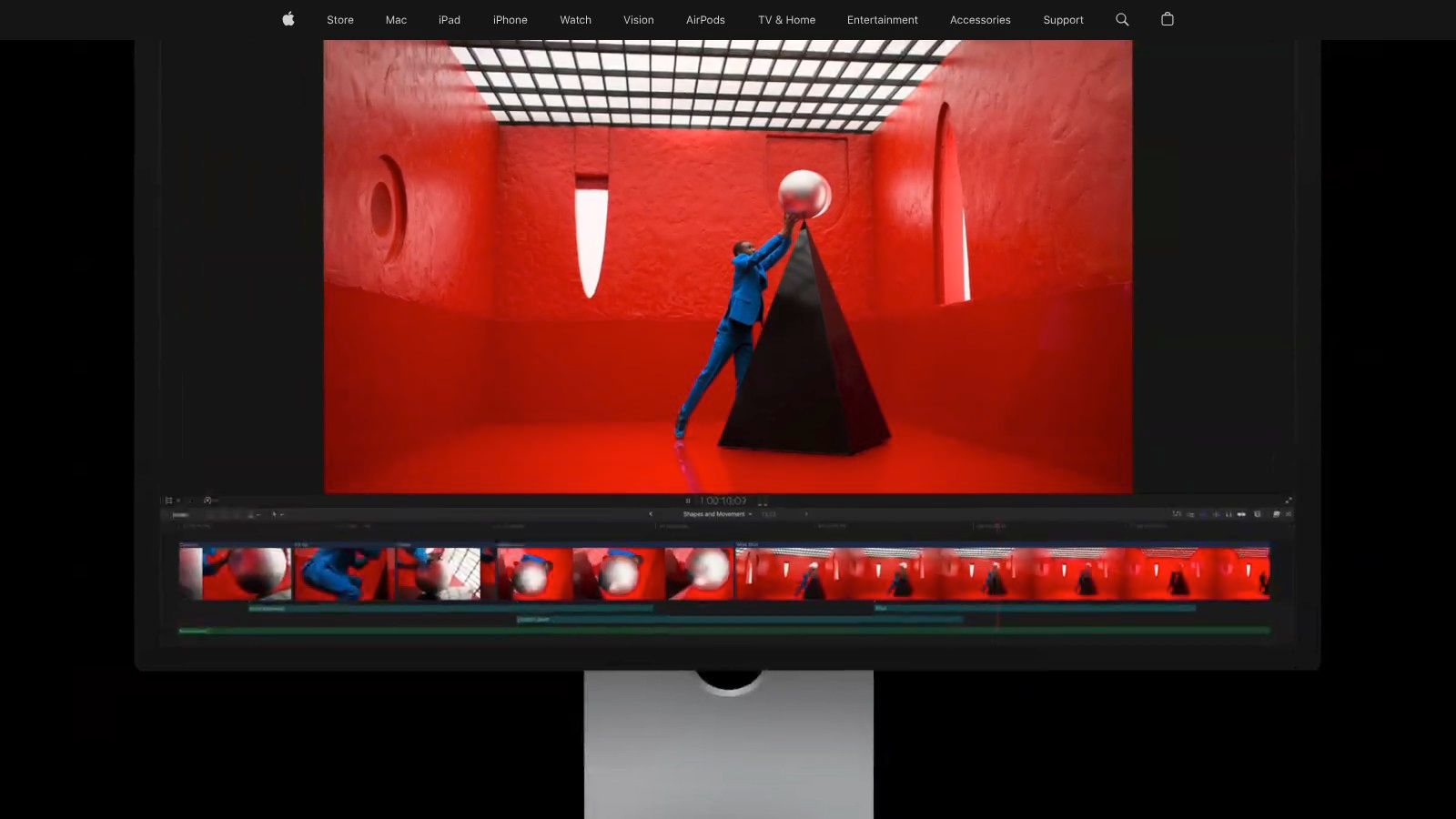
The primary advantage of Final Cut Pro is its revolutionary Magnetic Timeline, which eliminates clip collisions and simplifies complex edits. Paired with background rendering, this allows for uninterrupted creative flow. However, its macOS-only nature means projects are not cross-platform compatible, a potential drawback for teams working in mixed-OS environments. While powerful, its collaboration features are also less extensive compared to some cloud-based competitors, making it better suited for individual editors or small, Mac-based teams. A generous 90-day free trial is available directly from Apple's website.
Key Considerations & Features
- Performance & Optimization: Engineered for Apple silicon, it delivers exceptional speed in rendering, exporting, and processing high-resolution footage, including native ProRes workflows.
- Magnetic Timeline 2: This innovative timeline provides an exceptionally fluid editing experience, allowing you to rearrange clips without sync issues or gaps, drastically speeding up the assembly process.
- Ecosystem Integration: Works seamlessly with other Apple pro apps. Understanding how to properly export video from Final Cut Pro is essential for maintaining quality while preparing files for delivery or further compression.
Website: Apple — Final Cut Pro
3. Adobe — Premiere Pro
Adobe Premiere Pro is the ubiquitous, industry-standard video editing software for Mac, renowned for its deep feature set and seamless integration into the broader Adobe Creative Cloud ecosystem. It serves as the backbone for countless professional film, television, and web productions, offering a robust, timeline-based non-linear editing system that scales from simple vlogs to complex feature films. Its cross-platform availability and widespread adoption make it a cornerstone of collaborative workflows in professional environments.
The primary strength of Premiere Pro lies in its tight integration with other Creative Cloud apps like After Effects for motion graphics, Audition for audio post-production, and Frame.io for review and approval. Recent updates have introduced powerful AI-driven features, such as Text-Based Editing and Enhance Speech, which dramatically accelerate common editing tasks. However, its power comes with a steeper learning curve compared to more consumer-focused apps, and its subscription-only model can be a significant ongoing expense.
Key Considerations & Features
- Creative Cloud Integration: Unmatched dynamic linking with After Effects, Audition, and Photoshop allows for a fluid, non-destructive workflow between specialized applications.
- AI-Powered Tooling: Features like Text-Based Editing, automatic color correction, and AI-driven audio cleanup streamline repetitive tasks and enhance creative efficiency.
- Professional Export Controls: Premiere Pro provides exhaustive control over export settings, allowing editors to fine-tune every aspect of the final output. Understanding the fundamentals of what a video codec is is essential to leveraging these advanced settings for optimal quality and file size.
Website: Adobe — Premiere Pro
4. Blackmagic Design — DaVinci Resolve
Blackmagic Design's website is the direct source for DaVinci Resolve, an all-in-one professional suite that uniquely combines editing, color correction, visual effects (Fusion), and audio post-production (Fairlight) into a single application. The site provides access to both the incredibly powerful free version and the paid DaVinci Resolve Studio. This integrated approach sets it apart, offering a seamless workflow that eliminates the need to switch between different specialized apps, making it a top contender among the best video editing apps for Mac.
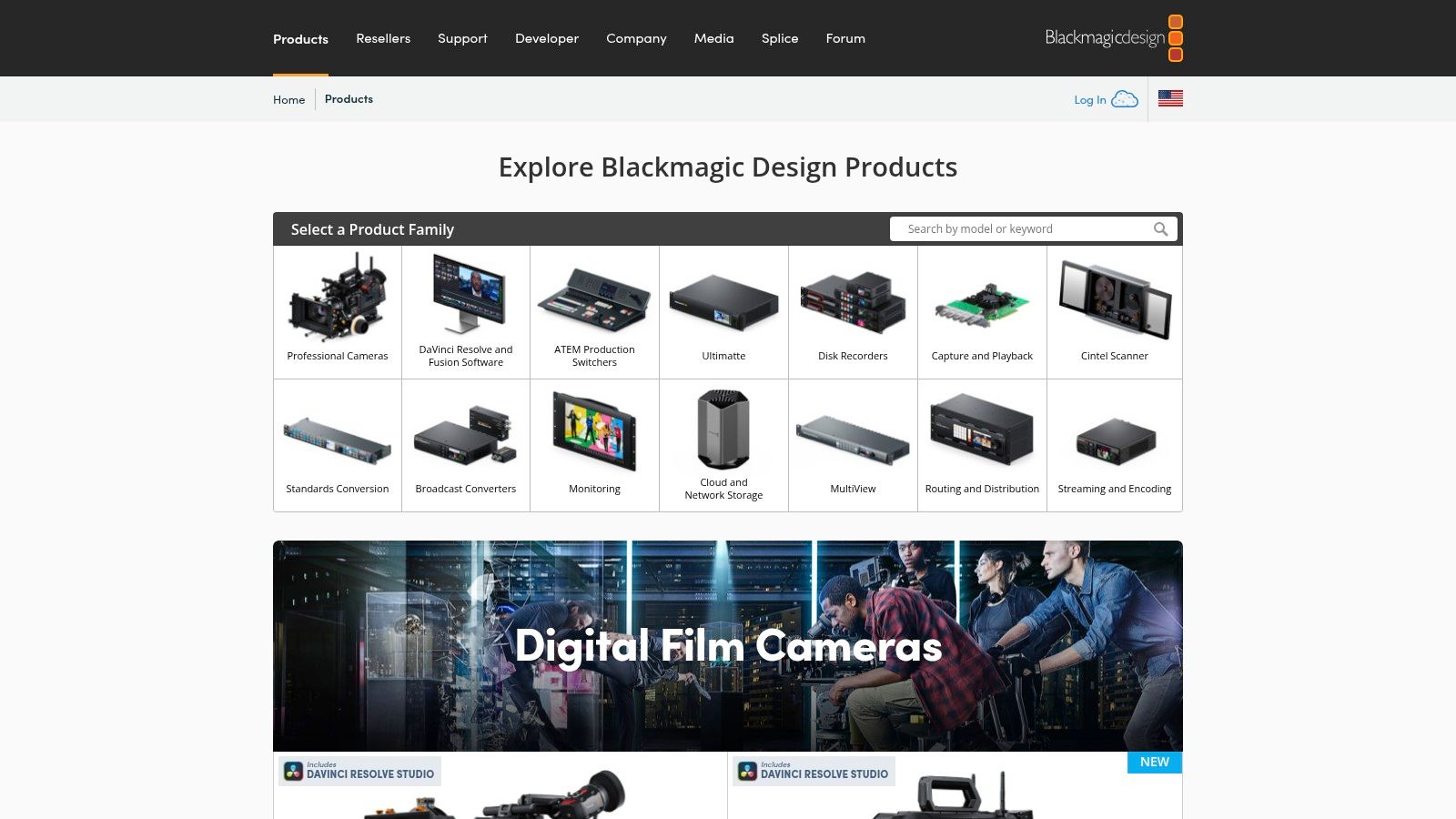
The primary advantage of downloading directly from Blackmagic is access to the latest beta builds and official releases, along with extensive training materials and support forums. The free version is remarkably capable, handling projects up to 4K at 60 fps, making it sufficient for many creators. For professionals, the one-time purchase of a perpetual license for DaVinci Resolve Studio unlocks advanced features like the DaVinci Neural Engine, more Resolve FX, and stereoscopic 3D tools. However, the software has a steep learning curve and demands significant system resources, particularly for complex VFX and color grading tasks.
Key Considerations & Features
- All-in-One Workflow: Seamlessly move between editing, color, VFX, and audio pages within the same interface, streamlining the entire post-production process.
- Industry-Leading Color Tools: DaVinci Resolve is the industry standard for color grading, offering unparalleled control and precision for cinematic looks.
- Flexible Licensing: Provides a powerful free version that meets most needs and a one-time purchase for the Studio version, avoiding recurring subscription costs. Blackmagic Cloud integration further enhances remote collaboration.
- Performance Demands: While optimized for Apple Silicon, the comprehensive toolset, especially Fusion and AI features, requires a powerful Mac for a smooth experience.
Website: Blackmagic Design — DaVinci Resolve
5. B&H Photo Video — DaVinci Resolve Studio (retailer)
For professionals and businesses needing a physical or corporate purchase of DaVinci Resolve Studio, B&H Photo Video is a premier authorized U.S. retailer. Unlike direct digital downloads, B&H offers tangible activation cards or legacy USB dongles, providing a reliable procurement channel for teams that require physical assets for accounting or IT management. This makes it an excellent choice for educational institutions, production houses, and corporate departments that use purchase orders or require specialized invoicing.
The primary advantage of purchasing through B&H is its robust customer support and business-friendly logistics, including financing options and expert pre-sales advice via live chat. However, pricing can sometimes fluctuate and may not always match Blackmagic Design’s MSRP, so it's wise to compare before buying. Customers must also be careful to select the correct version they need, whether it's the modern activation card or the more traditional USB dongle, as B&H stocks both.
Key Considerations & Features
- Authorized Dealer & Support: As a trusted retailer, B&H provides legitimate software licenses backed by expert customer service and reliable U.S. shipping and returns.
- Corporate & Team Procurement: The platform is ideal for business purchases, supporting purchase orders, financing, and bundled deals on hardware and software.
- Flexible Licensing Options: B&H is one of the few places to reliably source both the DaVinci Resolve Studio activation key and the physical USB dongle, catering to different IT and workflow requirements.
Website: B&H Photo Video - DaVinci Resolve Studio
6. Wondershare Filmora — Mac
Wondershare Filmora has carved out a niche as one of the best video editing apps for Mac users seeking a balance between user-friendliness and creative power. It's particularly well-suited for social media creators, YouTubers, and hobbyists who need to produce polished content without the steep learning curve of professional-grade software. Filmora's strength lies in its extensive library of templates, effects, and transitions, which allow for quick and stylish edits.
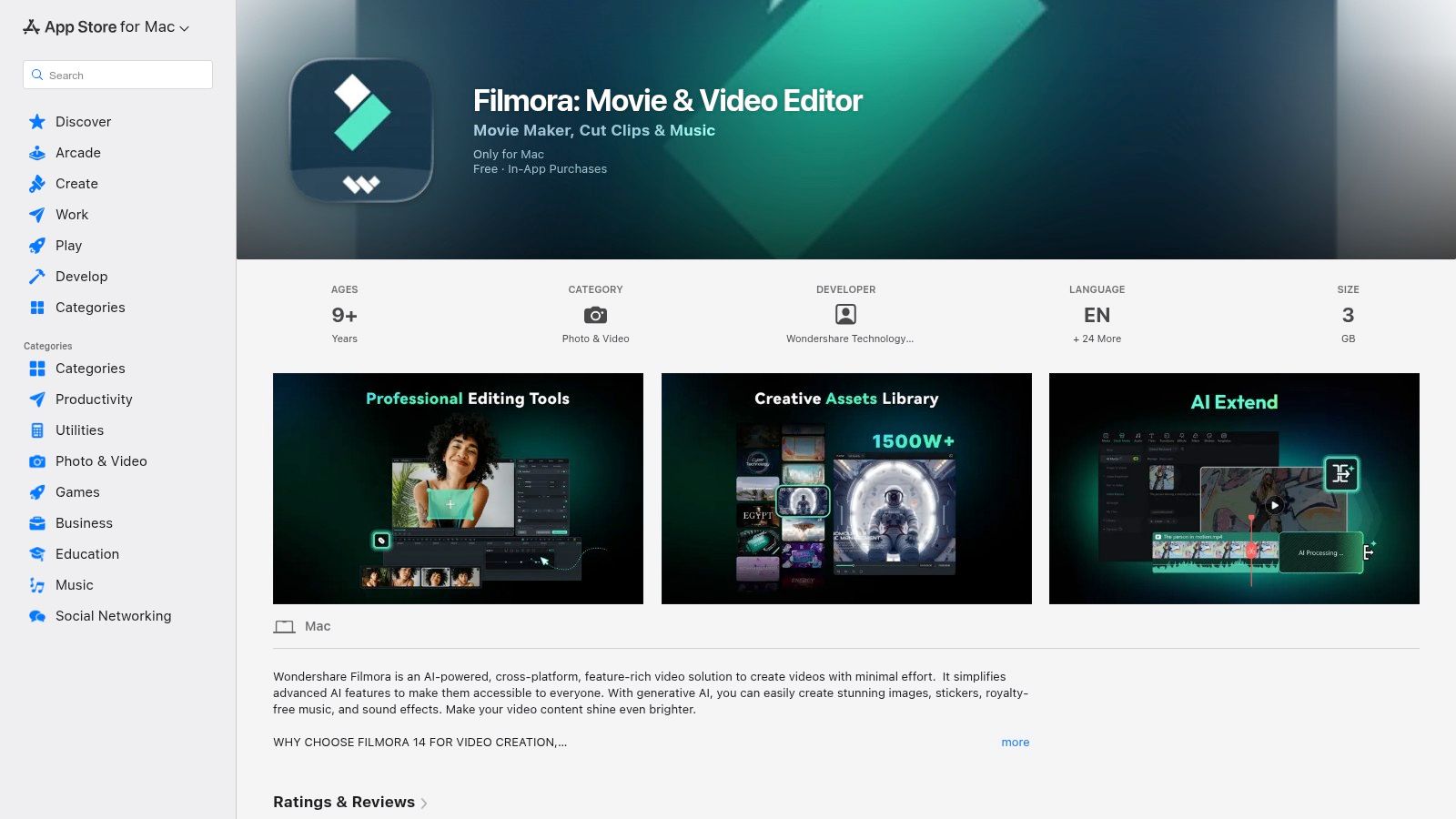
Delivered through the Mac App Store, Filmora offers a smooth installation and update process tied to your Apple ID. Its business model relies on in-app purchases, offering annual and lifetime licenses that are more accessible than many competitors. However, this model means some advanced features, AI tools, or asset packs may require an active subscription or separate purchase, and exports from the free version will include a watermark. While it lacks the granular control of Final Cut Pro or DaVinci Resolve, its growing suite of AI-assisted features provides a significant head start for common editing tasks.
Key Considerations & Features
- Template & Effects Library: Access a massive, frequently updated collection of drag-and-drop titles, effects, and audio tracks to accelerate your creative workflow.
- AI-Assisted Features: Depending on the plan, Filmora offers tools like AI Smart Cutout, AI Audio Stretch, and AI Copywriting to automate complex editing tasks.
- Accessible Pricing: The in-app purchase system provides flexible annual or lifetime options, making it a cost-effective choice for those not needing a full professional suite.
Website: Wondershare Filmora — Mac
7. Movavi Video Editor — Mac
Movavi Video Editor is engineered for Mac users who need to produce stylish, engaging content without a steep learning curve. It strikes a balance between user-friendly design and powerful features, making it an excellent choice for social media creators, marketers, and anyone creating tutorials or vlogs. The platform simplifies complex tasks like chroma keying and stabilization, offering a direct path from raw footage to a polished final product, complete with effects, titles, and transitions.
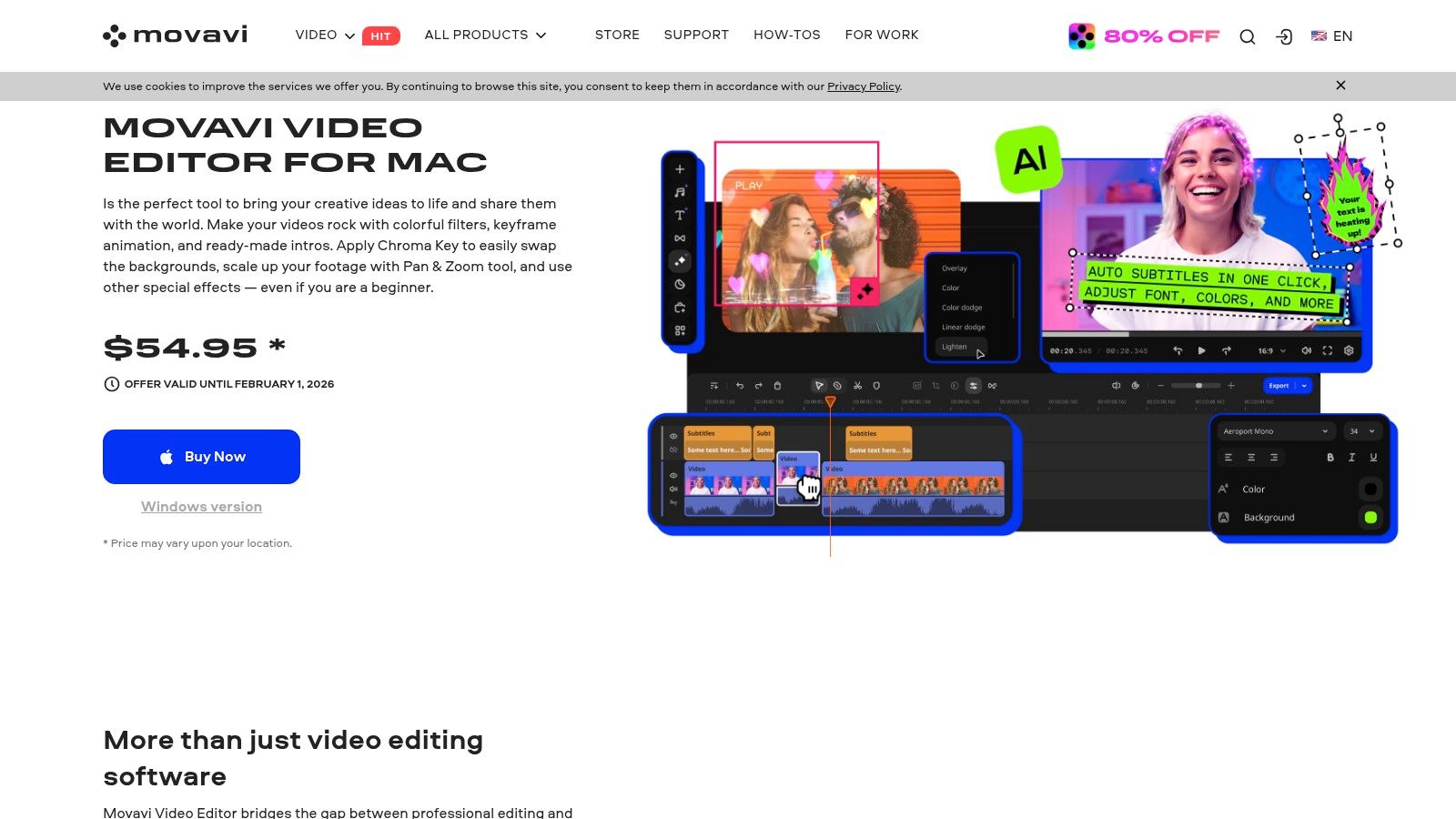
The primary advantage of Movavi is its accessibility and flexible pricing. Unlike subscription-only models, Movavi offers a lifetime license, which is a significant draw for users who prefer a one-time purchase. While it lacks the high-end color grading and audio mixing tools found in professional NLEs like Final Cut Pro, its feature set is perfectly tailored for its target audience. The workflow is intuitive, focusing on speed and efficiency for projects that need to be completed and shared quickly.
Key Considerations & Features
- Creative Tools: Includes essential features for modern content, such as chroma key (green screen), video stabilization, picture-in-picture, and keyframing for creating simple animations.
- Performance & Formats: Optimized for macOS with full support for 4K video processing, ensuring smooth editing and export for high-resolution projects.
- Licensing & Bundles: Offers both yearly subscriptions and a popular lifetime license option. Movavi also provides suite bundles that package the editor with a screen recorder and video converter for a more comprehensive content creation toolkit.
Website: Movavi Video Editor — Mac
8. CyberLink — PowerDirector 365 for Mac
CyberLink’s PowerDirector 365 for Mac is a subscription-based video editor that brings its powerful, feature-rich toolset to the macOS ecosystem. It stands out by packaging an extensive library of effects, regular content updates, and modern GenAI tools into a single plan. This model is particularly appealing for social media and marketing creators who need a constant stream of fresh assets and cutting-edge features to keep their content engaging.
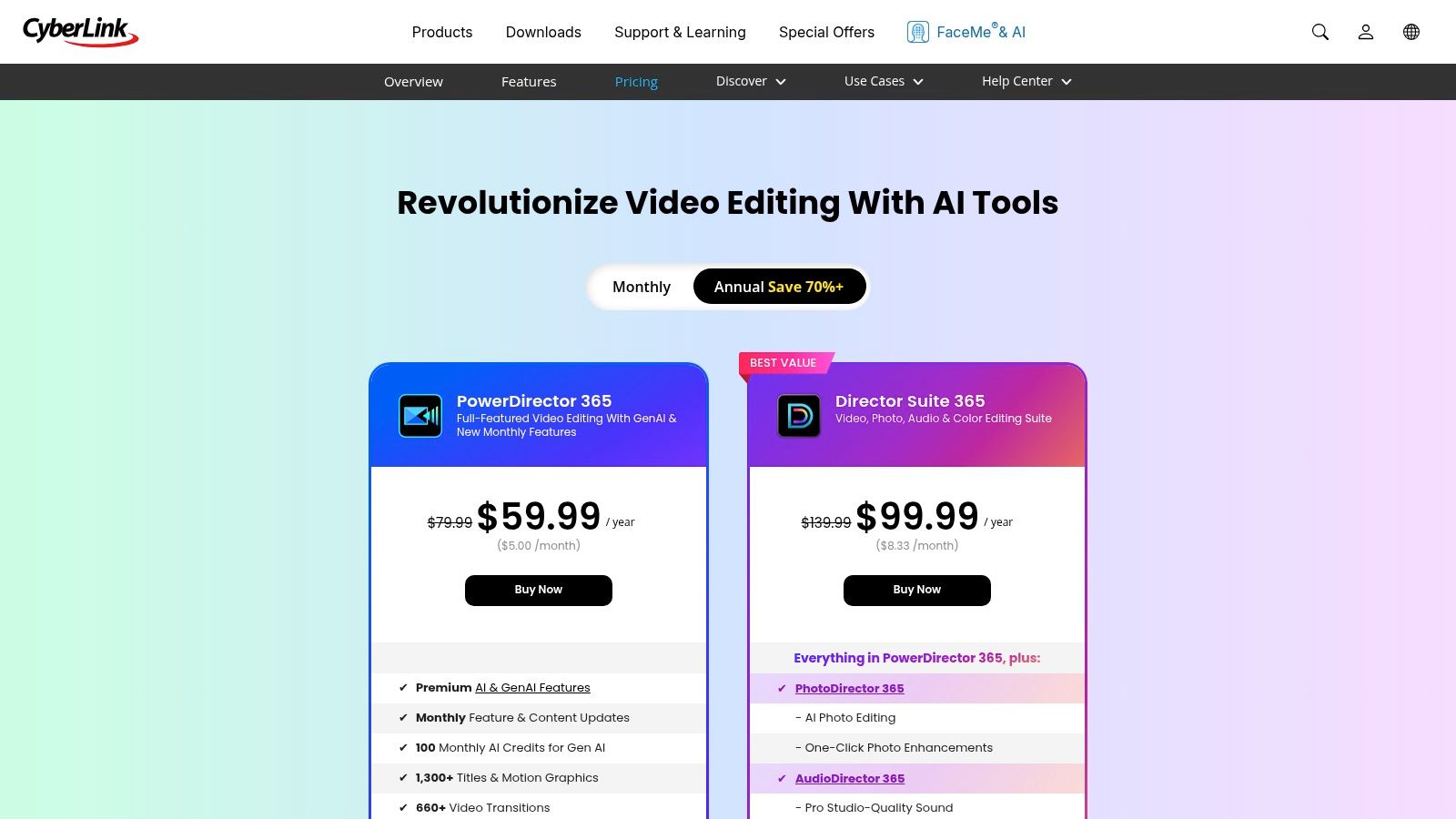
The primary advantage of PowerDirector 365 is its active development cadence. Subscribers receive frequent feature drops and new effect packs, ensuring the software never feels stagnant. However, its subscription-focused approach means a perpetual license is not an option for Mac users, and the macOS subscription is separate from its Windows counterpart. This commitment to subscription makes it one of the best video editing apps for Mac users who prioritize continuous updates over a one-time purchase.
Key Considerations & Features
- GenAI-Assisted Tools: Includes AI-powered features for tasks like sky replacement, object detection, and speech enhancement, which help streamline complex edits.
- Subscription Content: The 365 model provides ongoing access to an ever-expanding library of design packs, effects, and integrated stock media from providers like Shutterstock.
- Separate Mac Version: It is important to note that the Mac subscription is a distinct product from the Windows version. Users needing cross-platform access will have to manage separate licenses.
Website: CyberLink — PowerDirector 365 for Mac
9. Lightworks (LWKS) — Mac
Lightworks is a long-standing, professional-grade non-linear editor (NLE) with a rich history in filmmaking, now available as one of the most flexible video editing apps for Mac. It stands out for its cross-platform compatibility, allowing teams to collaborate seamlessly across macOS, Windows, and Linux environments. The software is available directly from the LWKS website and offers a tiered subscription model, including a robust free version perfect for evaluating its core toolset.
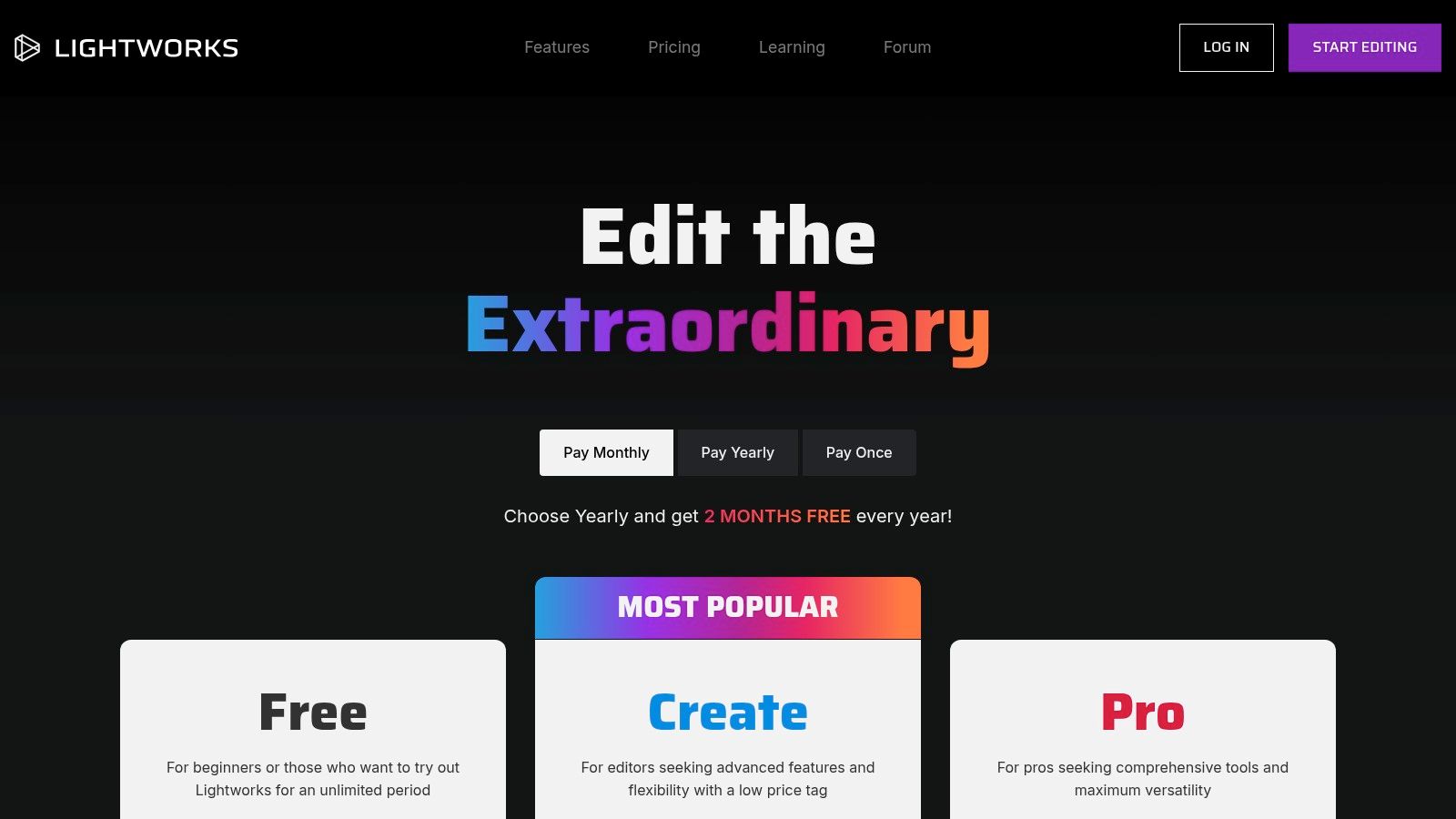
The primary advantage of Lightworks is its powerful free tier, which provides access to all essential editing tools, though it limits exports to 720p. For higher-resolution workflows, the Create and Pro tiers unlock 4K exports, advanced codecs, and support for third-party plugins. However, its unique interface and workflow paradigm can present a steep learning curve for editors accustomed to more conventional NLEs like Final Cut Pro or Premiere Pro.
Key Considerations & Features
- Cross-Platform Workflow: Projects can be moved between Mac, Windows, and Linux systems, making it ideal for distributed teams or freelancers using multiple operating systems.
- Tiered Feature Access: The free version is highly functional for learning and basic projects. Paid tiers (Create/Pro) add essential professional features like high-resolution exports and advanced format support.
- Professional Toolset: Includes features often found in high-end software, such as proxy workflows for smooth editing of high-resolution footage and a high-precision timeline for frame-accurate cuts.
Website: https://lwks.com/pricing?utm_source=openai
10. LumaFusion — Mac
Originally a dominant video editor on iOS, LumaFusion has successfully transitioned to macOS, offering a powerful and streamlined experience exclusively for Apple silicon Macs. It has become a favorite among mobile creators and journalists who need a seamless workflow between their iPhone, iPad, and Mac. The app brings a touch-optimized interface to the desktop, providing an intuitive multi-track timeline that feels both fast and familiar for on-the-go editing.
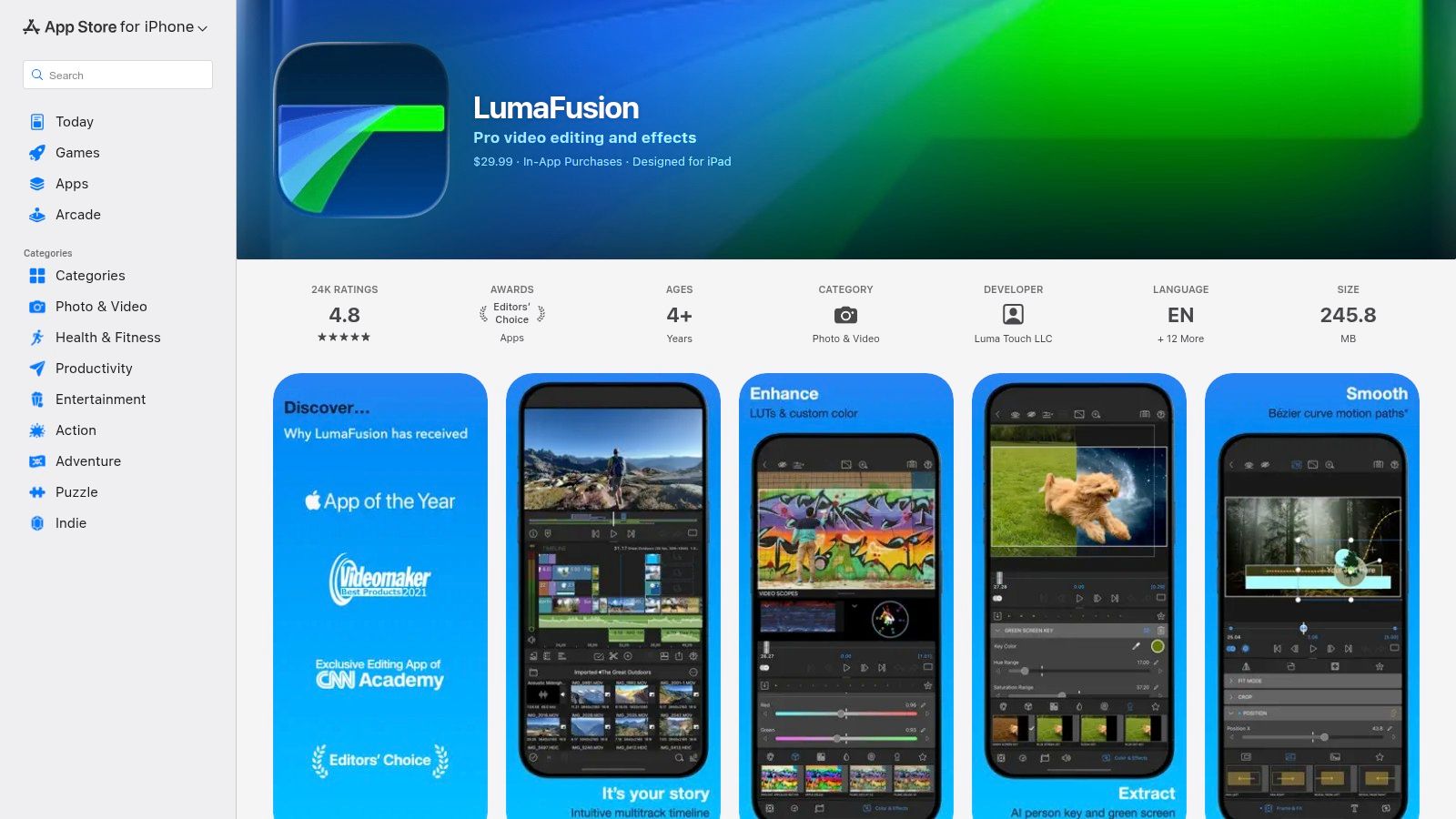
The primary advantage of LumaFusion is its project continuity and affordable one-time purchase model. Editors can start a project on an iPhone and seamlessly continue it on a Mac, making it one of the best video editing apps for Mac when mobility is key. However, its strength in mobile-first design means it lacks some of the deep, complex features found in desktop-native software like Final Cut Pro. Advanced capabilities such as multicam editing and sophisticated speed ramping are available only through optional in-app purchases.
Key Considerations & Features
- Cross-Device Workflow: Offers exceptional project synchronization between iOS, iPadOS, and macOS, allowing for a fluid and flexible editing process across all Apple devices.
- FCPXML Export: Projects can be exported to Final Cut Pro X, making LumaFusion an excellent tool for assembling rough cuts on the go before moving to a more powerful desktop environment for finishing touches.
- Integrated Content & Add-Ons: Integrates with Storyblocks via a Creator Pass subscription for royalty-free assets. Users can also expand functionality with paid add-ons like Multicam Studio for syncing and cutting multiple video angles.
Website: LumaFusion
11. Avid — Media Composer
Avid Media Composer is the long-standing industry standard for professional film, television, and broadcast post-production. It offers an unparalleled toolset for long-form narrative editing, where stability, collaboration, and media management are paramount. Its unique features, such as ScriptSync and PhraseFind, are designed to accelerate workflows for scripted content, making it an essential platform for high-end editorial teams. For Mac users in professional environments, Media Composer provides an enterprise-grade solution built for demanding projects.
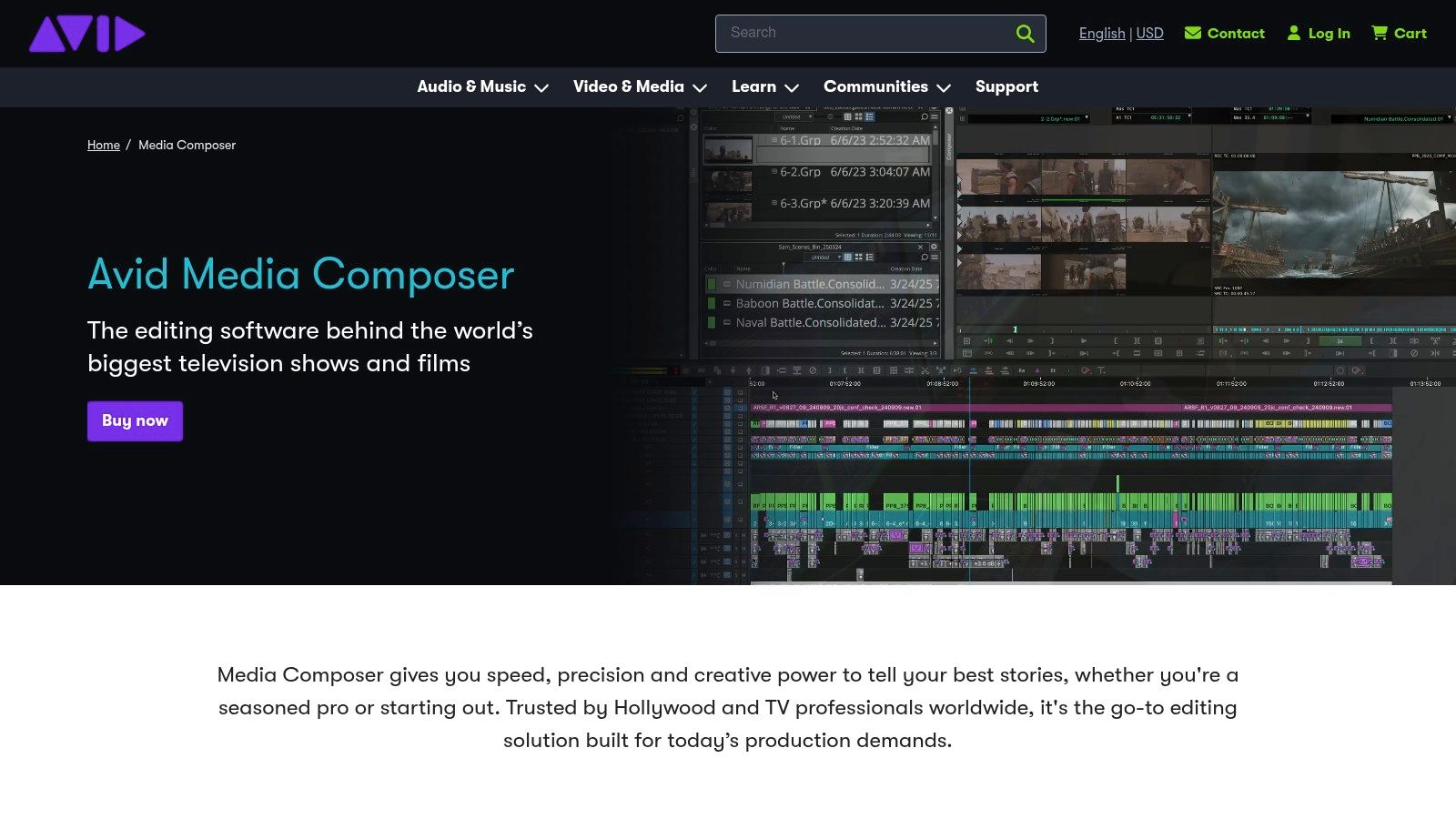
The primary advantage of Media Composer is its deep integration into established broadcast and film pipelines, including shared storage and newsroom systems. However, its significant learning curve and complex licensing tiers can be a barrier for independent creators or smaller teams. While it is one of the best video editing apps for Mac in a professional context, its subscription model and feature-gated tiers require careful consideration to ensure the cost aligns with project needs.
Key Considerations & Features
- Advanced Trimming & Script-Based Editing: Features like ScriptSync and PhraseFind allow editors to sync script text with video clips, providing a powerful way to navigate and edit dialogue-heavy scenes.
- Collaborative Workflows: Offers robust shared project capabilities and bin locking, making it ideal for large editorial teams working simultaneously on the same project.
- Extensive Integrations: Provides broad support for professional I/O hardware, control surfaces, and third-party integrations essential for broadcast and high-end post-production facilities.
Website: Avid — Media Composer
12. Capterra — Best Video Editing Software for Mac (comparison directory)
Capterra serves as a comprehensive B2B software directory, offering a curated and filterable list of the best video editing software for Mac. Instead of focusing on a single application, it provides a meta-view of the market, allowing users to compare numerous options side-by-side based on user reviews, feature sets, and pricing models. This is an invaluable resource for professionals and businesses trying to shortlist candidates before committing to demos or purchases. The platform aggregates real-world user feedback, which provides practical insights that often go beyond official marketing materials.
The primary advantage of Capterra is its powerful filtering and comparison engine, which helps you quickly narrow down choices based on specific needs like budget, company size, or required features. However, it's important to be aware that sponsored placements can influence the order of listings, so it's wise to sort by "Highest Rated" or other neutral criteria. Always cross-reference the information on the official vendor website, as pricing and feature details can change.
Key Considerations & Features
- Advanced Filtering: Users can apply a "Mac" filter and sort the resulting list by ratings, number of reviews, or sponsored placement to find suitable video editors.
- User Review Summaries: Capterra aggregates thousands of user reviews, highlighting common pros and cons to give you a quick, unbiased look at each application's real-world performance.
- Direct Vendor Links: The directory provides direct links to official product pages, free trials, and demos, streamlining the process of moving from research to hands-on evaluation.
Website: Capterra — Best Video Editing Software for Mac
Top 12 Mac Video Editors — Features & Pricing
| Product | Core features ✨ | Target audience 👥 | UX / Quality ★ | Price / Value 💰 | USP 🏆 |
|---|---|---|---|---|---|
| Mac App Store — Photo & Video (category) | Curated discovery, one‑click installs, notarized/sandboxed apps | 👥 Mac users seeking safe, easy installs | ★ Trusted updates & restore path | 💰 Varies by app; Apple ID billing & family sharing | 🏆 Centralized Apple‑managed storefront |
| Apple — Final Cut Pro | Magnetic Timeline, ProRes, Apple silicon optimization | 👥 Professional Mac editors | ★ High performance & stability | 💰 One‑time purchase or Creator Studio subscription | 🏆 Deep macOS/ProRes integration |
| Adobe — Premiere Pro | Text‑based editing, AI tools, tight CC integrations | 👥 Cross‑platform pro teams & agencies | ★ Industry standard; strong collaboration | 💰 Subscription (Creative Cloud) | 🏆 Vast plugin ecosystem & CC workflow |
| Blackmagic Design — DaVinci Resolve | Editing + color + Fusion VFX + Fairlight audio; Neural Engine | 👥 Colorists, VFX artists, pros & budget users | ★ Powerful toolset; higher HW needs | 💰 Free tier; Studio one‑time upgrade | 🏆 Best‑in‑class color grading (pro features free) |
| B&H Photo Video — DaVinci Resolve Studio (retailer) | Authorized dealer, activation card/dongle, financing & shipping | 👥 Teams, procurement & corporate buyers | ★ Reliable fulfillment & retail support | 💰 Retail pricing; PO & financing options | 🏆 Procurement‑friendly fulfillment & options |
| Wondershare Filmora — Mac | Templates, effects, AI features, Mac App Store delivery | 👥 Casual creators & social marketers | ★ Easy learning curve, fast results | 💰 Annual & lifetime IAP tiers | 🏆 Template‑rich, low entry cost |
| Movavi Video Editor — Mac | Chroma key, stabilization, PiP, 4K & keyframing | 👥 Social creators & marketing teams | ★ Simple UI; focused feature set | 💰 Yearly or lifetime licenses | 🏆 Clear plans + lifetime license option |
| CyberLink — PowerDirector 365 for Mac | GenAI tools, stock media, frequent feature drops | 👥 Social/video marketers needing fresh content | ★ Active development cadence | 💰 Subscription (365 model) | 🏆 Regular content + AI feature cadence |
| Lightworks (LWKS) — Mac | Cross‑platform, proxy workflows, tiered exports | 👥 Editors needing cross‑platform flexibility | ★ Functional free tier; different UI paradigm | 💰 Free/Create/Pro tiers; optional perpetual | 🏆 Flexible licensing & usable free option |
| LumaFusion — Mac | Multi‑track mobile→Mac, FCPXML export, add‑ons | 👥 Mobile creators & on‑the‑go editors | ★ Streamlined; excellent device continuity | 💰 Affordable App Store buy; optional add‑ons | 🏆 Seamless iOS–Mac project continuity |
| Avid — Media Composer | Advanced trimming, ScriptSync/PhraseFind, shared projects | 👥 Long‑form, broadcast & film editors | ★ Facility‑grade tools; steeper learning | 💰 Multiple licensing tiers & maintenance | 🏆 Industry standard for broadcast/film workflows |
| Capterra — Best Video Editing Software (directory) | Mac‑filtered comparisons, user reviews, vendor links | 👥 Buyers shortlisting & researching software | ★ Helpful discovery & review summaries | 💰 Free to browse; sponsored listings appear | 🏆 Quick cross‑vendor comparison & ratings |
Optimizing Your Final Cut: Integrating Compression into Your Workflow
Navigating the landscape of the best video editing apps for mac reveals a vibrant ecosystem tailored to every creator, from the seasoned Hollywood professional to the aspiring YouTube star. We've journeyed through industry titans like Final Cut Pro and Adobe Premiere Pro, explored the color-grading powerhouse DaVinci Resolve, and considered accessible yet feature-rich options like Filmora and Movavi. Each application presents a unique combination of workflow, performance, and creative tools, underscoring a crucial truth: the "best" editor is the one that aligns perfectly with your specific projects, technical skills, and creative vision.
Your choice ultimately hinges on your core needs. If you're deeply embedded in the Apple ecosystem and prioritize raw performance and a streamlined interface, Final Cut Pro remains a formidable, optimized choice, especially on Apple Silicon. For creators who demand cross-platform flexibility and seamless integration with a suite of creative tools like After Effects and Photoshop, Adobe Premiere Pro's subscription model offers unparalleled collaborative power. Meanwhile, DaVinci Resolve has carved out an essential niche, offering a free version with professional-grade color correction and editing capabilities that challenge its paid competitors head-on.
Key Takeaways and Making Your Decision
As you move forward, distill your decision-making process into these key considerations:
- Project Complexity: Are you cutting short social media clips or feature-length documentaries? Complex projects with heavy effects and multi-cam sequences will benefit from the robust feature sets of Premiere Pro, Final Cut Pro, or Media Composer. Simpler projects might be perfectly served by LumaFusion or Filmora.
- Workflow Integration: Consider the other tools you use. The Adobe Creative Cloud suite offers a powerful, interconnected workflow that is difficult to replicate. Conversely, if your work centers on color grading, DaVinci Resolve is the natural starting point.
- Budget and Business Model: Do you prefer a one-time purchase or a recurring subscription? Final Cut Pro and DaVinci Resolve Studio offer a significant long-term value with a single payment, whereas Premiere Pro and PowerDirector 365 provide continuous updates through a subscription.
- Hardware and Performance: Your Mac's hardware (Intel vs. Apple Silicon) plays a significant role. Applications like Final Cut Pro are highly optimized for M-series chips, delivering exceptional speed. Check performance benchmarks for your specific setup before committing.
From Edit to Export: The Critical Final Step
Once your edit is locked, the journey isn't over. The final, and often overlooked, stage is preparing your video for delivery. This is where your masterpiece meets the real world of bandwidth limitations, storage costs, and platform-specific requirements. Exporting a massive, high-bitrate master file is essential for archival, but it's impractical for web uploads, client previews, or social sharing. For those planning to publish their edited videos, understanding platform-specific requirements is vital. You can find a comprehensive guide on optimizing your videos by reviewing this resource on YouTube video dimensions and aspect ratios.
This is precisely where a dedicated compression tool becomes an indispensable part of your toolkit. While your NLE offers export presets, they often force a compromise between file size and quality. A specialized app like Compresto gives you granular control, using advanced codecs to drastically reduce file size-often by 80-90%-while preserving visual fidelity. By adding a simple drag-and-drop compression step after exporting from Final Cut Pro or Premiere Pro, you create a lightweight, highly shareable file that uploads faster, costs less to store, and delivers a smooth playback experience for your audience. This final optimization ensures your creative efforts are seen as you intended, without the friction of an unwieldy file.
Ready to perfect your post-production workflow? Don't let large file sizes slow you down after you've finished your edit. Compresto offers powerful, one-click video compression that integrates seamlessly with any of the best video editing apps for Mac, ensuring your final exports are lightweight and high-quality. Try Compresto today and experience the final piece of a truly efficient creative process.