> ## Documentation Index
> Fetch the complete documentation index at: https://compresto.app/docs/llms.txt
> Use this file to discover all available pages before exploring further.
# How to convert video to GIF
> Convert video files to animated GIF format
## Quick Start
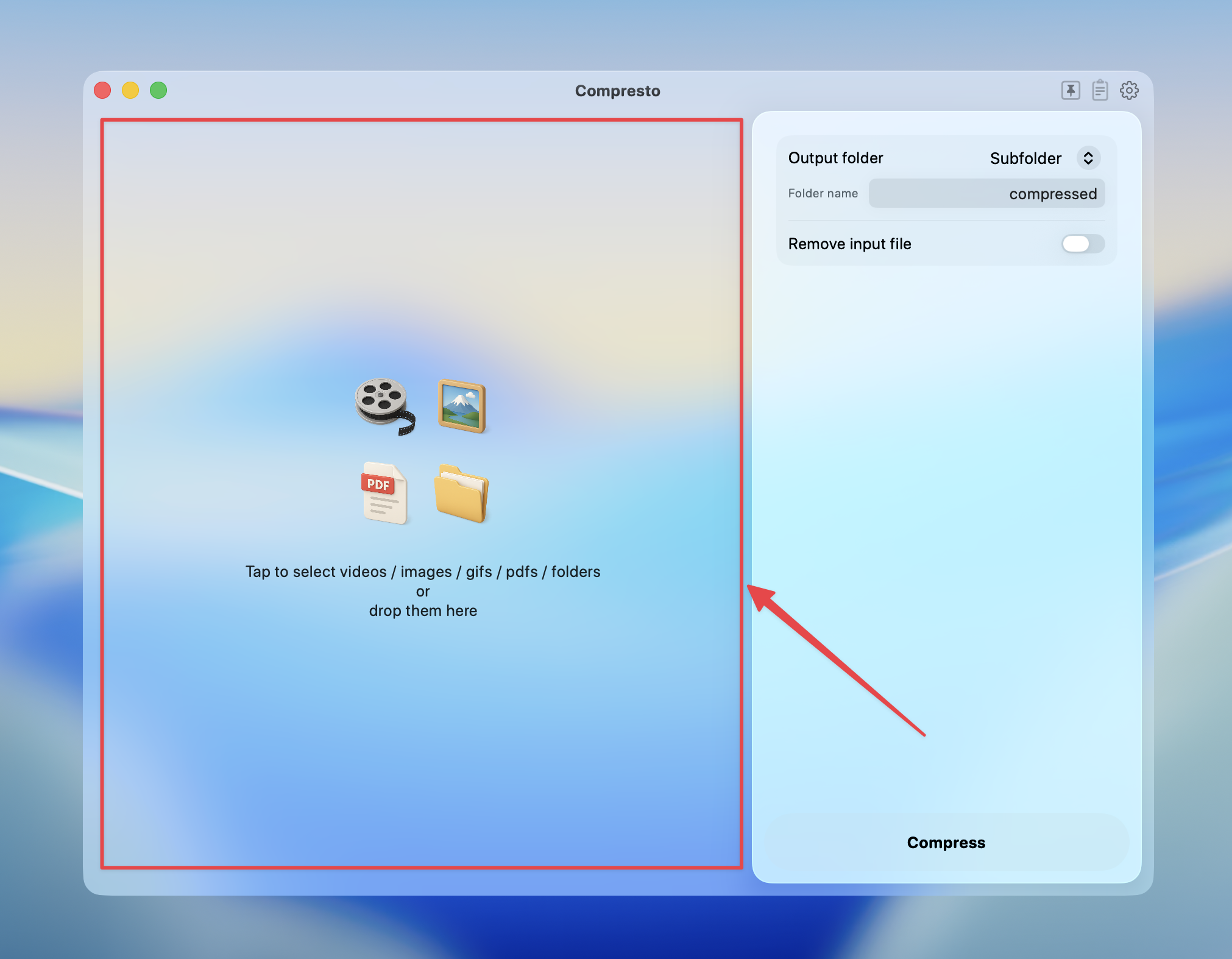
Click on the selection panel to select videos, or drag and drop videos/folders into it
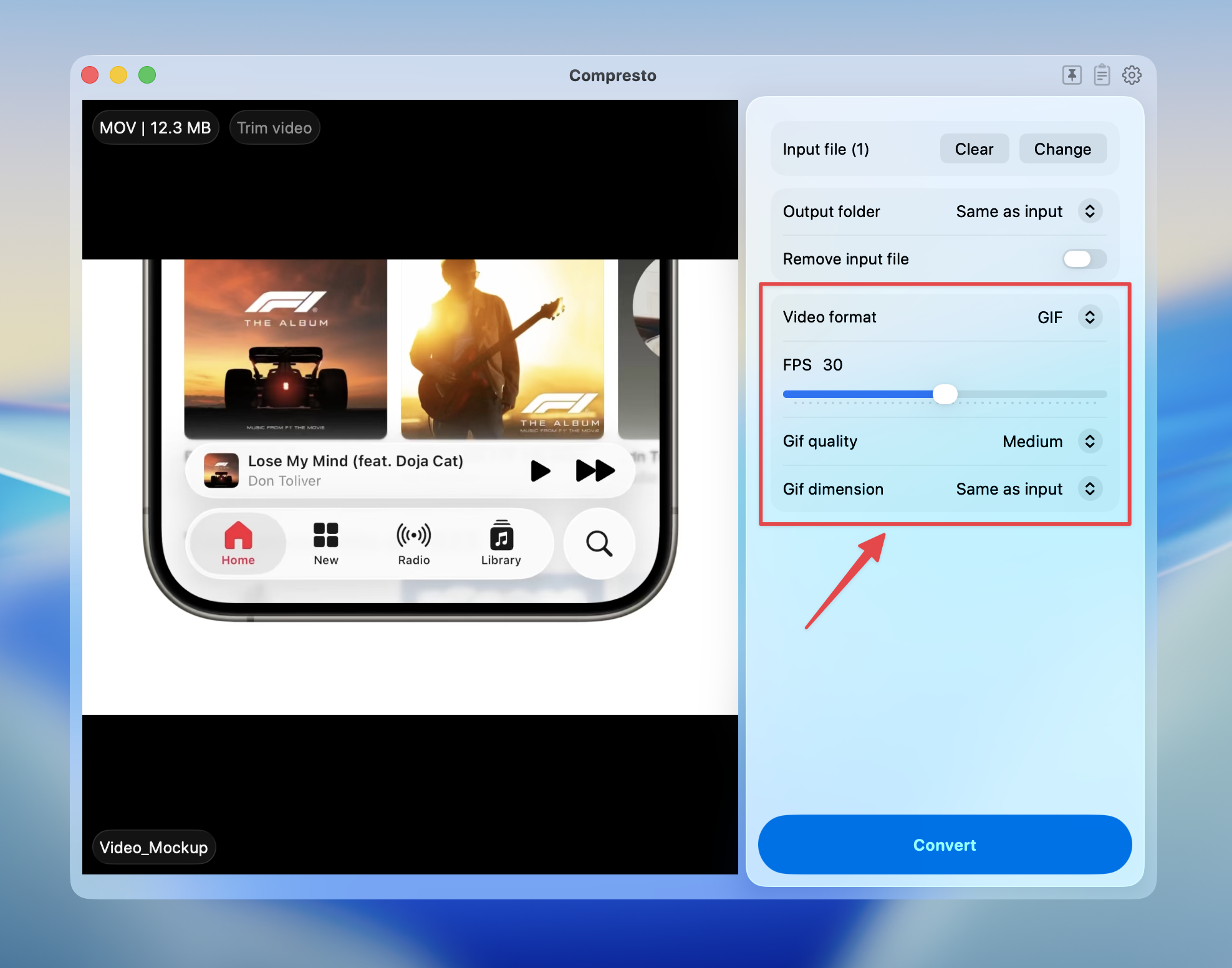
 Select **GIF** as the video format, then adjust the GIF options
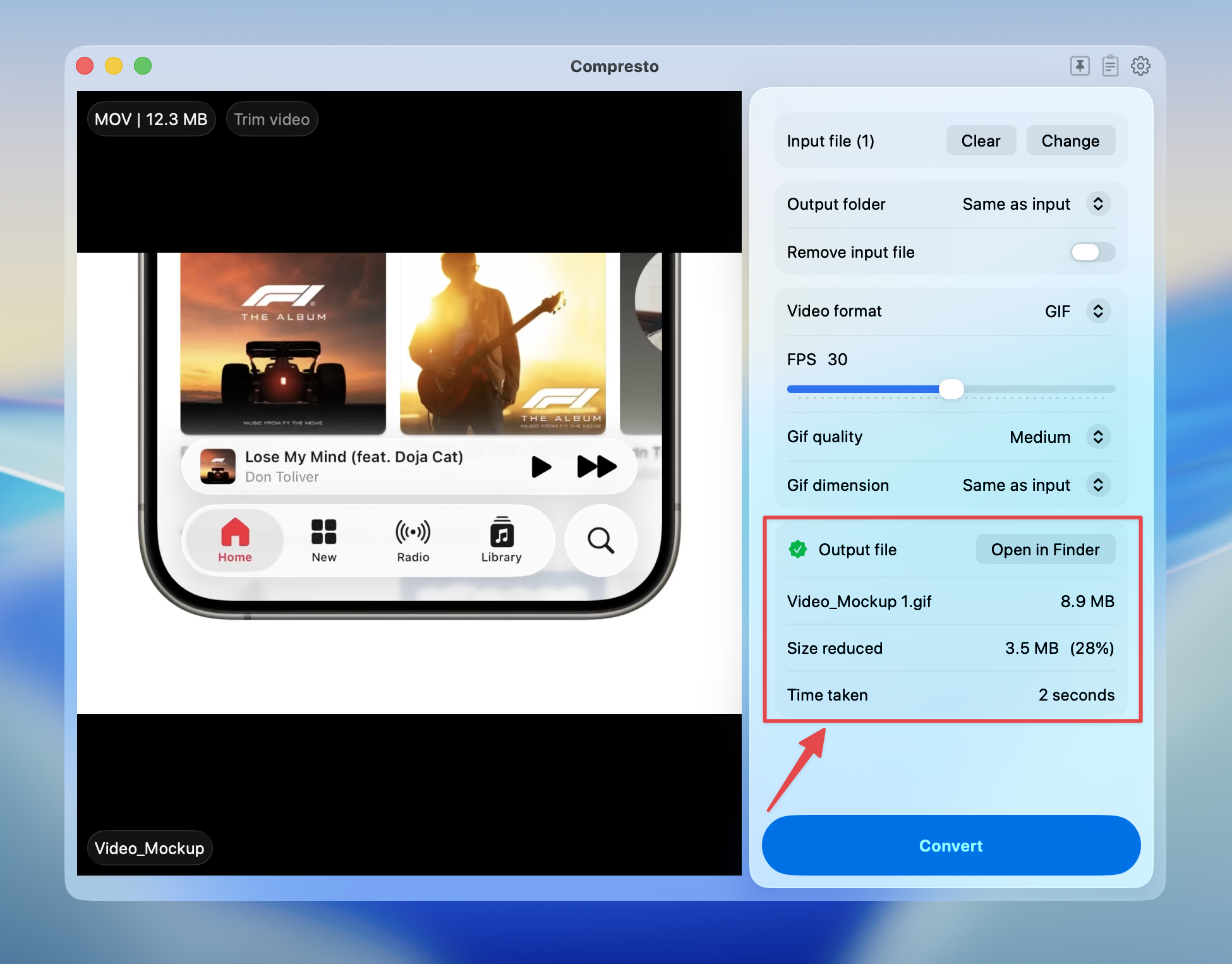
 Press **Convert** to start
View conversion results and open files in Finder
Press **Convert** to start
View conversion results and open files in Finder
 ## Conversion Options
### FPS (Frames Per Second)
Adjust the frame rate of the output GIF using the slider (10-50 fps).
| FPS Range | Description |
| --------- | ------------------------------------ |
| **10-15** | Choppy animation, smallest file size |
| **20-25** | Smooth enough for most uses |
| **30** | Standard smooth animation |
| **40-50** | Very smooth, larger file size |
Lower FPS significantly reduces file size. For most GIFs, 15-20 fps is sufficient.
### GIF Quality
| Quality | Description |
| -------------- | ------------------------------------ |
| **Highest** | Maximum color accuracy, largest file |
| **High** | Excellent quality (default) |
| **Good** | Good balance of quality and size |
| **Medium** | Moderate compression |
| **Acceptable** | Smallest file size |
### GIF Dimension
Resize the output GIF to reduce file size:
| Dimension | Description |
| ----------------- | ------------------------------ |
| **Same as input** | Keep original video dimensions |
| **75%** | Reduce to 75% of original |
| **50%** | Reduce to half size |
| **25%** | Reduce to quarter size |
## Supported Video Formats
Convert these video formats to GIF:
* MP4
* MOV
* WebM
* AVI
* MKV
* And more
## Tips for Best Results
* **For Discord**: Use 15-20 fps, 50% dimension, "Good" quality (max 8MB)
* **For Twitter/X**: Use 15 fps, reduce dimension for faster loading
* **For websites**: Balance quality and size based on use case
* **For short clips**: Higher FPS is fine since file won't be too large
* **For long animations**: Use lower FPS and smaller dimensions
GIF files can become very large for long videos. Consider trimming your video first or using a very low dimension setting.
## Conversion Options
### FPS (Frames Per Second)
Adjust the frame rate of the output GIF using the slider (10-50 fps).
| FPS Range | Description |
| --------- | ------------------------------------ |
| **10-15** | Choppy animation, smallest file size |
| **20-25** | Smooth enough for most uses |
| **30** | Standard smooth animation |
| **40-50** | Very smooth, larger file size |
Lower FPS significantly reduces file size. For most GIFs, 15-20 fps is sufficient.
### GIF Quality
| Quality | Description |
| -------------- | ------------------------------------ |
| **Highest** | Maximum color accuracy, largest file |
| **High** | Excellent quality (default) |
| **Good** | Good balance of quality and size |
| **Medium** | Moderate compression |
| **Acceptable** | Smallest file size |
### GIF Dimension
Resize the output GIF to reduce file size:
| Dimension | Description |
| ----------------- | ------------------------------ |
| **Same as input** | Keep original video dimensions |
| **75%** | Reduce to 75% of original |
| **50%** | Reduce to half size |
| **25%** | Reduce to quarter size |
## Supported Video Formats
Convert these video formats to GIF:
* MP4
* MOV
* WebM
* AVI
* MKV
* And more
## Tips for Best Results
* **For Discord**: Use 15-20 fps, 50% dimension, "Good" quality (max 8MB)
* **For Twitter/X**: Use 15 fps, reduce dimension for faster loading
* **For websites**: Balance quality and size based on use case
* **For short clips**: Higher FPS is fine since file won't be too large
* **For long animations**: Use lower FPS and smaller dimensions
GIF files can become very large for long videos. Consider trimming your video first or using a very low dimension setting.