> ## Documentation Index
> Fetch the complete documentation index at: https://compresto.app/docs/llms.txt
> Use this file to discover all available pages before exploring further.
# File metadata
> Preserve image metadata, color profiles, and creation dates during compression
## Overview
By default, Compresto strips metadata from files during compression to achieve smaller file sizes. However, you can choose to preserve various types of metadata when needed.
## Available Options
### Retain Image Metadata (EXIF, IPTC)
Preserves camera and photo information embedded in your images.
**EXIF data includes:**
* Camera make and model
* Date and time the photo was taken
* Exposure settings (aperture, shutter speed, ISO)
* GPS location (if available)
* Lens information
**IPTC data includes:**
* Copyright information
* Author/creator details
* Keywords and captions
* Location descriptions
Enabling this option may increase output file size.
### Preserve Color Profile (ICC)
Maintains the original color space of your images. This is important for:
* Professional photography workflows
* Print production
* Color-accurate displays
* Images with specific color gamuts (Adobe RGB, ProPhoto RGB, Display P3)
Preserving color profiles may slightly increase file size but ensures colors display correctly across different devices.
### Retain Creation Date
Keeps the original file creation date on the compressed output. Without this option, compressed files will have the current date as their creation date.
Useful for:
* Maintaining photo library organization
* Preserving chronological order in file managers
* Archival purposes
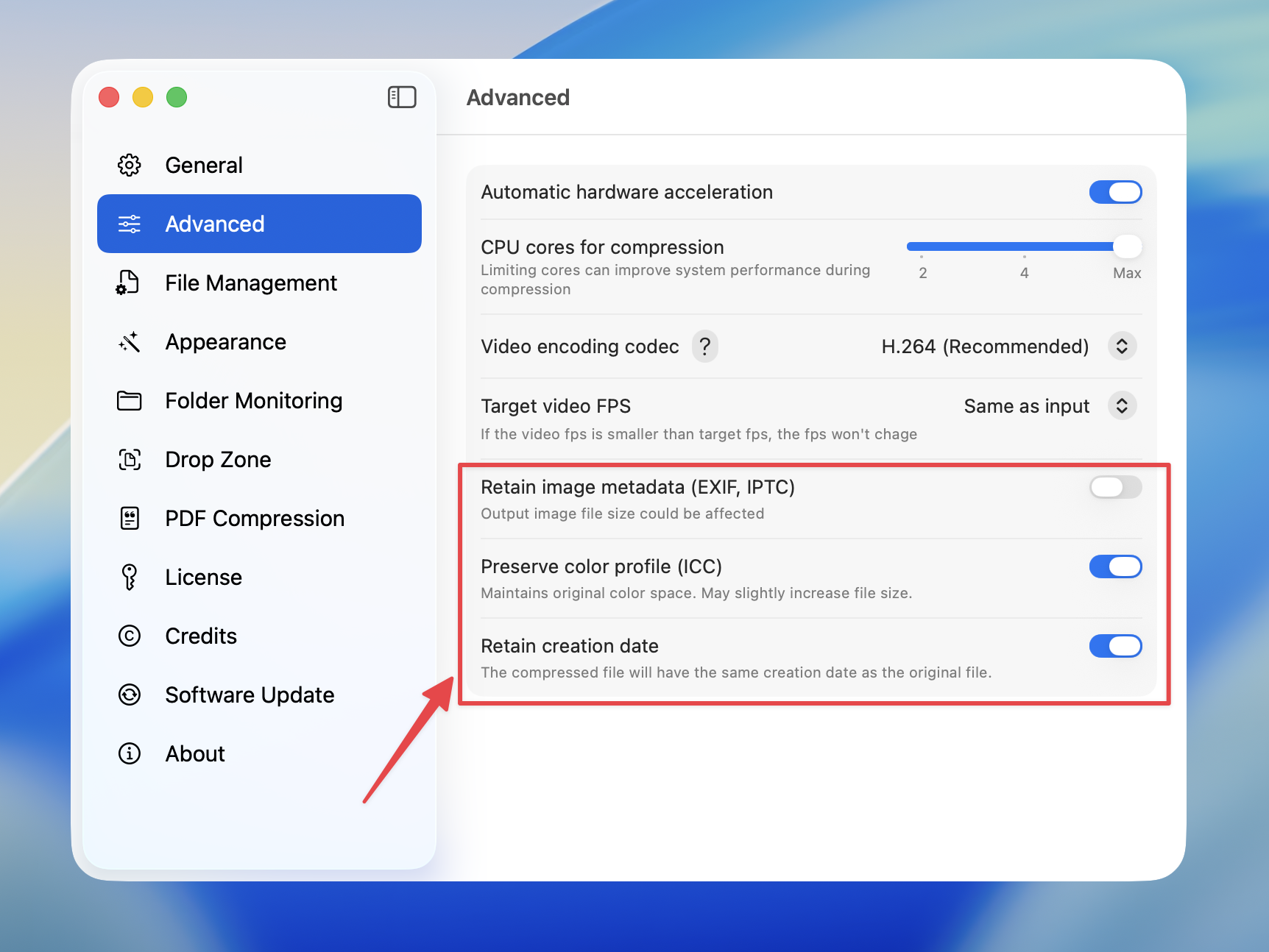
## How to Configure
Open Compresto
Go to **Settings** > **Advanced**
Toggle the metadata options you want to preserve:
* **Retain image metadata (EXIF, IPTC)**
* **Preserve color profile (ICC)**
* **Retain creation date**
 ## When to Use
| Scenario | Recommended Settings |
| ----------------------- | ------------------------------------------------- |
| Maximum compression | All options off |
| Photography archive | All options on |
| Social media sharing | All options off (platforms strip metadata anyway) |
| Print production | Preserve color profile on |
| Organized photo library | Retain creation date on |
## When to Use
| Scenario | Recommended Settings |
| ----------------------- | ------------------------------------------------- |
| Maximum compression | All options off |
| Photography archive | All options on |
| Social media sharing | All options off (platforms strip metadata anyway) |
| Print production | Preserve color profile on |
| Organized photo library | Retain creation date on |